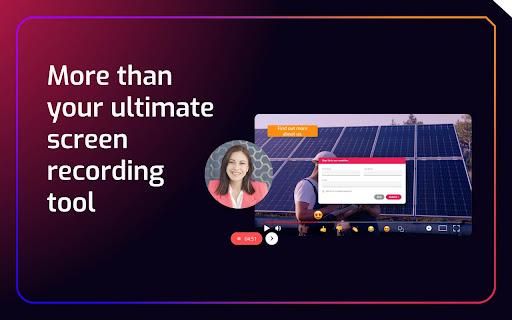
Cinema8 is a powerful screen recording extension designed to enhance your communication and engagement through interactive videos. With this tool, users can effortlessly record their screens or webcams and create captivating content that integrates interactive elements. The extension offers a seamless solution for sharing videos, making...
Cinema8 is a powerful screen recording extension designed to enhance your communication and engagement through interactive videos. With this tool, users can effortlessly record their screens or webcams and create captivating content that integrates interactive elements. The extension offers a seamless solution for sharing videos, making it ideal for personalized video pitches, interactive training materials, or dynamic client presentations. One of its standout features is the ability to incorporate lead generation tools such as forms and calls-to-action, ensuring that your content is not just engaging but also effective. In addition, Cinema8 provides deep analytics to help you optimize your content and track viewer engagement. The AI-powered automation features streamline the creation process, making it easier and quicker to produce high-quality videos. Whether you are a salesperson aiming to make an impact or a team leader looking to educate remote employees, Cinema8 is an invaluable tool for driving communication and enhancing viewer experience. Dive into the world of interactive video with Cinema8 and transform your recordings into powerful tools for business success.
Records entire screen or selected region with just one click.
Allows customization of video quality and frame rate.
Supports recording of audio from microphone or system audio.
Enables trimming and cropping of video clips after recording.
Provides option to add text, arrow, and rectangle overlays.
Offers one-click upload to YouTube, Google Drive, or local storage.
Allows recording of webcam video and screenshot capture with ease.
Supports pause and resume recording with a single click.
You Got Questions,We Got Answers
What is Cinema8 screen recording?
Cinema8 is a Chrome extension that allows users to record their screen, webcam, and audio for creating tutorials, presentations, and other multimedia content with ease and convenience
How does Cinema8 work?
Cinema8 uses Chrome's screen recording API to capture video and audio, and then allows users to edit and customize their recordings with features like trimming, adding text and shapes, and more
Is Cinema8 free to use?
Cinema8 offers a free version with limited features, and a premium subscription that unlocks advanced tools and capabilities, including longer recording times and higher video quality
Can I record my webcam with Cinema8?
Yes, Cinema8 allows users to record their webcam feed simultaneously with their screen recording, making it ideal for creating video tutorials, presentations, and other multimedia content
How do I edit my recordings in Cinema8?
Cinema8 provides a simple and intuitive editing interface that allows users to trim, cut, and arrange their recordings, add text, shapes, and other visual elements, and more
Can I share my recordings with others?
Yes, Cinema8 allows users to export their recordings as MP4 files, making it easy to share them on social media, YouTube, email, or other online
Use cases
Healthcare
Medical professionals can record patient consultations to improve documentation and reduce liability, enhancing compliance with HIPAA regulations and facilitating better patient care
Finance
Financial advisors can record client meetings to provide a clear record of investment advice, reducing the risk of disputes and improving client satisfaction
Retail
Sales associates can record product demonstrations to create engaging online content, enhancing the shopping experience and increasing sales
Marketing
Marketers can record video testimonials to build trust with potential customers, increasing brand credibility and driving conversions
Manufacturing
Quality control teams can record equipment malfunctions to identify root causes, reducing downtime and improving overall manufacturing efficiency
Education
Instructors can record video lessons to supplement traditional teaching methods, increasing student engagement and enhancing the learning experience
Traffic and Engagement
Mar 2026 - May 2026
World wide
Monthly visitors (May)
197.3m
Page/Visit
2.8
Visit Duration
1m 54s
Bounce Rate
0.6%
Pricing
Free
$0
Cinema8 – Chrome Extension Embeds
Copied!
Let your community know you're live on Skillcurb! Just drop a badge on your site’s homepage with just a few clicks. Showcasing the badge helps increase your visibility and connects you with users actively exploring top AI tools.