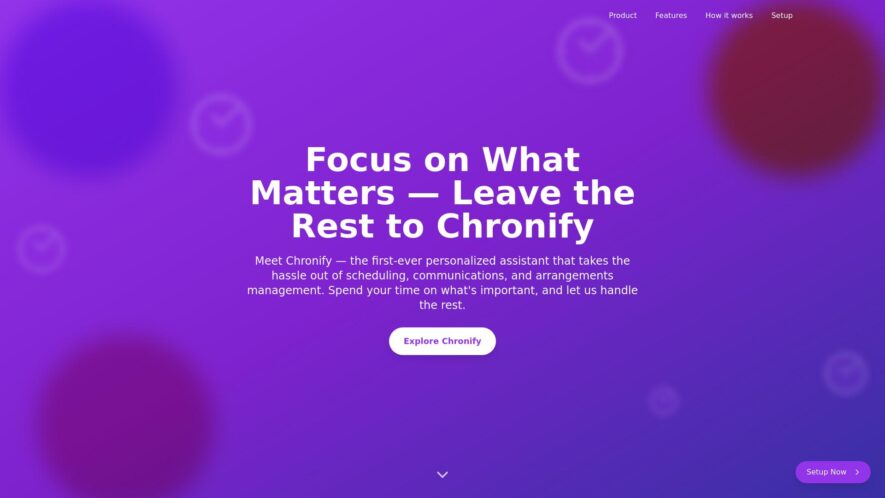
Chronify is a timeline-based project management platform that helps teams visualize and track progress, identify dependencies, and stay organized. Users can create custom timelines, add tasks and events, and set deadlines, all in a drag-and-drop environment. The platform also features real-time collaboration, automated workflows, and customizable...
Chronify is a timeline-based project management platform that helps teams visualize and track progress, identify dependencies, and stay organized. Users can create custom timelines, add tasks and events, and set deadlines, all in a drag-and-drop environment. The platform also features real-time collaboration, automated workflows, and customizable reporting. With its intuitive interface and flexibility, Chronify is suitable for a wide range of projects and industries, from software development to marketing campaigns and construction projects.
Automate repetitive tasks with customizable workflows and conditional logic.
Organize tasks by projects, clients, or custom categories.
Track time spent on tasks with automatic time tracking features.
Set reminders and notifications for upcoming deadlines and tasks.
Collaborate with team members and assign tasks with clear roles.
Visualize task progress with Kanban boards and calendar views.
Integrate with popular tools like Google Drive, Trello, and more.
Generate detailed analytics and reports to optimize productivity.
You Got Questions,We Got Answers
What is Chronify?
Chronify is a time tracking app that enables users to monitor and manage their time spent on various tasks, projects, and activities, providing valuable insights to boost productivity and efficiency.
How does it work?
Chronify uses a simple and customizable workflows to track time, allowing users to create tasks, set timers, and log time entries, with automated time tracking features to minimize manual inputs.
Is it free?
Chronify offers a free plan with limited features, suitable for personal use or small teams, with additional features and support available in the paid subscription, offering a flexible pricing model to accommodate varying needs.
Is my data secure?
Chronify prioritizes data security, employing robust measures, including encryption, secure servers, and regular backups, ensuring that user data is protected and confidential.
Can I use it on mobile?
Chronify is accessible on desktop and mobile devices, with a responsive design, allowing users to track time, view reports, and manage tasks on-the-go, ensuring seamless productivity anywhere.
What kind of reports does it offer?
Chronify provides detailed and customizable reports, projects, and time entries, offering insights into time spent, productivity, and task performance, enabling users to make data-driven decisions and optimize their workflows.
How do I get support?
Chronify offers extensive documentation, tutorials, and FAQs, with a dedicated support team available to assist with any questions, issues, or feedback, ensuring prompt and effective support experience.
Can I integrate it with other tools?
Chronify integrates with popular tools and platforms, such as Google Calendar, Trello, and Slack, enabling users to streamline their workflows, and synchronize data across multiple apps and services.
Use cases
Healthcare
Hospitals use Chronify to optimize nurse staffing, ensuring adequate coverage for high-acuity patients and reducing burnout, resulting in improved patient satisfaction and reduced readmission rates
Finance
Wealth management firms utilize Chronify to schedule client meetings, ensuring timely portfolio reviews and proactive investment advice, resulting in increased client retention and revenue growth
Retail
E-commerce companies leverage Chronify to streamline warehouse operations, optimizing order fulfillment and shipping, resulting in increased customer satisfaction and improved supply chain efficiency
Manufacturing
Production teams use Chronify to schedule equipment maintenance, minimizing downtime and reducing production capacity losses, resulting in increased product output and revenue growth
Marketing
Digital agencies utilize Chronify to schedule social media content, ensuring consistent brand messaging and engagement, resulting in increased followers and lead generation
Education
Universities use Chronify to schedule office hours, ensuring timely student advising and support, resulting in improved student outcomes and increased graduation rates
Traffic and Engagement
N/A
World wide
Monthly visitors (January)
N/A
Page/Visit
N/A
Visit Duration
N/A
Bounce Rate
N/A
Pricing
Chronify
Chronify Embeds
Copied!
Let your community know you're live on Skillcurb! Just drop a badge on your site’s homepage with just a few clicks. Showcasing the badge helps increase your visibility and connects you with users actively exploring top AI tools.