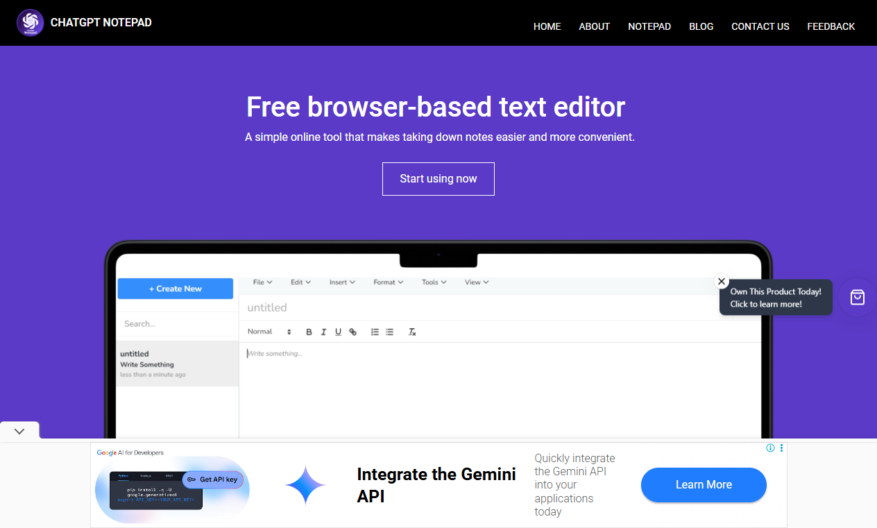
ChatGPT Notepad is an innovative tool designed to streamline your text editing experience by automating the removal of unwanted formatting. With its user-friendly interface, you can easily create, edit, and format text without the hassle of manual adjustments. The core features of ChatGPT Notepad include advanced...
ChatGPT Notepad is an innovative tool designed to streamline your text editing experience by automating the removal of unwanted formatting. With its user-friendly interface, you can easily create, edit, and format text without the hassle of manual adjustments. The core features of ChatGPT Notepad include advanced text transformation capabilities and GPT-generated text editing, ensuring optimal efficiency in your writing tasks. Whether you are enhancing text formatting for a professional document or simplifying your editing processes, this tool caters to various use cases. Powered by Triosoft Technologies, ChatGPT Notepad stands out as a reliable solution for improving productivity. For support or inquiries, users can reach out via email or explore the companys contact page for further assistance. Discover how ChatGPT Notepad can elevate your writing experience and make your text editing tasks effortless. Visit the official website to learn more about its functionalities and benefits. Experience a new level of efficiency with this powerful notepad tool.
AI-powered writing assistant for generating and editing text content.
Real-time syntax and grammar checking for error-free writing.
Auto-save feature to prevent data loss and ensure seamless workflow.
Integrated chat interface for instant feedback and suggestions from AI.
Customizable font styles, sizes, and colors to suit user preferences.
Import and export options to facilitate easy file management and sharing.
Collaboration tools for real-time co-authoring and commenting.
Advanced search functionality for quick access to specific text content.
You Got Questions,We Got Answers
What is ChatGPT Notepad?
ChatGPT Notepad is a free online tool that combines the power of ChatGPT AI with a note-taking interface, allowing users to take notes, generate ideas, and even create content with the help of AI suggestions
Is ChatGPT Notepad free?
Yes, ChatGPT Notepad is completely free to use, with no registration or subscription required, making it accessible to anyone who wants to take advantage of AI-powered note-taking and idea generation
What can I use ChatGPT Notepad for?
You can use ChatGPT Notepad for a variety of purposes, including taking notes, outlining articles or stories, generating content, and even creating chatbot responses, all with the help of AI suggestions
Can I save my notes?
Yes, ChatGPT Notepad allows you to save your notes and even download them as a text file, making it easy to access and reference your notes later
Is my data secure?
Yes, ChatGPT Notepad takes the security and privacy of your data seriously, with all data transmitted over a secure HTTPS connection and no personal information collected or stored
Can I use ChatGPT Notepad offline?
No, ChatGPT Notepad requires an active internet connection to access the AI functionality, but you can still use it to take notes offline, and the AI features will be available when you reconnect
Will ChatGPT Notepad replace human writers?
While ChatGPT Notepad can generate content and ideas, it is designed to augment and assist human writers, not replace them, and is best used as a tool to help spark creativity and productivity
Is ChatGPT Notepad available on mobile?
Yes, ChatGPT Notepad is fully responsive and accessible on mobile devices, allowing you to take notes and generate ideas on-the-go, with the same functionality as the desktop version
Use cases
Healthcare
A medical researcher uses ChatGPT Notepad to generate summaries of patient records, identifying key symptoms and medications, and facilitating collaboration with colleagues on treatment plans
Finance
A financial analyst employs ChatGPT Notepad to analyze market trends, generating concise reports on stock performance and providing recommendations to clients
Retail
An e-commerce manager utilizes ChatGPT Notepad to create product descriptions, generating engaging and SEO-friendly content that drives sales and customer engagement
Manufacturing
A quality control specialist uses ChatGPT Notepad to generate inspection reports, identifying defects, and recommending improvements to the production process
Education
A teacher uses ChatGPT Notepad to create customized lesson plans, incorporating relevant educational resources and activities, and facilitating differentiated instruction for diverse learners
Marketing
A social media manager leverages ChatGPT Notepad to generate social media posts, creating engaging and brand-consistent content that drives customer engagement and conversions
Traffic and Engagement
Mar 2026 - May 2026
World wide
Monthly visitors (May)
29.9k
Page/Visit
4
Visit Duration
2m 35s
Bounce Rate
0.4%
Pricing
Free
$0
ChatGPT Notepad Embeds
Copied!
Let your community know you're live on Skillcurb! Just drop a badge on your site’s homepage with just a few clicks. Showcasing the badge helps increase your visibility and connects you with users actively exploring top AI tools.