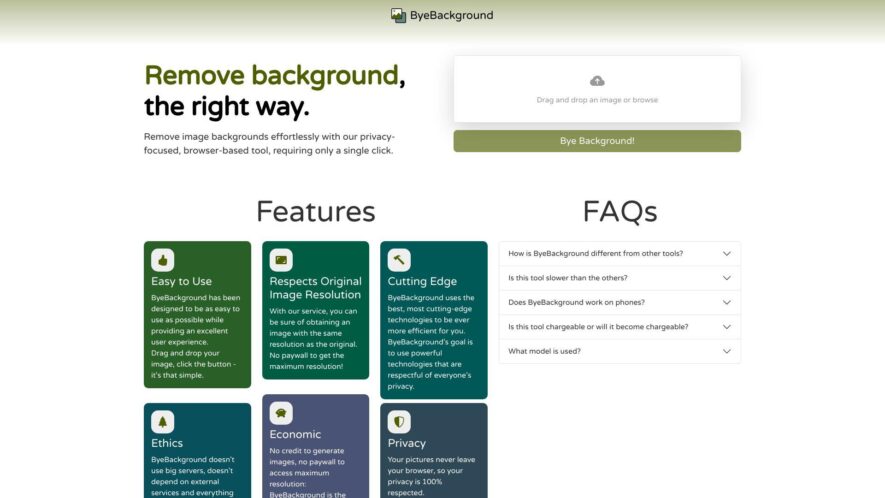
ByeBackground is an innovative browser-based tool designed to make the process of removing image backgrounds seamless and efficient. With a simple drag and drop interface, users can effortlessly eliminate backgrounds in just one click while maintaining the original image resolution. This privacy-friendly solution leverages cutting-edge technologies...
ByeBackground is an innovative browser-based tool designed to make the process of removing image backgrounds seamless and efficient. With a simple drag and drop interface, users can effortlessly eliminate backgrounds in just one click while maintaining the original image resolution. This privacy-friendly solution leverages cutting-edge technologies to ensure fast processing without compromising on quality. ByeBackground stands out as an economical choice, free from hidden fees or paywalls, and operates without ads or trackers to safeguard user privacy. The tool is perfect for a variety of use cases, including product photography, creating transparent logos, building photo collages, and designing engaging social media graphics. Whether accessed on a computer or compatible mobile device, ByeBackground ensures a consistent and effective experience for all users. With a commitment to ethical practices, ByeBackground guarantees that images remain secure within the browser, providing a reliable and environmentally friendly alternative to traditional background removal methods.
Remove backgrounds from images with AI-powered technology for accurate results.
Instantly download edited images in high-resolution quality without any watermark.
Easily edit images with a user-friendly interface requiring no skills.
Bulk upload and edit multiple images simultaneously with a single click.
Enhance image quality with automatic color correction and noise reduction.
Remove complex backgrounds from images with hair, fur, or transparent objects.
Edit images with a single-click solution for e-commerce product images.
Supports various image formats including JPG, PNG, GIF, and BMP.
You Got Questions,We Got Answers
What is Bye Background used for?
Bye Background is a web-based tool designed to remove unwanted backgrounds from photographs, logos, and other digital images, allowing users to isolate objects and create transparent backgrounds with ease and precision.
How does Bye Background work?
Bye Background utilizes advanced AI algorithms to automatically detect and separate objects from their backgrounds, providing users with high-quality, transparent PNG images that can be easily edited and integrated into various designs and projects.
Is Bye Background free to use?
Bye Background offers a free plan that allows users to remove backgrounds from a limited number of images per month, with optional paid subscriptions for heavier users who require more frequent background removals and additional features.
What image formats are supported?
Bye Background supports a wide range of image formats, including JPEG, PNG, GIF, and BMP, allowing users to easily upload and edit images from various sources and export them in their preferred format.
Can I edit images after removal?
Yes, Bye Background provides a built-in editor that enables users to further refine and edit their images, including adjusting colors, contrast, and brightness, as well as adding text, shapes, and other design elements.
Are removed backgrounds transparent?
Yes, Bye Background ensures that removed backgrounds are completely transparent, allowing users to seamlessly integrate their edited images into various designs, presentations, and marketing materials without any visible background residue.
Use cases
Healthcare
Medical professionals use ByeBackground to remove cluttered backgrounds from medical images, enhancing diagnostic clarity and streamlining patient records, ultimately improving treatment outcomes
Finance
Investment analysts utilize the tool to remove distracting backgrounds from charts and graphs, enabling clearer financial trend analysis and more informed investment decisions
Retail
E-commerce businesses employ ByeBackground to remove busy backgrounds from product images to stand out, increasing customer engagement and driving sales
Manufacturing
Quality control teams leverage the tool to remove complex backgrounds from product images, facilitating defect detection and improving overall manufacturing quality
Traffic and Engagement
Mar 2026 - May 2026
World wide
Monthly visitors (May)
0.7k
Page/Visit
2.2
Visit Duration
56s
Bounce Rate
0.4%
Pricing
Free
$0.00
ByeBackground Embeds
Copied!
Let your community know you're live on Skillcurb! Just drop a badge on your site’s homepage with just a few clicks. Showcasing the badge helps increase your visibility and connects you with users actively exploring top AI tools.