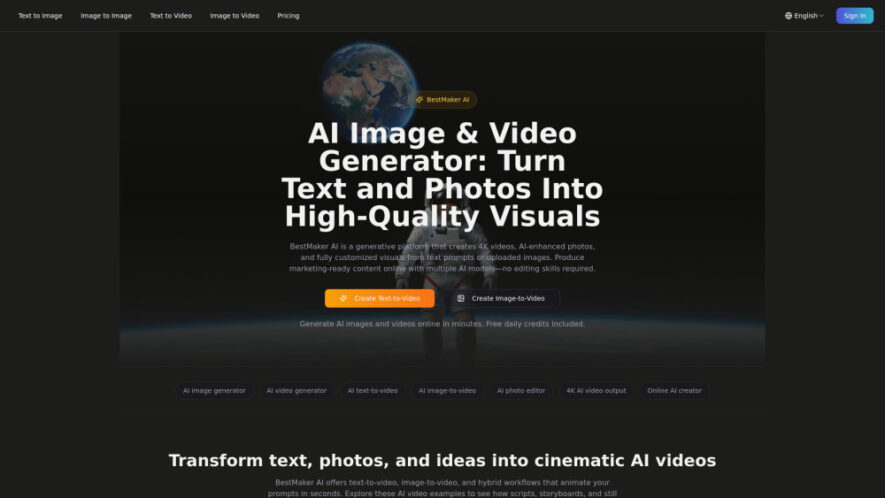
BestMaker AI is a generative platform for creating high-quality images, 4K videos, enhanced photos, and customized visual content from text prompts or uploaded images. It supports text-to-video, image-to-video, and AI photo editing workflows through a browser-based workspace. Users can transform scripts into motion clips, animate still...
BestMaker AI is a generative platform for creating high-quality images, 4K videos, enhanced photos, and customized visual content from text prompts or uploaded images. It supports text-to-video, image-to-video, and AI photo editing workflows through a browser-based workspace. Users can transform scripts into motion clips, animate still photos, remove objects, change backgrounds, create mockups, and produce professional marketing visuals without requiring advanced editing skills.
AI image generation creates customized visuals from detailed text prompts or photos.
AI video generation transforms text descriptions and images into dynamic videos.
AI photo editing modifies images using simple natural language instructions.
4K video output delivers ultra-high-resolution visuals for professional creative projects.
Multiple AI models provide different options for generating images and videos.
Text-to-video transforms scripts, concepts, and briefs into engaging motion clips.
Image-to-video adds cinematic movement, lighting, effects, and animation to photos.
Browser-based workspace simplifies professional visual creation without requiring advanced editing experience.
You Got Questions,We Got Answers
What can BestMaker AI create from text and photos?
BestMaker AI can generate customized images, 4K videos, enhanced photos, animations, and other visual content using text prompts, uploaded images, scripts, or natural language editing instructions.
Can BestMaker AI generate videos directly from text prompts?
Yes, BestMaker AI supports text-to-video generation, allowing users to transform scripts, descriptions, briefs, and creative concepts into dynamic motion clips without requiring traditional video editing software.
Can I transform an existing image into a video?
Yes, BestMaker AI provides image-to-video functionality that can transform photos into cinematic videos with motion, lighting, effects, and other customized visual elements based on user instructions.
Does BestMaker AI provide AI-powered photo editing tools?
Yes, BestMaker AI includes natural language photo editing capabilities for removing objects, changing backgrounds, enhancing images, creating mockups, and making other creative modifications through simple instructions.
Does BestMaker AI support high-resolution 4K video generation?
Yes, BestMaker AI supports 4K AI video output, making it suitable for professional campaigns, marketing materials, creative projects, presentations, and other high-resolution visual requirements.
Which AI models are available through BestMaker AI?
BestMaker AI supports multiple AI models, including Kling, Hunyuan, Pika, and Minimax, giving users different generation options for creating customized images and videos.
Can new users try BestMaker AI without purchasing credits?
Yes, new users receive 30 free credits for testing the platform's AI image generation capabilities. A credit card is not required to begin creating visuals.
Do BestMaker AI one-time credits expire after purchase?
No, one-time credit purchases do not expire. Users can keep their purchased credits indefinitely and use them whenever needed for supported AI image generation features.
Use cases
Marketing
Produce professional marketing visuals, promotional videos, advertisements, social content, and campaign materials efficiently online.
Generate customized images and videos for digital campaigns, seasonal promotions, advertisements, and professional presentations.
Editing
Enhance existing photos using natural language instructions for object removal, background changes, improvements, and creative modifications.
Content
Create high-quality visual content for websites, social platforms, presentations, portfolios, and professional creative projects.
Pricing
Freemium
$5.75
BestMaker AI Embeds
Copied!
Let your community know you're live on Skillcurb! Just drop a badge on your site’s homepage with just a few clicks. Showcasing the badge helps increase your visibility and connects you with users actively exploring top AI tools.