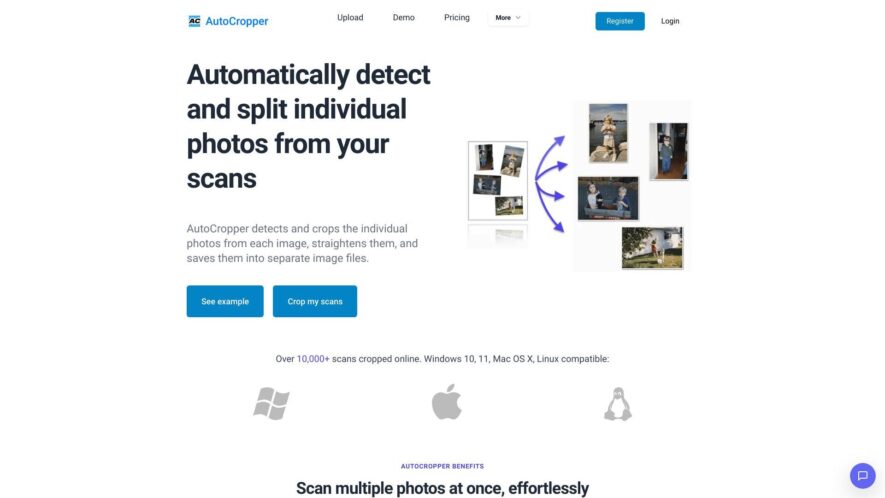
AutoCropper is a free online tool that automatically detects and crops images, logos, and icons from backgrounds, removing unwanted areas and preserving the main subject. It supports various image formats, including PNG, JPG, and GIF, and allows batch processing for multiple images at once. With its...
AutoCropper is a free online tool that automatically detects and crops images, logos, and icons from backgrounds, removing unwanted areas and preserving the main subject. It supports various image formats, including PNG, JPG, and GIF, and allows batch processing for multiple images at once. With its AI-powered algorithm, the tool ensures accurate and precise cropping, saving users time and effort in image editing and optimization.
Automatically detects and crops faces, objects, and images with high accuracy.
Supports various image formats, including PNG, JPG, and GIF.
Allows users to adjust crop settings, such as ratio and padding.
Provides a real-time preview of the cropped image.
Offers a simple and intuitive user interface for easy use.
Enables batch processing for cropping multiple images at once.
Supports custom dimensions and aspect ratios for precise cropping.
Preserves image quality and resolution during the cropping process.
You Got Questions,We Got Answers
What is Autocropper?
Autocropper is an AI-powered online image cropper that helps you remove unwanted parts of an image, automatically detecting the main subject and cropping it to a perfect aspect ratio, saving you time and effort.
How does it work?
Autocropper uses advanced AI algorithms to analyze the image, identifying the main subject, and then crops the image to a perfect aspect ratio, ensuring the subject is centered and the unwanted parts are removed.
Is Autocropper free?
Yes, Autocropper is completely free to use, with no hidden costs or subscription fees, allowing you to crop as many images as you want without worrying about the cost.
Can I upload large files?
Yes, Autocropper supports large file uploads, allowing you to crop high-resolution images, and the AI algorithms work efficiently to process the images quickly, even with large file sizes.
Does Autocropper support batch upload?
Currently, Autocropper does not support batch upload, but you can upload and crop images one by one, and the process is quick and efficient, making it easy to crop multiple images.
Can I adjust the crop?
Yes, Autocropper provides manual adjustment options, enabling you to fine-tune the crop, adjusting the aspect ratio, and position of the crop, giving you more control over the final output.
Is Autocropper secure?
Yes, Autocropper takes security seriously, ensuring that all uploaded images are encrypted and deleted after processing, and respecting user privacy, and adhering to data protection regulations.
Can I use Autocropper commercially?
Yes, Autocropper can be used for commercial purposes, allowing developers and businesses to integrate the API into their applications and services, and use the image cropping functionality to enhance their products.
Use cases
Healthcare
Medical imaging professionals use AutoCropper to automatically remove unnecessary background from MRI and CT scans, improving image quality and facilitating diagnosis
Finance
Financial institutions utilize AutoCropper to extract relevant information from scanned documents, streamlining loan processing and reducing manual data entry
Retail
E-commerce companies employ AutoCropper to remove backgrounds from product images, enhancing visual appeal and improving customer experience
Manufacturing
Quality control teams use AutoCropper to inspect and analyze images of manufactured parts, detecting defects and improving production efficiency
Traffic and Engagement
Feb 2026 - Apr 2026
World wide
Monthly visitors (April)
24.5k
Page/Visit
4.4
Visit Duration
1m 3s
Bounce Rate
0.4%
Pricing
Freemium
$12
AutoCropper Embeds
Copied!
Let your community know you're live on Skillcurb! Just drop a badge on your site’s homepage with just a few clicks. Showcasing the badge helps increase your visibility and connects you with users actively exploring top AI tools.