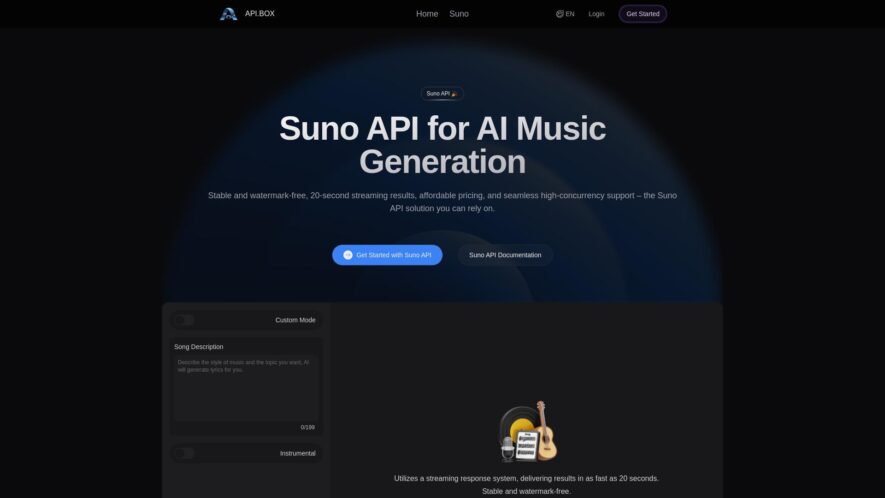
The Box API is a cloud-based storage and collaboration platform that enables developers to build custom integrations and applications. It provides a robust set of APIs and tools to manage files, folders, and collaborations, as well as user management and authentication. With the Box API, developers...
The Box API is a cloud-based storage and collaboration platform that enables developers to build custom integrations and applications. It provides a robust set of APIs and tools to manage files, folders, and collaborations, as well as user management and authentication. With the Box API, developers can create custom applications that integrate with Box, automate workflows, and extend the platform's capabilities, enabling users to work more efficiently and securely in the cloud.
Automate business processes with custom integrations using Box APIs and webhooks.
Securely store and manage files with enterprise-grade security and compliance.
Collaborate in real-time with seamless file sharing and commenting capabilities.
Customize and extend Box with custom applications and integrations using SDKs.
Streamline content-based workflows with custom metadata and task assignments.
Analyze and visualize file-based data with custom analytics and reporting.
Integrate with popular business apps like Office 365 and Salesforce.
Scale to meet business needs with flexible pricing and customizable plans.
You Got Questions,We Got Answers
What is the purpose of the API?
The Box API provides a powerful platform for developers to build custom applications and integrations that leverage the content management capabilities of Box platform, allowing users to access and manage their content in a more seamless and efficient way.
How do I get started with the API?
To get started with the Box API, developers need to create a Box developer account, read and agree to the terms of service, and then create a new application on the Box Developer Console, which will provide an API key and secret key to authenticate API requests.
What are the benefits of using the API?
The Box API provides a wide range of benefits, including the ability to automate business processes, enhance user experiences, and increase productivity, as well as providing access to advanced features and functionality not available through the Box web interface.
Can I use the API for free?
The Box API offers a free plan that allows developers to make a limited number of API requests per month, but for larger-scale applications and integrations, developers will need to upgrade to a paid plan to access additional features and increased API request limits.
How do I authenticate API requests?
To authenticate API requests, developers need to provide the API key and secret key obtained during the application creation process, which will be used to generate an access token that can be used to authenticate API requests.
What are the API request limits?
The Box API has request limits in place to prevent abuse and ensure the reliability of the platform, including limits on the number of API requests that can be made per minute, per hour, and per month, and developers can check the API documentation for more information on the specific limits.
Use cases
Healthcare
A medical research team uses Box's content management to collaborate on clinical trial documents, ensuring secure access to sensitive patient data and compliance with HIPAA regulations
Finance
A global investment firm utilizes Box to securely share confidential deal documents with external partners and clients, streamlining the due diligence process and reducing risk
Retail
A fashion brand uses Box to centralize product asset management, streamlining the go-to-market process and ensuring that all stakeholders have access to the latest product information and high-resolution images
Manufacturing
A leading automotive manufacturer leverages Box to collaborate on design files and technical specifications with suppliers, reducing errors and accelerating time-to-market for new product launches
Marketing
A digital marketing agency uses Box to manage and share large media files with clients, ensuring that all stakeholders have access to the latest versions and reducing project timelines
Education
A university uses Box to securely share sensitive student records with authorized faculty and staff, ensuring FERPA compliance and protecting student privacy
Traffic and Engagement
N/A
World wide
Monthly visitors (January)
N/A
Page/Visit
N/A
Visit Duration
N/A
Bounce Rate
N/A
Pricing
Free
$0
API Box Embeds
Copied!
Let your community know you're live on Skillcurb! Just drop a badge on your site’s homepage with just a few clicks. Showcasing the badge helps increase your visibility and connects you with users actively exploring top AI tools.