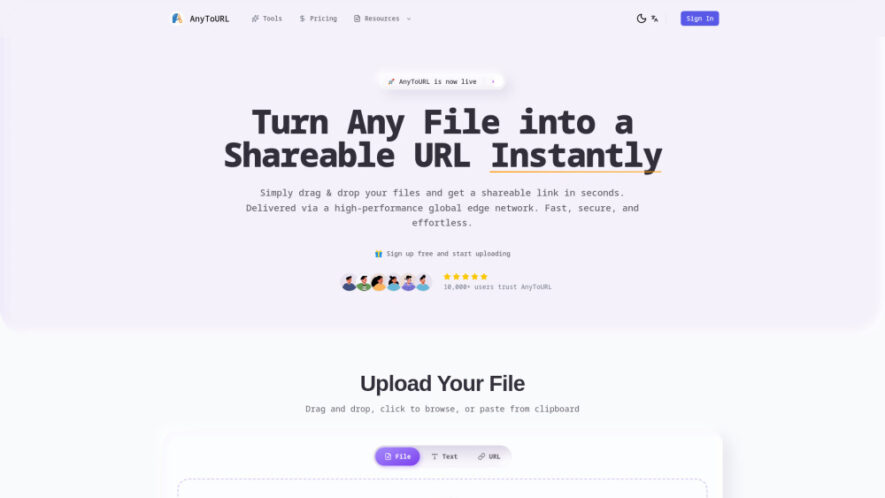
AnyToURL is a simple file hosting and sharing platform that instantly converts files into short, shareable URLs. Users can upload images, videos, PDFs, documents, code snippets, and other file types through drag-and-drop or clipboard support. Files are delivered through a high-performance global CDN for fast access...
AnyToURL is a simple file hosting and sharing platform that instantly converts files into short, shareable URLs. Users can upload images, videos, PDFs, documents, code snippets, and other file types through drag-and-drop or clipboard support. Files are delivered through a high-performance global CDN for fast access worldwide. The platform also offers browser previews, optional password protection, and developer-friendly API support for secure and efficient file sharing.
Upload files quickly using drag-and-drop, browsing, or clipboard pasting.
Generate short links instantly for easy sharing across any platform.
View supported files directly in the browser without downloading them.
Deliver files rapidly worldwide using a high-performance content delivery network.
Secure shared files with optional passwords for controlled access.
Upload images, videos, PDFs, documents, code files, and more effortlessly.
Automate file uploads through API and command-line interface support.
Share files in seconds without complicated setup or technical knowledge.
You Got Questions,We Got Answers
1. Is AnyToURL free for uploading and sharing files with others online?
Yes. AnyToURL provides a free plan with limited storage, temporary file hosting, monthly upload limits, and basic sharing features for everyday use.
2. Which file types can I upload and convert into shareable links?
Users can upload images, videos, PDFs, documents, code snippets, and many other common file formats supported by the platform.
3. Can I protect shared files with passwords for additional security online?
Yes. Optional password protection allows only authorized recipients to access sensitive files through secure shareable links.
4. How long are uploaded files stored on the AnyToURL platform servers?
Free plan files are stored temporarily for twenty-four hours, while paid subscriptions provide permanent or extended storage depending on the selected plan.
5. Does AnyToURL allow people to preview files without downloading them first?
Yes. Supported file formats can be viewed directly within a web browser, making file sharing faster and more convenient for recipients.
6. Can developers automate uploads using APIs and command-line interface tools easily?
Yes. Paid plans include API and CLI support, enabling automated uploads, integrations, and efficient file management within applications and workflows.
7. What is the maximum upload size supported by AnyToURL plans available?
Free users can upload files up to 5 MB, while higher-tier paid plans support significantly larger uploads for professional needs.
8. Who benefits most from using AnyToURL for secure file sharing daily?
Businesses, educators, developers, designers, freelancers, students, and teams can quickly distribute files using secure, fast, and reliable sharing links.
Use cases
Collaboration
Share documents, presentations, screenshots, and project files with colleagues or clients using secure links for faster communication and teamwork.
Education
Distribute lesson materials, assignments, study guides, and educational resources to students through instantly accessible shareable URLs.
Development
Upload code snippets, software packages, configuration files, and development resources for quick sharing among developers and technical teams.
Design
Deliver high-resolution images, creative assets, mockups, logos, and branding materials to clients without complicated download processes.
Marketing
Share promotional PDFs, brochures, videos, product catalogs, and campaign materials with customers through fast-loading global file links.
Storage
Temporarily host important files for quick access, secure distribution, and convenient online sharing without requiring complex cloud storage setup.
Pricing
Free
AnyToURL Embeds
Copied!
Let your community know you're live on Skillcurb! Just drop a badge on your site’s homepage with just a few clicks. Showcasing the badge helps increase your visibility and connects you with users actively exploring top AI tools.