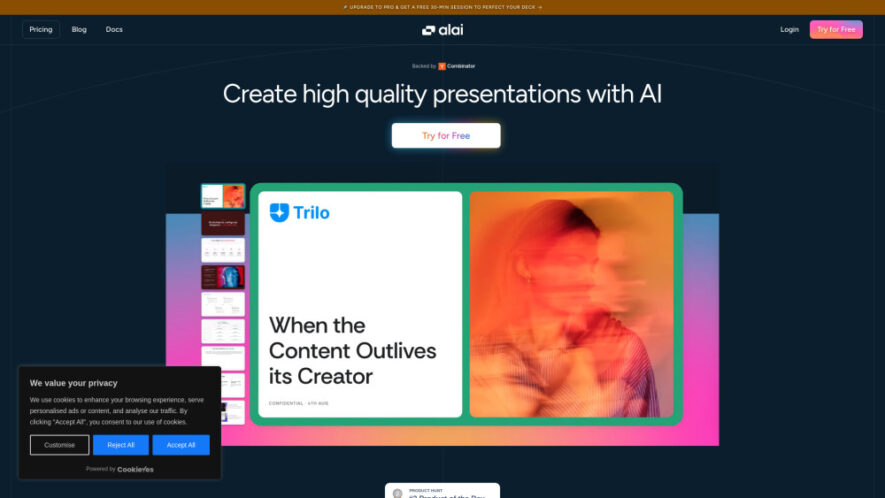
Alai is an AI presentation software designed to help users create polished, professional-quality presentations quickly. For each slide idea, it provides four distinct design options, giving users flexibility to choose the most suitable layout. Its responsive canvas automatically adjusts elements without manual pixel-level editing. Users can...
Alai is an AI presentation software designed to help users create polished, professional-quality presentations quickly. For each slide idea, it provides four distinct design options, giving users flexibility to choose the most suitable layout. Its responsive canvas automatically adjusts elements without manual pixel-level editing. Users can import PowerPoint files, PDFs, or websites, edit presentations with AI or manually, add visual elements, and export finished decks to PDF or PowerPoint.
Four Slide Options Generate four distinct design variations for every presentation slide idea.
Responsive Canvas Automatically adjust layouts, spacing, and elements without manual pixel-level tweaking.
AI-Powered Editing Rewrite text, restyle visuals, and modify slide layouts using simple AI instructions.
Presentation Import Import existing PowerPoint presentations, PDF files, and website content into projects.
PDF and PowerPoint Export Export completed presentations into professional PDF or PowerPoint formats easily.
Rich Element Library Add charts, matrices, funnels, comparisons, and adaptable visual presentation elements.
Context-Aware AI Understand the entire presentation deck when rewriting, summarizing, splitting, or merging slides.
Programmatic Generation API Generate presentations programmatically using Alai's API for automated presentation workflows.
You Got Questions,We Got Answers
What is Alai and how does its presentation software work?
Alai is an AI presentation platform that generates professional slides from ideas, provides four design options, and lets users edit content without manually adjusting individual pixels.
What makes Alai different from other AI presentation tools?
Alai focuses on presentation quality and ease of editing, combining a responsive canvas with multiple slide options and context-aware AI for more consistent professional results.
How many design options does Alai provide for each slide?
Alai provides four distinct design options whenever a slide is generated, allowing users to compare different layouts and select the option that best fits their presentation.
Can I import existing PowerPoint presentations into Alai?
Yes, Alai supports importing existing PowerPoint presentations, along with PDFs and website content, allowing users to bring existing materials into the presentation workflow.
Can I export Alai presentations to PowerPoint?
Yes, Alai supports exporting completed presentations to PowerPoint and PDF formats, making it easier to share, present, print, or continue editing finished decks.
Does Alai support AI-powered presentation editing?
Yes, users can rewrite text, restyle visuals, change layouts, summarize content, split slides, merge slides, and generate visuals using context-aware AI assistance.
What types of visual elements can I add in Alai?
Alai includes adaptable elements such as comparison layouts, feature matrices, funnels, hub-and-spoke diagrams, pie charts, and other presentation-focused visual components.
Who can benefit from using Alai?
Founders, marketers, consultants, professionals, educators, sales teams, and business users can use Alai to create polished presentations efficiently for different professional purposes.
Use cases
Pitching
Create polished pitch decks that communicate business ideas, opportunities, strategies, and growth plans.
Marketing
Build campaign presentations, marketing strategies, promotional concepts, and visually engaging business materials.
Consulting
Develop professional proposals, strategy decks, reports, recommendations, and client presentation materials efficiently.
Collaboration
Create presentation decks for team meetings, project discussions, workshops, and collaborative business workflows.
Sales
Design persuasive sales presentations, product showcases, proposals, and customer-facing business materials.
Create professional reports, data presentations, visual summaries, and executive-level business decks quickly.
Business
Develop presentations for meetings, planning sessions, partnerships, internal communication, and professional business needs.
Traffic and Engagement
Jun 2026 - Aug 2026
World wide
Monthly visitors (August)
180.7k
Page/Visit
2.47
Visit Duration
45s
Bounce Rate
39.08%
Pricing
Paid
0.16
Alai Embeds
Copied!
Let your community know you're live on Skillcurb! Just drop a badge on your site’s homepage with just a few clicks. Showcasing the badge helps increase your visibility and connects you with users actively exploring top AI tools.