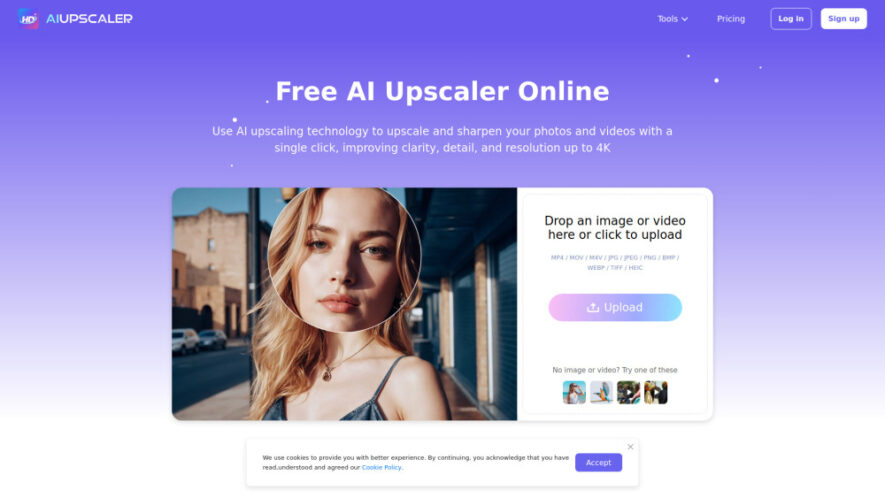
AIUpscaler is a powerful AI-driven image and video enhancement platform that upscales, sharpens, and restores visual quality with a single click. It transforms low-resolution photos and videos into high-definition outputs by enhancing details, reducing noise, and improving clarity. Designed for creators, designers, and businesses, AIUpscaler simplifies...
AIUpscaler is a powerful AI-driven image and video enhancement platform that upscales, sharpens, and restores visual quality with a single click. It transforms low-resolution photos and videos into high-definition outputs by enhancing details, reducing noise, and improving clarity. Designed for creators, designers, and businesses, AIUpscaler simplifies professional-grade enhancement, making it easy to achieve crisp, high-quality visuals without complex editing tools or technical expertise.
Upscales images and videos to high resolution with enhanced clarity and sharpness.
Removes noise and artifacts to improve overall visual quality and detail accuracy.
Enhances textures and edges for more realistic and professional-looking outputs.
Processes images and videos quickly with one-click AI-powered enhancement tools.
Supports batch processing to upscale multiple files efficiently at once.
Restores old or low-quality photos by reconstructing missing visual details intelligently.
Maintains natural colors and tones while improving resolution and sharpness levels.
Offers an easy-to-use interface suitable for beginners and professionals alike.
You Got Questions,We Got Answers
1. How does AIUpscaler improve the quality of low-resolution images and videos?
AIUpscaler uses advanced AI algorithms to analyze and reconstruct missing details, enhancing sharpness, reducing noise, and improving resolution while maintaining natural visual quality.
2. Can AIUpscaler upscale images and videos with just a single click?
Yes, the platform is designed for simplicity. Users can enhance their images and videos instantly with a single click, making it accessible and efficient for all skill levels.
3. What types of files can AIUpscaler process for enhancement?
AIUpscaler supports a variety of image and video formats, allowing users to enhance photos, digital artwork, and video content with improved clarity and resolution.
4. Does AIUpscaler maintain the original quality while enhancing images?
Yes, it preserves original details while enhancing clarity and sharpness. The AI ensures that improvements look natural and not overly processed.
5. Is AIUpscaler suitable for professional use in design and media projects?
Absolutely. Designers, photographers, and content creators can use AIUpscaler to enhance visuals for professional projects, presentations, and digital media.
6. Can users process multiple images or videos at the same time using AIUpscaler?
Yes, the platform supports batch processing, allowing users to upscale multiple files simultaneously, saving time and improving workflow efficiency.
7. How does AIUpscaler handle noise and imperfections in images?
The AI reduces noise, removes artifacts, and smooths imperfections while preserving important details, resulting in cleaner and more refined visuals.
8. Do users need technical expertise to use AIUpscaler effectively?
No, the platform is designed with a user-friendly interface, making it easy for anyone to enhance images and videos without technical knowledge.
Use cases
1. Photographers
Photographers enhance image quality, restore details, and upscale photos for professional portfolios and client projects.
2. ContentCreators
Content creators improve visuals for social media, videos, and marketing materials with high-quality enhancements.
3. Designers
Designers upscale and refine graphics to ensure sharp, high-resolution visuals for branding and digital design projects.
4. Marketers
Marketers enhance campaign visuals and advertisements to create more appealing and engaging content for audiences.
5. Ecommerce
E-commerce businesses improve product images, making them clearer and more attractive to increase conversions and sales.
6. Videographers
Videographers enhance video quality, sharpen details, and deliver professional-grade footage for clients and projects.
7. Archivists
Archivists restore old or degraded images and videos, preserving historical content with improved clarity and detail.
8. Agencies
Agencies use AIUpscaler to deliver high-quality visual assets quickly for clients across various industries and campaigns.
Pricing
Paid
$9.99
AIUpscaler – Image Enhangcer Embeds
Copied!
Let your community know you're live on Skillcurb! Just drop a badge on your site’s homepage with just a few clicks. Showcasing the badge helps increase your visibility and connects you with users actively exploring top AI tools.