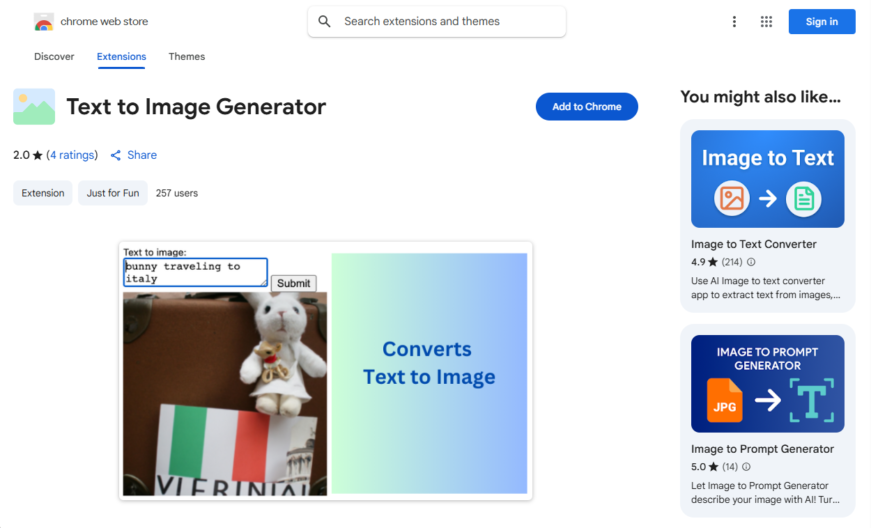
This Text-to-Image Generator Chrome extension allows users to convert written text into images using AI-powered technology, eliminating the need for manual image creation. With a simple and intuitive interface, users can input their text and select from various styles, fonts, and colors to generate a unique...
This Text-to-Image Generator Chrome extension allows users to convert written text into images using AI-powered technology, eliminating the need for manual image creation. With a simple and intuitive interface, users can input their text and select from various styles, fonts, and colors to generate a unique image. The extension supports multiple languages and is suitable for social media posts, blog articles, and other online content. It's a convenient tool for content creators, marketers, and individuals looking to enhance their online presence with visually appealing images.
Generates high-quality images from text descriptions using AI-powered algorithms.
Supports multiple image styles, including realistic, cartoon, and sketch modes.
Allows users to customize image size, aspect ratio, and resolution.
Provides an intuitive interface for easy text-to-image conversion.
Offers a wide range of supported languages for global accessibility.
Includes a built-in image editor for post-processing and refinement.
Features a large dataset of pre-trained models for diverse outputs.
Supports batch processing for converting multiple texts to images simultaneously.
You Got Questions,We Got Answers
What is Text to Image Generator?
Text to Image Generator is a Chrome extension that uses AI to generate images based on text descriptions. Users can input prompts, and the tool creates AI-generated graphics instantly. It serves as a creative tool for designers, artists, and content creators.
How does Text to Image Generator work?
Text to Image Generator operates by processing text input through AI models to generate corresponding images. Users enter a descriptive prompt, and the tool renders an image based on the text. It simplifies visual content creation without requiring design skills.
Is Text to Image Generator free to use?
Text to Image Generator offers both free and premium options. The free version provides basic AI image generation, while advanced features may require a paid subscription. Users can explore different plans based on their needs.
Can I customize the generated images?
Text to Image Generator allows users to experiment with different prompts to achieve varied image outputs. Some versions may offer additional customization options such as styles, resolutions, or specific artistic effects.
Is Text to Image Generator available on mobile?
Text to Image Generator is designed as a Chrome extension, which means it primarily functions on Chrome browsers. Some mobile browsers may support extensions, allowing limited use on mobile devices.
Does Text to Image Generator store user data?
Text to Image Generator may store user prompts and generated images to improve performance and AI training. However, privacy settings and data policies protect user information. Users can review terms through the extension page.
How accurate is Text to Image Generator?
Text to Image Generator provides high-quality AI-generated images, but results can vary based on prompt specificity and AI model capabilities. Users may need to refine inputs for best outputs. The tool is continuously updated to improve accuracy.
Can I integrate Text to Image Generator with other platforms?
Text to Image Generator primarily functions as a Chrome extension, meaning it integrates with the Chrome browser but may not connect directly with external platforms. Users can download generated images for use in other applications.
Is Text to Image Generator safe to use?
Text to Image Generator follows Chrome Web Store guidelines for security and data privacy. It does not contain malware or harmful software, ensuring a safe experience for users. Regular updates maintain security standards.
How can I contact Text to Image Generator support?
Text to Image Generator users can seek support through the Chrome Web Store page, where developer contact details and FAQs are available. Some versions may also offer a help center or email support for troubleshooting.
Use cases
Healthcare
Medical illustrators can use the text-to-image generator to create detailed, accurate, and informative visual aids for patient education, surgical planning, and medical research, enhancing understanding and improving health outcomes
Finance
Financial analysts can utilize the tool to generate visual representations of complex financial data, such as stock market trends and economic forecasts, to facilitate better decision-making and risk assessment
Retail
E-commerce businesses can leverage the text-to-image generator to create high-quality product images from textual descriptions, reducing costs and accelerating product listing processes, while improving customer experiences
Manufacturing
Engineers can employ the tool to generate detailed diagrams and schematics from technical specifications, streamlining design and prototyping processes, and enhancing collaboration among cross-functional teams
Marketing
Content creators can use the text-to-image generator to produce engaging, personalized, and dynamic visuals for social media campaigns, blog posts, and advertisements, increasing brand awareness and customer engagement
Education
Teachers and instructors can utilize the tool to create interactive, multimedia learning materials, such as virtual labs and interactive simulations, to enhance student engagement and understanding of complex concepts
Traffic and Engagement
Apr 2026 - Jun 2026
World wide
Monthly visitors (June)
209.8m
Page/Visit
2.9
Visit Duration
1m 55s
Bounce Rate
0.6%
Pricing
FREE
$0
AI Text to Image Converter – Chrome Extension Embeds
Copied!
Let your community know you're live on Skillcurb! Just drop a badge on your site’s homepage with just a few clicks. Showcasing the badge helps increase your visibility and connects you with users actively exploring top AI tools.