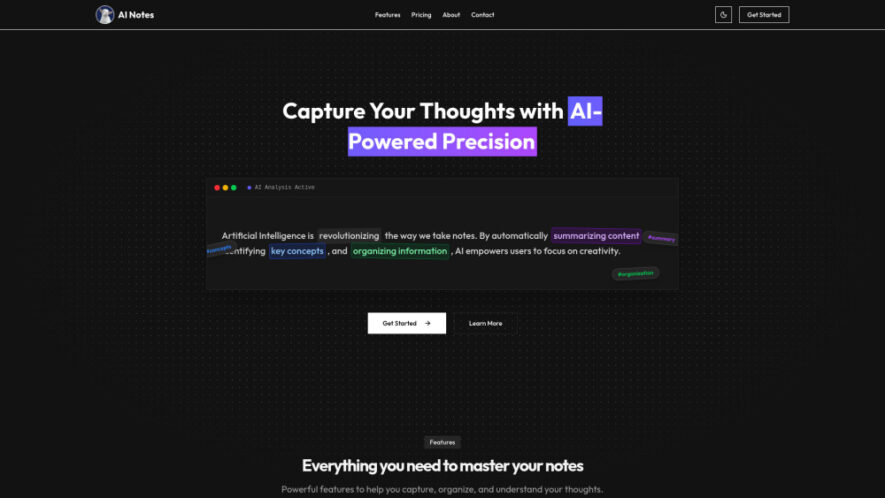
AI Notes is an intelligent note-taking platform that helps users capture, organize, and enhance information effortlessly. Its AI automatically summarizes notes, identifies key ideas, suggests tags, checks grammar, and translates content into multiple languages. With secure AES-256 encryption, real-time synchronization, Markdown support, and PDF or HTML...
AI Notes is an intelligent note-taking platform that helps users capture, organize, and enhance information effortlessly. Its AI automatically summarizes notes, identifies key ideas, suggests tags, checks grammar, and translates content into multiple languages. With secure AES-256 encryption, real-time synchronization, Markdown support, and PDF or HTML export, AI Notes streamlines personal, academic, and professional workflows while keeping information organized, accessible, and protected across devices.
Translate notes into multiple languages for seamless global communication and collaboration effortlessly.
Real-time synchronization keeps notes updated consistently across all connected devices instantly.
Markdown support enables structured formatting for organized documentation and technical note creation.
Export notes to PDF and HTML formats for convenient sharing anytime.
You Got Questions,We Got Answers
1. What makes AI Notes different from traditional note-taking apps?
AI Notes combines intelligent summarization, automatic organization, grammar correction, translation, and secure encryption into one platform. These AI-powered features help users save time, improve productivity, and manage information more efficiently than conventional note-taking applications.
2. Can AI Notes automatically summarize long documents and meeting notes?
Yes, AI Notes uses artificial intelligence to generate concise summaries from lengthy notes, meeting discussions, research materials, and documents. This allows users to quickly understand important points without reading every detail manually.
3. Does AI Notes provide secure storage for personal information?
Yes, AI Notes protects user data using AES-256 encryption, ensuring personal, academic, and business notes remain private and secure. This advanced security standard helps safeguard sensitive information from unauthorized access and data breaches.
4. Can I access my notes across multiple devices easily?
Yes, AI Notes supports real-time synchronization, allowing users to access updated notes from smartphones, tablets, and computers. Changes made on one device automatically appear across connected devices for seamless productivity.
5. Does AI Notes support Markdown formatting and document exporting?
Yes, AI Notes includes Markdown support for structured writing and allows exporting notes into PDF and HTML formats. These options make sharing, archiving, and presenting information simple and convenient for various workflows.
6. Is AI Notes suitable for students and educational purposes?
Absolutely. Students can organize lecture notes, summarize research materials, improve grammar, and categorize study content automatically. These features simplify learning, revision, assignment preparation, and academic knowledge management throughout their studies.
7. Does AI Notes offer multilingual translation for written content?
Yes, AI Notes features global translation capabilities that convert notes into multiple languages. This helps users collaborate internationally, understand foreign-language content, and communicate ideas effectively across language barriers with ease.
8. Is there a free version available for AI Notes users?
Yes, AI Notes offers a free plan with unlimited notes, secure storage, Markdown support, AI-powered features, and an ad-free experience. Users can later upgrade for enhanced AI functionality and unlimited premium usage.
Use cases
Students
Capture lecture notes, summarize study materials, organize assignments, and improve academic productivity efficiently.
Meetings
Record meeting discussions, generate summaries, organize action items, and improve team collaboration effortlessly.
Research
Collect research findings, categorize references, summarize documents, and manage knowledge more effectively every day.
Writing
Draft articles, brainstorm ideas, correct grammar, and organize content for faster publishing workflows.
Planning
Create project plans, manage task lists, organize priorities, and track important progress with clarity.
Journaling
Store personal thoughts securely, organize daily reflections, and review meaningful experiences with intelligent summaries.
Collaboration
Share organized notes, synchronize updates instantly, translate content, and improve teamwork across different locations.
Documentation
Create structured documentation using Markdown, export professional files, and maintain organized records for future reference.
Pricing
Freemium
$1.05
AI Notes Embeds
Copied!
Let your community know you're live on Skillcurb! Just drop a badge on your site’s homepage with just a few clicks. Showcasing the badge helps increase your visibility and connects you with users actively exploring top AI tools.