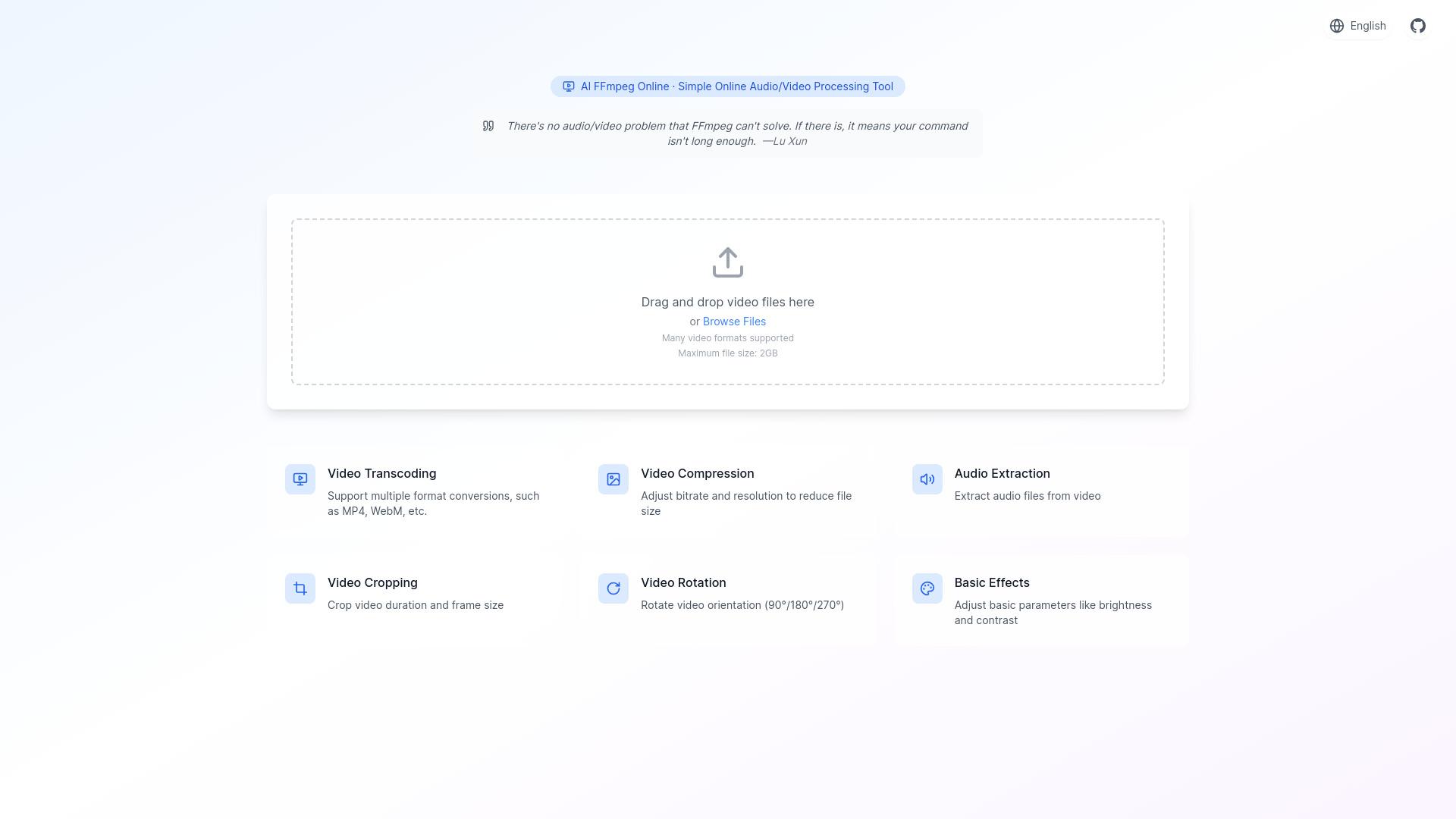
FFmpeg Online is an online tool for audio and video processing, supporting features such as compression, format conversion, audio extraction, video cropping, and video rotation. It utilizes natural language processing to allow users to interact with the tool easily, all processed locally to ensure user privacy....
FFmpeg Online is an online tool for audio and video processing, supporting features such as compression, format conversion, audio extraction, video cropping, and video rotation. It utilizes natural language processing to allow users to interact with the tool easily, all processed locally to ensure user privacy. FFmpeg Online is ideal for users seeking a simple and efficient solution for video editing tasks without the need for complex commands.
Compress and convert videos without uploading files.
Extract audio from videos using simple commands.
Crop, rotate, and adjust video dimensions.
Apply filters and overlays to enhance videos.
Split and merge video files seamlessly.
Process videos locally to protect privacy.
Utilize AI chat for natural language command input.
Access a free, browser-based video processing tool.
You Got Questions,We Got Answers
What is FFmpeg Online?
FFmpeg Online is a free web-based video processing tool that allows users to convert, compress, edit, and extract audio from videos using FFmpeg commands through a natural language interface. No uploads are required; processing occurs locally on your device.
How does FFmpeg Online work?
Users can drag and drop video files onto the website, select desired processing options such as compression, format conversion, and audio extraction, all without needing complex commands. The tool utilizes FFmpeg's powerful capabilities to perform these tasks efficiently.
Is FFmpeg Online free to use?
FFmpeg Online is completely free to use. There are no hidden fees or premium plans; all features are accessible to users without any cost.
Can I customize my videos with FFmpeg Online?
FFmpeg Online provides basic customization options such as video compression, format conversion, audio extraction, cropping, and rotation. For more advanced features like filters and effects, users may need to utilize the full FFmpeg command-line interface or other specialized tools.
Is FFmpeg Online available on mobile?
FFmpeg Online is a web-based platform accessible through modern web browsers on both desktop and mobile devices. While there isn't a dedicated mobile app, the mobile-friendly interface ensures a seamless experience across devices.
Does FFmpeg Online store my data?
FFmpeg Online processes your video content locally within your browser. No files are uploaded to external servers, ensuring your data remains private and secure during processing.
How accurate is FFmpeg Online?
FFmpeg Online leverages the powerful FFmpeg library, known for its high accuracy and efficiency in video processing tasks. The tool provides reliable results for various video editing and conversion needs.
Can I integrate FFmpeg Online with other platforms?
FFmpeg Online is primarily a standalone tool. Users can download the processed files and manually upload them to other platforms for further use or editing. Integration capabilities may vary based on specific workflows and requirements.
Use cases
Marketing
FFmpeg Online enables marketers to compress large video files for easier sharing, convert videos to different formats for compatibility, and extract audio from videos for music production
Retail
Retailers utilize FFmpeg Online to convert product videos into various formats for different platforms, extract audio for product demonstrations, and compress videos to optimize website performance
Education
Educators employ FFmpeg Online to convert lecture recordings into accessible formats, extract audio for podcasts, and compress videos for efficient online distribution.
Traffic and Engagement
N/A
World wide
Monthly visitors (January)
N/A
Page/Visit
N/A
Visit Duration
N/A
Bounce Rate
N/A
Pricing
Free
$0
AI FFmpeg Online Embeds
Copied!
Let your community know you're live on Skillcurb! Just drop a badge on your site’s homepage with just a few clicks. Showcasing the badge helps increase your visibility and connects you with users actively exploring top AI tools.