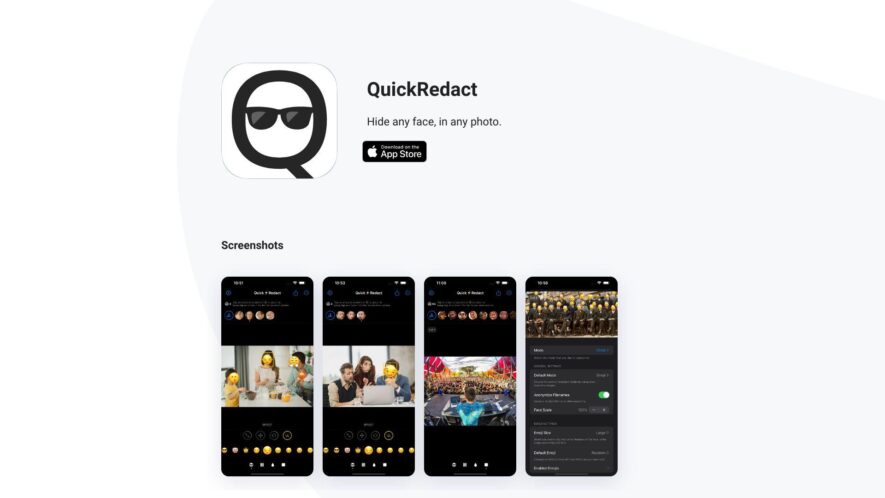
QuickRedact is a web-based redaction tool that allows users to remove sensitive information from images and documents quickly and easily. With a simple and intuitive interface, users can upload files, select areas to redact, and download the redacted version. The tool supports various file formats, including...
QuickRedact is a web-based redaction tool that allows users to remove sensitive information from images and documents quickly and easily. With a simple and intuitive interface, users can upload files, select areas to redact, and download the redacted version. The tool supports various file formats, including PDF, JPEG, and PNG, and is accessible from any device with an internet connection, making it a convenient solution for individuals and organizations that need to protect confidential information.
Automatically detect and redact sensitive information in documents and images.
Easily customize redaction rules to meet specific compliance requirements and regulations.
Collaborate in real-time with secure, permission-based access to redacted documents.
Maintain a complete audit trail of all redactions and user activity.
Integrate seamlessly with existing workflows and document management systems.
Redact sensitive information in medical records and healthcare documents.
Supports a wide range of file formats including PDF, DOCX, and JPEG, ensuring flexibility.
Protect sensitive information with advanced encryption and security protocols.
You Got Questions,We Got Answers
What is Quick Redact?
A secure, user-friendly platform for redacting sensitive information from documents and images.
How does it work?
Simply upload your file, select the areas, and Quick Redact will remove the sensitive information, providing a secure and redacted version of your document or image.
What file types are supported?
Quick Redact supports a wide range of file types, including PDF, JPEG, PNG, TIFF, and Microsoft Office documents, ensuring compatibility with your existing workflows.
Is my data secure?
Absolutely, Quick Redact utilizes end-to-end encryption and adheres to strict data protection policies, guaranteeing the security and confidentiality of your sensitive data.
Can I redact multiple files?
Yes, Quick Redact allows you to upload and redact multiple files simultaneously, streamlining your workflow and saving you valuable time.
What makes Quick Redact unique?
Quick Redact combines advanced redaction technology with exceptional customer support, providing a comprehensive solution for all your redaction needs.
Use cases
Healthcare
Medical transcriptionists use QuickRedact to remove protected health information from audio files, ensuring HIPAA regulations are met and patient data is secure
Retail
Customer service representatives employ QuickRedact to remove personal identifiable information from recorded customer calls, ensuring compliance with data protection laws and maintaining customer trust
Manufacturing
Quality control specialists use QuickRedact to remove proprietary information from audio recordings of product testing and development, protecting trade secrets and intellectual property
Education
Professors use QuickRedact to remove student names and identifying information from audio recordings of lectures and discussions, ensuring FERPA compliance and protecting student privacy
Traffic and Engagement
N/A
World wide
Monthly visitors (January)
N/A
Page/Visit
N/A
Visit Duration
N/A
Bounce Rate
N/A
Pricing
Free
$0
QuickRedact Embeds
Copied!
Let your community know you're live on Skillcurb! Just drop a badge on your site’s homepage with just a few clicks. Showcasing the badge helps increase your visibility and connects you with users actively exploring top AI tools.