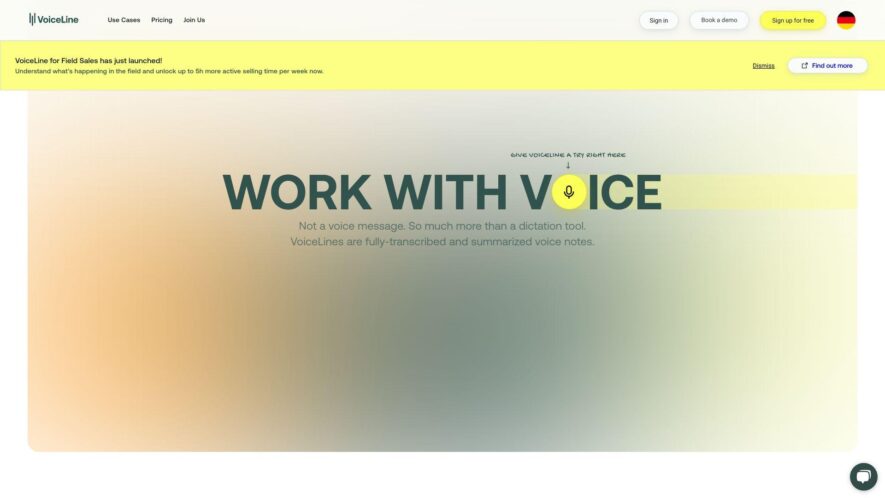
GetVoIPLine is a cloud-based phone system designed for businesses, offering a comprehensive suite of features to enhance communication and collaboration. With its scalable and flexible infrastructure, it enables users to manage calls, texts, and faxes from a single platform. Key features include auto-attendant, call forwarding, video...
GetVoIPLine is a cloud-based phone system designed for businesses, offering a comprehensive suite of features to enhance communication and collaboration. With its scalable and flexible infrastructure, it enables users to manage calls, texts, and faxes from a single platform. Key features include auto-attendant, call forwarding, video conferencing, and custom integrations with popular CRM and productivity tools. GetVoIPLine promises high-quality voice and video, and 24/7 customer data, ensuring a reliable and secure communication solution for businesses of all sizes.
Customizable phone numbers with local area codes for professional presence.
Advanced call forwarding to any device or phone number for convenience.
Voicemail transcription to text for easy reading and reference.
Call recording for training and quality assurance purposes.
Customizable greetings and announcements for a personalized experience.
Multi-line management for teams and departments with ease.
Real-time analytics and call tracking for data-driven decisions.
Integrations with popular CRM and workflow tools for automation.
You Got Questions,We Got Answers
What is Voiceline and how does it work to help me?
Voiceline is a virtual phone system that helps you manage your business communications efficiently, allowing you to receive and make calls, send texts, and set up custom greetings and call forwarding rules.
Can I use Voiceline for personal use too?
Absolutely, Voiceline is suitable for both personal and business use, providing a professional phone system that separates your work and personal life, while also offering advanced features for personal use, such as call blocking and recording.
How many phone numbers can I get with Voiceline?
With Voiceline, you can get up to 100 local or toll-free phone numbers, allowing you to establish a local presence, create separate departments, or use different numbers for marketing campaigns, all within a single account.
Is Voiceline compatible with my existing devices?
Yes, Voiceline is compatible with most devices, including desktops, laptops, mobile phones, and tablets, and can be accessed through a web browser or mobile app, allowing you to manage your communications on-the-go.
How does Voiceline's call forwarding feature work?
Voiceline's call forwarding feature allows you to forward incoming calls to any phone number, including your cell phone, landline, or another Voiceline number, ensuring that you never miss an important call, even when you're not in the office.
Can I customize my Voiceline phone system settings?
Yes, Voiceline provides a user-friendly dashboard that allows you to customize your phone system, including setting up custom greetings, creating call queues, and configuring call forwarding rules to suit your specific business requirements.
Use cases
Healthcare
Medical offices use Voiceline to securely record and store patient calls, ensuring HIPAA compliance and allowing for easy review and reference for medical professionals
Finance
Financial advisors utilize Voiceline to record client calls, maintaining a paper trail for regulatory compliance and providing a clear record of investment advice
Retail
Online retailers employ Voiceline to record customer service calls, improving agent training and enhancing customer experience
Marketing
Marketing teams leverage Voiceline to record and analyze sales calls, refining their pitch and identifying areas for improvement
Manufacturing
Quality control teams in manufacturing use Voiceline to record and review customer complaints, identifying and addressing product defects
Traffic and Engagement
Feb 2026 - Apr 2026
World wide
Monthly visitors (April)
1.1k
Page/Visit
2
Visit Duration
15s
Bounce Rate
0.4%
Pricing
VoiceLine
VoiceLine Embeds
Copied!
Let your community know you're live on Skillcurb! Just drop a badge on your site’s homepage with just a few clicks. Showcasing the badge helps increase your visibility and connects you with users actively exploring top AI tools.