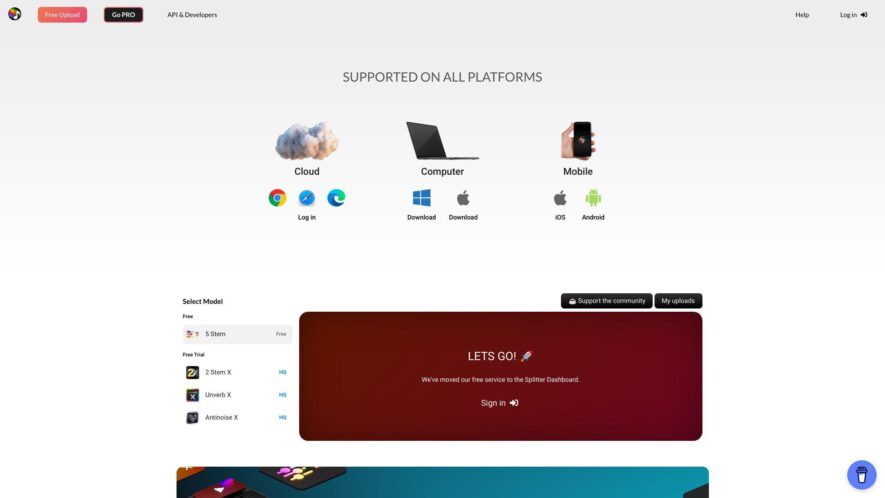
Splitter is a machine learning-based audio editing tool that helps podcasters, videocasters, and content creators to split, edit, and transcribe their recordings automatically. It allows users to upload their audio files, and the AI-powered engine splits the audio into individual tracks, removing silence, noise, and unwanted...
Splitter is a machine learning-based audio editing tool that helps podcasters, videocasters, and content creators to split, edit, and transcribe their recordings automatically. It allows users to upload their audio files, and the AI-powered engine splits the audio into individual tracks, removing silence, noise, and unwanted parts. The platform also offers features like automatic transcription, speaker identification, and audio file export in various formats, making it a convenient and time-saving solution for audio post-production.
Automated audio splitting into individual tracks with high accuracy.
Customizable track labeling and tagging for easy organization and search.
Support for multiple audio file formats including MP3, WAV, and AAC.
Advanced noise reduction and audio enhancement for crystal-clear sound.
Real-time audio preview and playback for quick track validation.
Batch processing for splitting multiple files simultaneously with speed.
User-friendly interface for easy navigation and minimal learning curve.
Secure cloud-based processing with data encryption for protected uploads.
You Got Questions,We Got Answers
What is Splitter.ai?
Splitter.ai is an AI-powered audio editing tool that helps podcasters, videocasters, and content creators to split, edit, and transcribe audio files with ease, saving time and effort in the post-production process.
How does it work?
Splitter.ai uses advanced AI algorithms to analyze audio files, automatically detecting and splitting tracks, removing noise and silence, and generating accurate transcriptions, making it easy to edit and refine the audio content.
Can I edit audio files?
Yes, Splitter.ai allows you to edit audio files, trim, split, and merging tracks, and adjust volume levels, giving you full control over the audio editing process, all within an intuitive and user-friendly interface.
Is it easy to use?
Absolutely, Splitter.ai is designed to be user-friendly, even for those without extensive audio editing experience, with a simple and intuitive interface that guides you through the editing process, making it easy to get started.
What file formats are accepted?
Splitter.ai supports a range of file formats, including MP3, WAV, and M4A, making it easy to upload and edit audio content, regardless of the original file format or recording device used.
Does it support transcription?
Yes, Splitter.ai includes an advanced transcription feature, automatically generating accurate text transcriptions of audio content, making it easy to review, edit, and create written content from your audio files.
Use cases
Healthcare
A medical research team uses Splitter to analyze medical images, identifying patterns to develop more accurate diagnoses and treatments, reducing healthcare costs and improving patient outcomes
Finance
A financial institution utilizes Splitter to detect anomalies in transactions, preventing fraudulent activities and ensuring compliance with regulations, reducing financial risks and improving customer trust
Retail
An e-commerce company employs Splitter to analyze customer behavior, identifying opportunities to personalize product recommendations, increasing sales and enhancing customer experiences
Manufacturing
A manufacturing company leverages Splitter to analyze sensor data from equipment, predicting maintenance needs and reducing downtime, increasing production efficiency and reducing operational costs
Marketing
A marketing agency uses Splitter to analyze customer feedback, identifying trends and sentiments, developing targeted campaigns and improving brand reputation
Education
An educational institution utilizes Splitter to analyze learning patterns, developing personalized curricula, improving academic outcomes and enhancing student engagement
Traffic and Engagement
Feb 2026 - Apr 2026
World wide
Monthly visitors (April)
181.5k
Page/Visit
2.4
Visit Duration
40s
Bounce Rate
0.5%
Pricing
Free
$0
Splitter Embeds
Copied!
Let your community know you're live on Skillcurb! Just drop a badge on your site’s homepage with just a few clicks. Showcasing the badge helps increase your visibility and connects you with users actively exploring top AI tools.