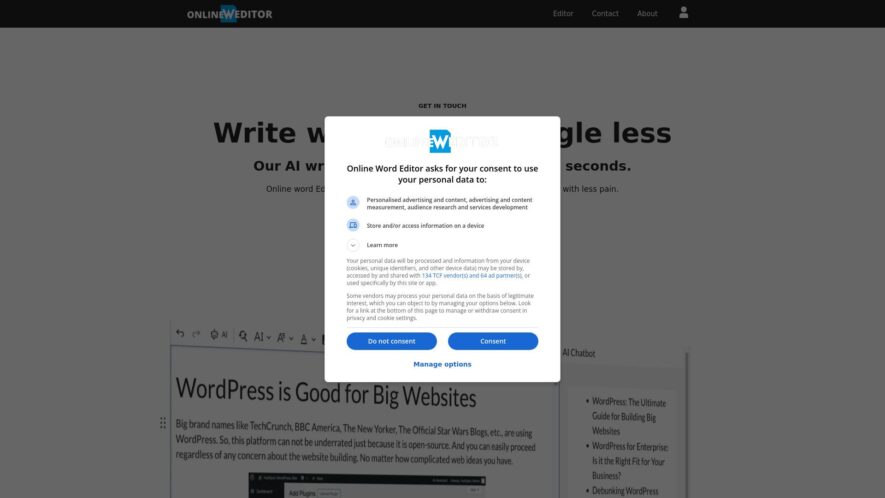
Onlinewordeditor.com is a free online word editor that allows users to create, edit, and save documents in the cloud. The platform offers a range of features, including real-time co-authoring, track changes, and commenting. It also supports popular file formats such as DOCX, PDF, and ODT. The...
Onlinewordeditor.com is a free online word editor that allows users to create, edit, and save documents in the cloud. The platform offers a range of features, including real-time co-authoring, track changes, and commenting. It also supports popular file formats such as DOCX, PDF, and ODT. The editor has a clean and intuitive interface, making it easy to use for both personal and professional purposes. Additionally, all documents are automatically saved, ensuring that users never lose their work.
Real-time collaborative editing with multiple users simultaneously.
Advanced grammar and spell checker with suggestions.
Supports various file formats like DOCX, PDF, and TXT.
Auto-saving feature to prevent data loss.
Rich text formatting options with font styles and sizes.
Inserting images, tables, and charts made easy.
Track changes and revisions with version history.
Export documents in various formats with ease.
You Got Questions,We Got Answers
What is Online Word Editor?
Online Word Editor is a web-based platform that allows users to create, edit, and format documents online, offering powerful tools for collaboration and document management.
Who can benefit from using Online Word Editor?
Online Word Editor is ideal for individuals, students, professionals, and teams who need a flexible and easy-to-use tool for writing, editing, and sharing documents in real-time.
Can I access Online Word Editor on any device?
Online Word Editor is fully cloud-based, making it accessible on any device with an internet connection, including desktops, laptops, tablets, and smartphones.
Does Online Word Editor support collaboration?
Online Word Editor offers real-time collaboration features, allowing multiple users to work on the same document simultaneously and see updates instantly.
What file formats can be opened in Online Word Editor?
Online Word Editor supports various file formats, including .docx, .pdf, .txt, and .odt, enabling seamless document management and editing.
Is Online Word Editor free to use?
Online Word Editor offers a free version with essential features, and premium plans are available for advanced tools, additional storage, and enhanced collaboration options.
Can I save my documents offline?
Online Word Editor provides options to download documents in multiple formats, allowing you to save and access them offline when needed.
Is my data secure in Online Word Editor?
Online Word Editor uses encryption and follows standard security protocols to ensure the safety of your documents and personal information while stored in the cloud.
Use cases
Healthcare
Doctors can collaborate on medical reports and treatment plans in real-time, ensuring accuracy and reducing errors, while also maintaining HIPAA compliance and audit trails
Finance
Financial analysts can simultaneously review and edit complex financial models and reports, streamlining the budgeting and forecasting process
Retail
Store managers can collectively create and edit in-store promotional materials, such as flyers and posters, ensuring brand consistency across all locations
Manufacturing
Quality control teams can collaboratively review and edit technical specifications, ensuring accuracy and compliance with industry regulations
Marketing
Content teams can simultaneously develop and refine campaign messaging, improving consistency and accelerating time-to-market
Education
Teachers can collaboratively develop and edit lesson plans and curriculum materials, promoting consistency and best practices across the school or district
Traffic and Engagement
N/A
World wide
Monthly visitors (January)
N/A
Page/Visit
N/A
Visit Duration
N/A
Bounce Rate
N/A
Pricing
Free
$0
Online Word Editor Embeds
Copied!
Let your community know you're live on Skillcurb! Just drop a badge on your site’s homepage with just a few clicks. Showcasing the badge helps increase your visibility and connects you with users actively exploring top AI tools.