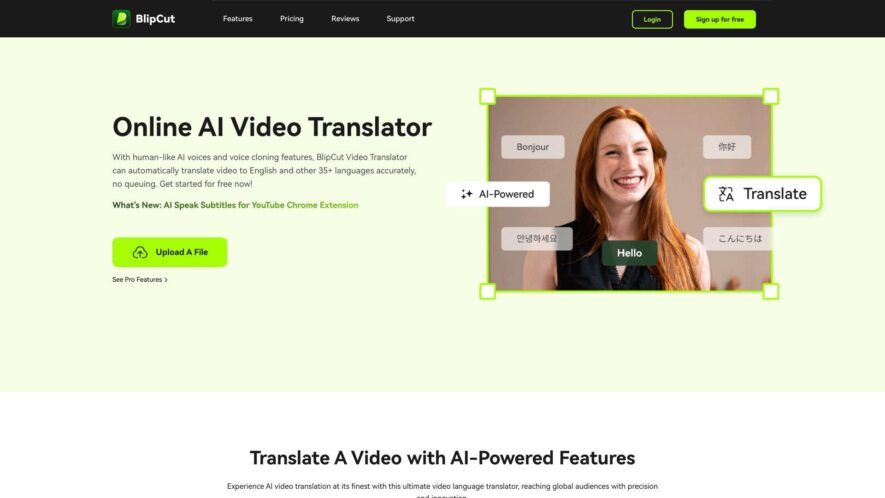
Blipcut's Video Translator is an online platform that enables users to translate, caption, and subtitle their videos in over 60 languages. The tool supports automatic speech recognition, and users can edit the translations in real-time. It also offers a built-in editor for fine-tuning translations. The platform...
Blipcut's Video Translator is an online platform that enables users to translate, caption, and subtitle their videos in over 60 languages. The tool supports automatic speech recognition, and users can edit the translations in real-time. It also offers a built-in editor for fine-tuning translations. The platform is ideal for content creators, marketers, and educators who want to reach a global audience. With its user-friendly interface and fast processing speed, Blipcut's Video Translator makes video localization efficient and cost-effective.
Automatically translates video subtitles, closed captions, and audio in real-time.
Supports multiple languages, including popular languages like English, Spanish, and French.
Provides accurate translations with a high level of fluency and readability, ensuring context.
Allows users to customize font styles, sizes, and colors to fit their brand.
Enables users to add or remove subtitles, closed captions, and audio tracks.
Supports popular video file formats, including MP4, AVI, and MOV files.
Allows users to download translated videos in their preferred format.
Provides a user-friendly interface that is accessible on desktop and mobile devices.
You Got Questions,We Got Answers
What languages does the video translator support?
The video translator supports over 60 languages, including popular languages such as Spanish, French, Mandarin, Arabic, and many more, making it a versatile tool for global communication.
Can I upload my own subtitles?
Yes, you can upload your own subtitles in SRT format to the video translator, allowing you to have full control over the translation process and ensuring accuracy.
Is the video translator free to use?
The video translator offers a free plan with limited features and a watermark, but you can upgrade to a paid plan for more features, higher quality, and no watermark.
How long does the translation take?
The translation process typically takes a few minutes, depending on the length and complexity of the video, but you can expect fast and efficient translation with the video translator.
Is the video translator accurate?
The video translator uses advanced AI technology to provide highly accurate translations, but it's not perfect and may make minor mistakes, especially for complex or nuanced content.
Can I download the translated video?
Yes, you can download the translated video in various formats, including MP4, AVI, and MOV, making it easy to share and use the translated video as needed.
Is the video translator secure?
The video translator takes security seriously, using SSL encryption and secure servers to protect your videos and data, ensuring that your content remains confidential and secure.
What file formats are supported?
The video translator supports a wide range of file formats, including MP4, AVI, MOV, and more, making it easy to upload and translate your videos regardless of the format.
Use cases
Healthcare
Medical interpreters use Blipcut's video translator to provide real-time language support during telemedicine consultations, improving patient care and reducing language barriers
Finance
Financial institutions utilize Blipcut's video translator to provide multilingual customer support, ensuring compliance with global regulations and expanding their global customer base
Retail
E-commerce companies leverage Blipcut's video translator to create multilingual product demos, increasing sales and improving customer engagement
Marketing
Advertising agencies employ Blipcut's video translator to create targeted, language-specific ad campaigns, increasing brand awareness and ROI
Manufacturing
Global manufacturers use Blipcut's video translator to provide multilingual training and safety videos, reducing workplace accidents and improving employee understanding
Education
Online course providers integrate Blipcut's video translator to offer multilingual educational resources, increasing accessibility and expanding their global reach
Pricing
Freemium
$39.99
BlipCut Embeds
Copied!
Let your community know you're live on Skillcurb! Just drop a badge on your site’s homepage with just a few clicks. Showcasing the badge helps increase your visibility and connects you with users actively exploring top AI tools.