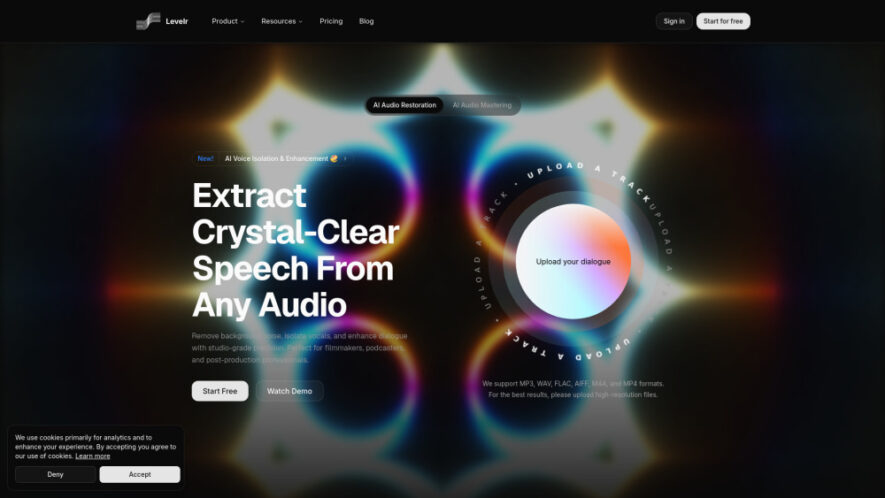
Levelr is an AI-powered audio restoration platform that transforms noisy, low-quality recordings into clear, studio-ready sound. Using advanced speech reconstruction and intelligent enhancement, it restores dialogue, isolates voices, removes background noise, and masters audio with professional precision. Supporting multiple audio and video formats, Levelr provides a...
Levelr is an AI-powered audio restoration platform that transforms noisy, low-quality recordings into clear, studio-ready sound. Using advanced speech reconstruction and intelligent enhancement, it restores dialogue, isolates voices, removes background noise, and masters audio with professional precision. Supporting multiple audio and video formats, Levelr provides a fast, intuitive workflow for filmmakers, podcasters, streamers, and professionals seeking high-quality speech enhancement and polished audio production.
Fast AI processing streamlines workflows with intuitive tools for professional audio enhancement.
Batch processing and API access simplify large-scale audio restoration for enterprise users.
You Got Questions,We Got Answers
1. What does Levelr use AI technology for?
Levelr uses artificial intelligence to restore speech, remove background noise, isolate voices, master audio, and reconstruct missing frequency information, producing natural, studio-quality sound from low-quality or challenging recordings.
2. Which audio and video file formats are supported?
Levelr supports popular formats including MP3, WAV, FLAC, AIFF, M4A, and MP4, allowing users to upload various audio and video files for professional AI-powered enhancement and restoration.
3. Can Levelr remove background noise from recordings?
Yes. Levelr effectively removes background noise, microphone hiss, environmental interference, and unwanted sounds while preserving natural voice quality for cleaner and more professional audio recordings.
4. Is Levelr suitable for podcast and video creators?
Yes. Podcasters, filmmakers, streamers, interviewers, educators, and content creators can use Levelr to improve dialogue clarity, eliminate distractions, and produce polished, studio-ready audio efficiently.
5. Does Levelr support professional audio mastering features?
Yes. Levelr includes AI-powered audio mastering that automatically balances sound, improves clarity, enhances dynamics, and delivers professional-quality audio suitable for publishing and production workflows.
6. Can I process multiple audio files efficiently together?
Yes. Advanced plans include batch processing capabilities, enabling users to restore and enhance multiple recordings simultaneously, significantly improving workflow efficiency for large audio projects.
7. Is API access available for developers and businesses?
Yes. Levelr offers API access through its Pro plan, allowing developers and organizations to integrate AI-powered audio restoration directly into their existing applications and production workflows.
8. What pricing plans are available for Levelr users?
Levelr offers Free, Standard, and Pro subscription plans with monthly and yearly billing options, providing different processing limits, advanced features, and collaboration capabilities to suit various user needs.
Use cases
Filmmaking
Enhance dialogue recordings, remove background distractions, and produce studio-quality audio for films and video productions.
Podcasting
Clean podcast recordings by eliminating noise and improving voice clarity for engaging listening experiences.
Streaming
Reduce microphone feedback, remove background music, and deliver professional-quality live streaming audio consistently.
Interviews
Extract clear speech from noisy interview recordings while minimizing environmental sounds and unwanted interference.
Broadcasting
Restore broadcast audio quality with AI-powered mastering, speech enhancement, and professional dialogue optimization tools.
Education
Improve recorded lectures and educational content by enhancing voice clarity and reducing distracting background noise.
Content
Create polished audio for videos, presentations, tutorials, and online content using intelligent AI restoration.
8. Production
Accelerate professional audio production workflows with automated enhancement, mastering, and speech restoration capabilities.
Pricing
Freemium
$19
Levelr Embeds
Copied!
Let your community know you're live on Skillcurb! Just drop a badge on your site’s homepage with just a few clicks. Showcasing the badge helps increase your visibility and connects you with users actively exploring top AI tools.