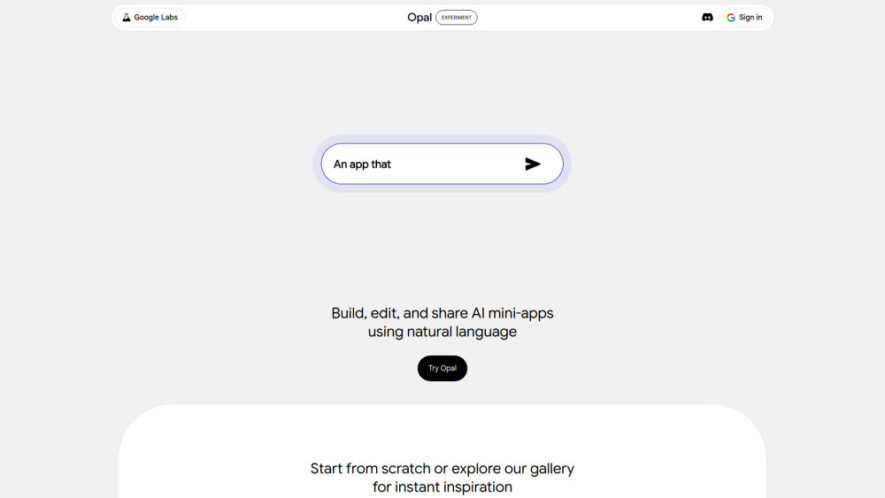
Opal is a no-code AI platform from Google Labs that enables anyone to create, edit, and share intelligent AI mini-apps using natural language. Users can build multi-step workflows, connect AI models, and automate tasks without programming knowledge. Its visual node-based editor, instant hosting, version history, and...
Opal is a no-code AI platform from Google Labs that enables anyone to create, edit, and share intelligent AI mini-apps using natural language. Users can build multi-step workflows, connect AI models, and automate tasks without programming knowledge. Its visual node-based editor, instant hosting, version history, and remixable templates make rapid prototyping simple. Opal helps creators, educators, businesses, and developers transform ideas into functional AI applications within minutes.
Create AI mini-apps without coding using simple natural language instructions.
Build advanced multi-step workflows through an intuitive visual node-based editor.
Instantly host and share completed AI applications with public or private links.
Remix gallery templates to accelerate development and customize existing AI solutions.
Debug application workflows efficiently using the integrated console and execution logs.
Automatically save version history for restoring previous project changes anytime.
Connect prompts, AI models, and tools into seamless automated application workflows.
Rapidly prototype innovative AI solutions from concepts within just a few minutes.
You Got Questions,We Got Answers
1. What makes Opal different from other no-code AI platforms?
Opal combines natural language app creation with a visual workflow editor, allowing users to build, modify, host, and share AI mini-apps quickly. Its intuitive interface simplifies AI automation for beginners and experienced creators alike.
2. Can beginners build AI applications without programming knowledge using Opal?
Yes. Opal is designed for non-technical users by providing natural language instructions, drag-and-drop workflow editing, ready-made templates, and automated hosting, making AI app development accessible without coding experience.
3. How does Opal support collaboration and application sharing with others?
Users can share apps privately with selected collaborators or publish public links for anyone to access. Shared applications remain hosted online, making distribution, testing, and collaboration simple and convenient.
4. Does Opal automatically save project versions during application development work?
Yes. Opal automatically records version history whenever changes are made. Users can review previous versions and restore older project states whenever necessary for experimentation or recovery purposes.
5. What workflow components can users include inside an Opal application project?
Users can add input collection steps, AI generation tasks, output formatting, connected tools, uploaded reference assets, and multiple workflow branches to create intelligent, interactive applications with customized functionality.
6. Is Opal suitable for rapid AI prototype development and testing purposes?
Absolutely. Opal enables users to transform ideas into working AI applications within minutes using templates, natural language prompts, visual editing, and instant deployment for quick experimentation and validation.
7. Can existing Opal projects be customized after creation without starting over?
Yes. Every Opal project remains editable. Users can modify prompts, workflow steps, outputs, connected tools, and interface elements while preserving previous versions through built-in version history management.
8. Which professionals benefit most from using Opal for AI workflow creation?
Content creators, educators, marketers, startups, developers, researchers, consultants, and businesses benefit from Opal by rapidly building AI-powered tools, automating repetitive processes, and sharing practical applications without coding expertise.
Use cases
Blogging
Generate complete, well-structured blog posts from simple topic ideas using customizable AI workflows and automated content generation.
Education
Create AI learning assistants that explain concepts, solve problems, and provide personalized educational support for students.
Marketing
Build AI tools that generate marketing copy, campaign ideas, product descriptions, and promotional content efficiently.
Research
Develop applications that gather information, summarize findings, and organize research data through automated AI workflows.
Design
Generate creative logos, visual concepts, and design inspiration using connected AI prompts and customizable workflows.
Music
Create AI-powered applications producing songs, DJ mixes, playlists, and music recommendations based on user preferences.
Productivity
Automate repetitive business tasks, organize information, and streamline workflows through intelligent AI-powered mini-apps.
Entertainment
Build engaging AI experiences that generate games, quizzes, historical facts, creative stories, and interactive content for users.
Traffic and Engagement
May 2026 - Jul 2026
World wide
Monthly visitors (July)
1.6m
Page/Visit
4.92
Visit Duration
4m 9s
Bounce Rate
34.75%
Pricing
Free
$0
Opal Embeds
Copied!
Let your community know you're live on Skillcurb! Just drop a badge on your site’s homepage with just a few clicks. Showcasing the badge helps increase your visibility and connects you with users actively exploring top AI tools.