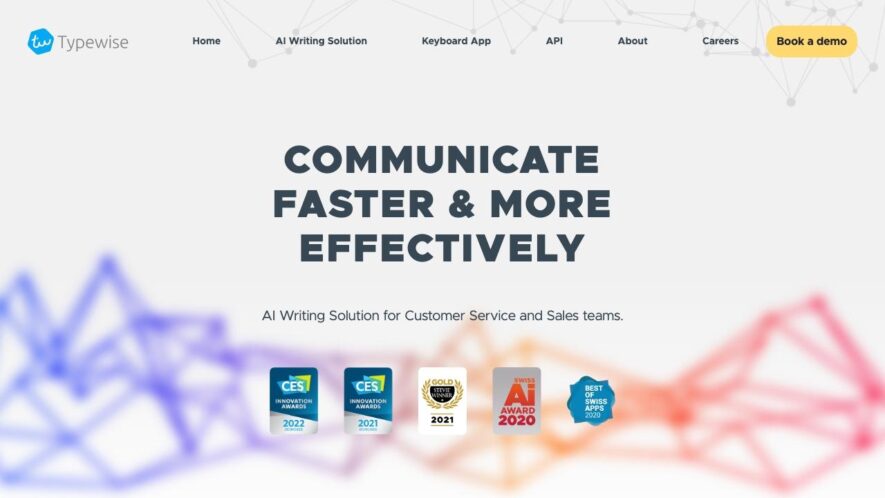
Typewise is a keyboard app that aims to revolutionize mobile typing by providing a more efficient and error-free experience. It uses a unique hexagonal layout that reduces finger stretching and alternating hand use, allowing for faster and more accurate typing. The app also features AI-powered autocorrect,...
Typewise is a keyboard app that aims to revolutionize mobile typing by providing a more efficient and error-free experience. It uses a unique hexagonal layout that reduces finger stretching and alternating hand use, allowing for faster and more accurate typing. The app also features AI-powered autocorrect, swipe gestures, and customizable themes. With a focus on productivity and ergonomics, Typewise is designed to help users type smarter, not harder, and is available for both iOS and Android devices.
Personalized keyboard with customized layout for optimized typing experience.
Advanced autocorrect and spell-checking for error-free writing.
Intelligent word prediction for faster and more accurate typing.
Customizable keyboard themes and layouts for personalized look and feel.
Built-in dictionary and thesaurus for enhanced vocabulary and writing skills.
Real-time language statistics and analytics for tracking progress and improvement.
Seamless integration with popular writing and messaging apps for easy use.
Offline access and syncing capabilities for uninterrupted typing anywhere.
You Got Questions,We Got Answers
What is Typewise?
Typewise is a keyboard app that helps you type more efficiently and accurately by providing a unique keyboard layout and features like autocorrect and swipe typing
How does Typewise work?
Typewise uses a patented hexagonal keyboard layout that reduces finger movement and alternating hand use, making typing faster and more comfortable, while its AI-powered autocorrect feature corrects spelling mistakes and suggests words
Is Typewise available for iOS and Android?
Yes, Typewise is available for both iOS and Android devices, and can be downloaded from the App Store or Google Play Store, with a free trial period and subscription options for premium features
Can I customize Typewise keyboard?
Yes, Typewise allows you to customize the keyboard layout, theme, and font size to fit your typing style and preferences, with options to adjust the keyboard height, sound effects, and vibration feedback
Does Typewise support multiple languages?
Typewise supports over 40 languages, including popular languages like English, Spanish, French, German, Italian, and many more, with the ability to switch between languages easily and quickly
Is Typewise safe and secure?
Typewise takes user privacy and security seriously, with end-to-end encryption, no data collection, and no tracking of user activity, ensuring that your typing data remains confidential and secure
Can I use Typewise with other apps?
Yes, Typewise can be used with any app that supports keyboard input, including social media, email, messaging, and productivity apps, with seamless integration and no limitations
How do I get started with Typewise?
To get started with Typewise, simply download and install the app, follow the quick tutorial to learn the unique keyboard layout, and start typing with the app's intuitive features and customization options
Use cases
Finance
Typewise helps financial advisors accurately input client data, reducing errors and increasing productivity, allowing for more personalized investment advice and improved customer satisfaction
Healthcare
Typewise enables medical professionals to quickly and accurately document patient information, reducing transcription errors and freeing up time for patient care and improving overall healthcare outcomes
Education
Typewise assists teachers in efficiently grading assignments and providing feedback, reducing administrative tasks and allowing for more focused instruction and improved student outcomes
Retail
Typewise streamlines inventory management for retailers, reducing errors and increasing efficiency, allowing for faster restocking and improved customer satisfaction
Manufacturing
Typewise helps quality control inspectors accurately document production defects, reducing errors and increasing product quality, leading to improved customer satisfaction and reduced warranty claims
Government
Typewise enables government agencies to accurately and efficiently process citizen requests, reducing errors and increasing transparency, leading to improved citizen satisfaction and trust in government services
Traffic and Engagement
Apr 2026 - Jun 2026
World wide
Monthly visitors (June)
16.6k
Page/Visit
2
Visit Duration
1m 4s
Bounce Rate
0.5%
Pricing
Freemium
Contact Sale
Typewise – AI Communication Assistant Embeds
Copied!
Let your community know you're live on Skillcurb! Just drop a badge on your site’s homepage with just a few clicks. Showcasing the badge helps increase your visibility and connects you with users actively exploring top AI tools.