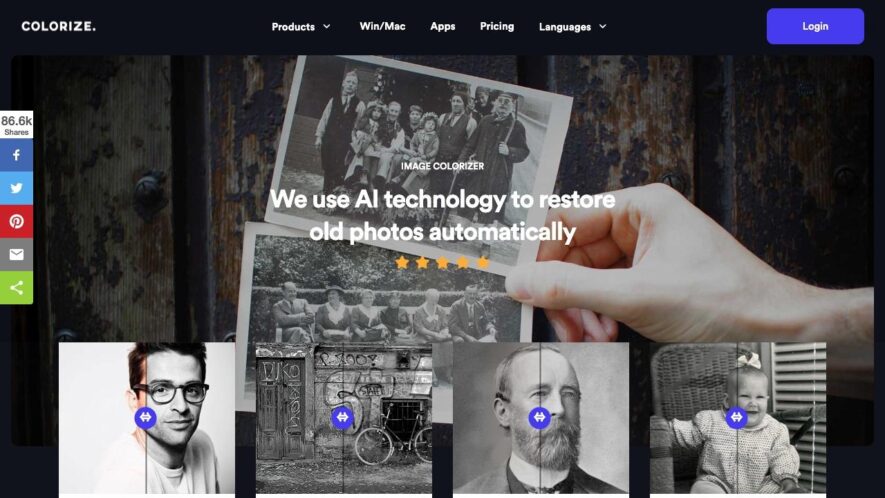
ImageColorizer.com is a free online tool that converts black and white images to color using AI-powered technology. Users can upload their images or enter an image URL to start the colorization process. The tool supports various image formats, including JPEG, PNG, and GIF. With a simple...
ImageColorizer.com is a free online tool that converts black and white images to color using AI-powered technology. Users can upload their images or enter an image URL to start the colorization process. The tool supports various image formats, including JPEG, PNG, and GIF. With a simple and intuitive interface, ImageColorizer.com makes it easy to add color to old family photos, historic images, or any other black and white picture. The result is a natural-looking, high-quality color image that can be downloaded or shared online.
Enhance accuracy and precision with ImageColorizer's state-of-the-art algorithms.
Take advantage of ImageColorizer to simplify complex processes and accelerate results.
Stay ahead of the competition with ImageColorizer, your go-to solution for efficiency.
Transform your workflow with ImageColorizer, leveraging AI for smarter automation.
Optimize your productivity with ImageColorizer's user-friendly and intuitive platform.
Designed for professionals and businesses, ImageColorizer adapts to your needs effortlessly.
Seamlessly integrate ImageColorizer with your favorite tools for hassle-free operations.
Restore old and damaged photos with ImageColorizer's powerful AI technology.
Bring black and white images to life with ImageColorizer's advanced colorization tools.
Experience high-quality image enhancement with ImageColorizer's deep learning capabilities.
You Got Questions,We Got Answers
What is Image Colorizer?
Image Colorizer is an online tool that allows users to colorize black and white images, converting them into vibrant and realistic color photographs
How does it work?
The tool uses advanced AI algorithms to analyze the image and add colors based on the object, texture, and context, resulting in a natural-looking colorized image
Can I colorize any image?
Almost any black and white image can be colorized, including old photographs, sketches, and drawings, as long as they are in a digital format and uploaded to the website
How long does it take?
The colorization process usually takes a few seconds to a minute, depending on the size and complexity of the image, and the user's internet connection speed
Is the output image high-quality?
Yes, the output image is of high quality, with vibrant and realistic colors, and can be downloaded in various resolutions, including high-resolution images suitable for printing
Can I edit the colorized image?
Yes, the colorized image can be edited using image editing software, such as Adobe Photoshop, to make further adjustments to the colors, contrast, and brightness
Is Image Colorizer free?
Image Colorizer offers a free trial, allowing users to colorize a limited number of images for free, and also offers a subscription-based model for unlimited colorizations
How do I get started?
To get started, simply upload your black and white image to the website, select the colorization options, and click the "Colorize" button to see the magic happen
Use cases
Healthcare
ImageColorizer can be used in the healthcare industry to restore and enhance historical medical images, making them more understandable for research, presentations, and patient education. By colorizing old medical images, professionals can improve clarity and visual appeal for better analysis.
Retail
ImageColorizer can help retail businesses by restoring and colorizing old product images for marketing and branding purposes. This allows brands to showcase vintage collections in a modern way, attract nostalgia-driven consumers, and enhance visual storytelling in promotional campaigns.
Marketing
ImageColorizer enables marketers to bring historical or black-and-white promotional images to life, making campaigns more visually compelling. Brands can use colorized images to engage audiences, enhance storytelling, and create visually appealing content for social media, advertising, and print materials.
Education
ImageColorizer can be used in the education sector to restore and colorize historical photographs for teaching materials and presentations, making history and visual studies more engaging for students. By transforming black-and-white images into color, educators can provide a more immersive learning experience.
Traffic and Engagement
Apr 2026 - Jun 2026
World wide
Monthly visitors (June)
423.7k
Page/Visit
3.3
Visit Duration
2m 55s
Bounce Rate
0.5%
Pricing
Freemium
$3.9
ImageColorizer Embeds
Copied!
Let your community know you're live on Skillcurb! Just drop a badge on your site’s homepage with just a few clicks. Showcasing the badge helps increase your visibility and connects you with users actively exploring top AI tools.