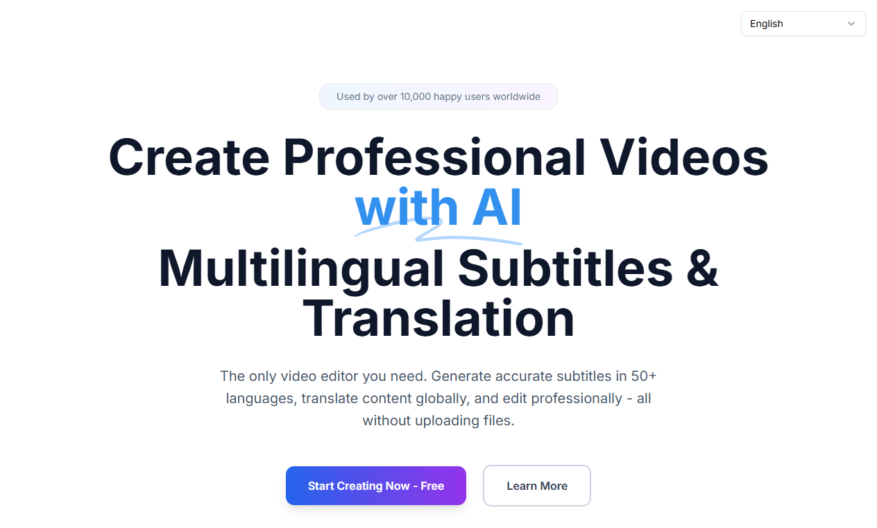
Introducing a powerful tool designed for those seeking to enhance their productivity and creativity. This tool offers a seamless user experience that allows individuals to easily organize their thoughts and ideas. With its intuitive interface, users can create stunning presentations that truly captivate their audience. The...
Introducing a powerful tool designed for those seeking to enhance their productivity and creativity. This tool offers a seamless user experience that allows individuals to easily organize their thoughts and ideas. With its intuitive interface, users can create stunning presentations that truly captivate their audience. The customization options are endless, enabling each user to tailor their experience to meet specific needs. The tool integrates effortlessly with popular applications, ensuring a smooth workflow. Collaboration features facilitate teamwork, making it ideal for both professionals and students. Users can track their progress and set goals to maintain motivation throughout their journey. The cloud-based nature of the tool allows access from anywhere, ensuring flexibility. In addition, it supports various formats, catering to a diverse range of preferences. Experience the revolution in productivity and take your projects to the next level with this incredible tool.
Automatically generates subtitles, closed captions, and translations for video content.
Supports multiple video file formats, including MP4, AVI, and MOV.
Offers customizable font styles, sizes, and colors for subtitles and captions.
Provides accurate speech-to-text recognition technology for efficient transcription.
Allows users to edit and correct generated subtitles and captions easily.
Supports popular video platforms, including YouTube, Vimeo, and Facebook.
Offers a user-friendly interface for easy video upload and processing.
Provides downloadable transcripts and subtitles in various file formats.
You Got Questions,We Got Answers
What is DojoClip?
DojoClip is a video editing platform designed for social media creators and influencers to trim, cut, and merge their videos into engaging clips for various platforms
How do I trim my video?
To trim your video, simply upload it to DojoClip, select the portion you want to keep, and click the "Trim" button to remove the unwanted parts and create a new clip
Can I merge multiple videos?
Yes, DojoClip allows you to merge multiple videos into one seamless clip by uploading them, arranging them in the desired order, and clicking the "Merge" button to combine them
Is DojoClip free to use?
DojoClip offers a free plan with limited features, as well as several paid subscription options with additional features and support, so you can choose the plan that best fits your needs and budget
How do I add music to my clip?
To add music to your clip, simply upload your video, select the music track you want to use from DojoClip's library, and adjust the audio levels to ensure a perfect sync
Can I customize my clip's speed?
Yes, DojoClip allows you to adjust the speed of your clip by selecting the "Speed" option and choosing from various speed presets or customizing the speed to your liking
How do I share my finished clip?
Once you've finished editing your clip, you can easily share it directly to your social media platforms, such as Instagram, TikTok, or YouTube, or download it to your device for later use
Is DojoClip compatible with my device?
DojoClip is a web-based platform, making it compatible with most devices and operating systems, including Windows, Mac, Android, and iOS, so you can edit your videos from anywhere
Use cases
Healthcare
Medical educators use DojoClip to create interactive video lessons for training nurses on complex surgical procedures, allowing them to practice and perfect their skills in a safe and controlled environment
Finance
Financial advisors utilize DojoClip to create interactive video tutorials for clients on investment strategies and portfolio management, increasing client engagement and understanding of complex financial concepts
Retail
E-commerce companies leverage DojoClip to create interactive product demos, allowing customers to explore products in 3D and interact with virtual sales assistants, increasing conversions and reducing returns
Manufacturing
Quality control teams use DojoClip to create interactive video guides for assembly line workers, reducing errors and improving efficiency in the production process
Marketing
Digital marketers use DojoClip to create interactive video ads, allowing viewers to engage with products and services in a immersive and interactive way, increasing brand recall and conversion rates
Education
Teachers use DojoClip to create interactive video lessons for students, making complex subjects like math and science more engaging and interactive, improving student outcomes and comprehension
Traffic and Engagement
Mar 2026 - May 2026
World wide
Monthly visitors (May)
97
Page/Visit
1.1
Visit Duration
N/A
Bounce Rate
0.4%
Pricing
Free
$0
Dojoclip Embeds
Copied!
Let your community know you're live on Skillcurb! Just drop a badge on your site’s homepage with just a few clicks. Showcasing the badge helps increase your visibility and connects you with users actively exploring top AI tools.