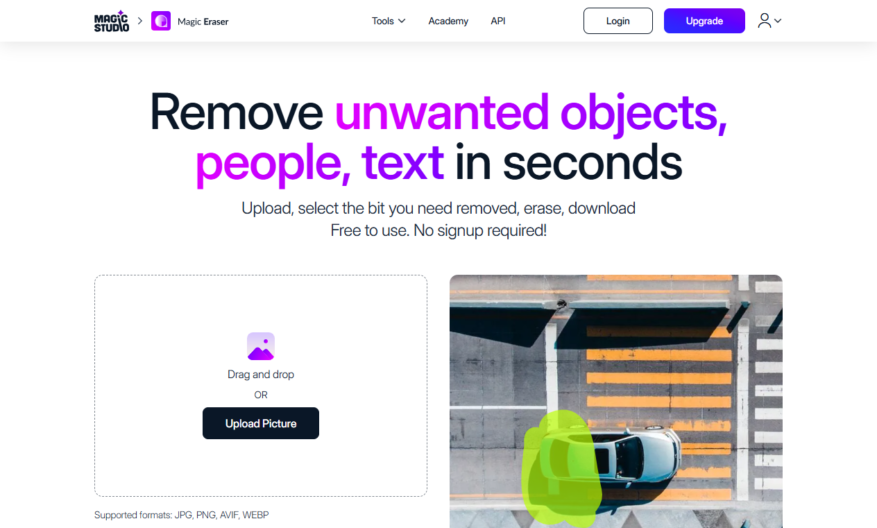
Introducing a groundbreaking tool that revolutionizes the way you approach your projects. This innovative software offers a user-friendly interface designed to enhance your productivity and efficiency. With its advanced features, you can seamlessly integrate various functionalities tailored to your specific needs. The tool provides real-time collaboration,...
Introducing a groundbreaking tool that revolutionizes the way you approach your projects. This innovative software offers a user-friendly interface designed to enhance your productivity and efficiency. With its advanced features, you can seamlessly integrate various functionalities tailored to your specific needs. The tool provides real-time collaboration, ensuring that teams stay connected and organized throughout the project lifecycle. Its powerful analytics capabilities allow for data-driven decision making, helping you optimize performance and achieve superior results. Moreover, the intuitive design minimizes the learning curve, enabling users to quickly adapt and maximize their potential. Experience a new level of functionality that transforms ordinary tasks into extraordinary outcomes. Whether you are a small business or a large enterprise, this tool is your perfect partner in success. Explore the endless possibilities and elevate your projects to remarkable heights. Start your journey towards innovation and excellence today.
Remove unwanted objects and people from photos with a single click.
Erase blemishes, acne, and wrinkles with advanced skin retouching tools.
Automatically detect and remove chroma keying background from images.
Effortlessly swap faces, hair, and clothes with AI-powered editing tools.
Enhance and refine facial features with precision and control.
Instantly remove unwanted shadows, reflections, and glares from photos.
Transform and reshape bodies with intuitive and natural-looking results.
Seamlessly remove unwanted objects from complex scenes and backgrounds.
You Got Questions,We Got Answers
What is Magic Eraser?
Magic Eraser is a powerful tool that helps remove unwanted objects, people, and blemishes from your photos, giving you a flawless and professional-looking result with just a few clicks
How does Magic Eraser work?
Magic Eraser uses advanced AI technology to detect and remove unwanted objects, allowing you to erase anything from your photo without affecting the surrounding area, resulting in a seamless and natural-looking edit
Is Magic Eraser easy to use?
Yes, Magic Eraser is designed to be user-friendly, with an intuitive interface that makes it easy to navigate and edit your photos, even if you have no prior editing experience, and provides instant results
Can I use Magic Eraser on any device?
Yes, Magic Eraser is a web-based application that can be accessed from any device with an internet connection, allowing you to edit your photos on your computer, tablet, or smartphone
Is Magic Eraser free to use?
Magic Eraser offers a free trial, allowing you to test its features and edit a limited number of photos for free, and also offers a subscription-based model for unlimited access to its advanced features
What types of objects can I remove?
Magic Eraser can remove a wide range of objects, including people, animals, vehicles, buildings, and any other unwanted elements that are ruining your perfect shot, giving you complete control over your photo
How long does it take to edit a photo?
The editing process with Magic Eraser is quick and efficient, taking only a few minutes to remove unwanted objects and blemishes, and giving you instant results that are ready to share
Can I undo my edits?
Yes, Magic Eraser allows you to undo and redo your edits as many times as you need, giving you complete flexibility and control over your editing process, and ensuring that you get the desired result
Use cases
Healthcare
Medical imaging professionals use Magic Eraser to remove sensitive patient information from MRI and CT scans, ensuring HIPAA compliance and protecting patient privacy while preserving diagnostic accuracy
Finance
Financial institutions utilize Magic Eraser to redact confidential data from documents, such as social security numbers and account information, before sharing with auditors or regulators
Retail
E-commerce companies employ Magic Eraser to remove pricing and inventory information from product images, allowing them to reuse assets across different regions and languages without revealing sensitive data
Manufacturing
Quality control teams use Magic Eraser to remove proprietary information from blueprints and design documents, safeguarding intellectual property while collaborating with external partners
Marketing
Ad agencies utilize Magic Eraser to remove branding and logos from images, enabling the creation of generic, royalty-free assets for use in marketing campaigns and social media
Education
Educational institutions use Magic Eraser to remove sensitive student information from documents and images, ensuring FERPA compliance and protecting student privacy
Traffic and Engagement
Mar 2026 - May 2026
World wide
Monthly visitors (May)
1.7m
Page/Visit
2.9
Visit Duration
1m 54s
Bounce Rate
0.5%
Pricing
Free
$0
Magic Eraser Embeds
Copied!
Let your community know you're live on Skillcurb! Just drop a badge on your site’s homepage with just a few clicks. Showcasing the badge helps increase your visibility and connects you with users actively exploring top AI tools.