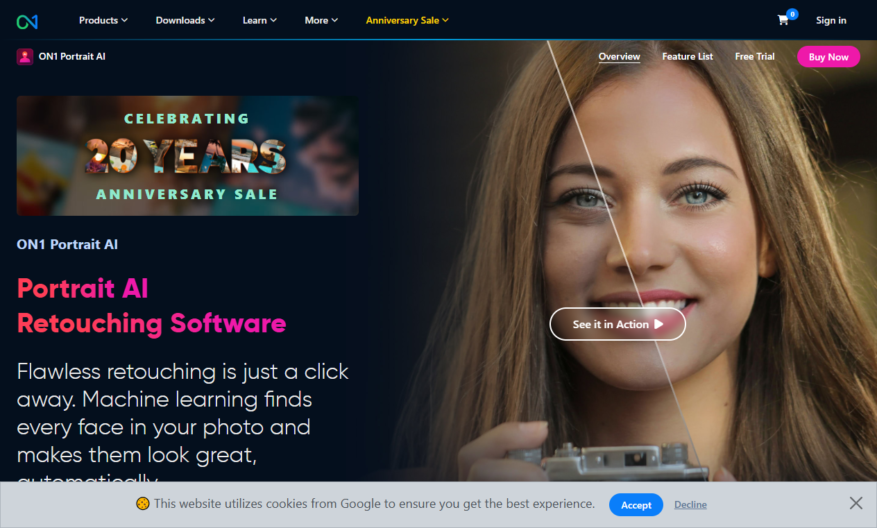
Introducing an innovative tool that revolutionizes the way you manage and organize your tasks. This tool offers an intuitive interface that simplifies the planning process, allowing users to prioritize their workloads effectively. With its powerful analytics, you can track your progress and identify areas for improvement...
Introducing an innovative tool that revolutionizes the way you manage and organize your tasks. This tool offers an intuitive interface that simplifies the planning process, allowing users to prioritize their workloads effectively. With its powerful analytics, you can track your progress and identify areas for improvement with ease. The customizable features enable you to tailor the tool to fit your unique workflow and preferences. Its seamless integration with other applications enhances productivity by streamlining communication and collaboration among teams. Additionally, the tool is designed with user experience in mind, ensuring that both beginners and experts can navigate effortlessly. Don't miss out on the opportunity to elevate your efficiency and achieve your goals faster than ever. With robust security measures in place, your data remains safe and protected at all times. Explore the endless possibilities this tool can offer and transform your everyday tasks into manageable, enjoyable experiences. Take control of your productivity journey today and unlock your full potential.
Automatically detects and isolates subjects from backgrounds with precision and accuracy.
Removes blemishes, acne, and other imperfections with natural-looking results.
Enhances and refines facial features, including eyes, eyebrows, and lips.
Applies subtle, natural-looking makeup and skin tone enhancements.
Creates realistic, natural-looking skin texture and tone.
Automatically adjusts exposure, contrast, and color tone.
You Got Questions,We Got Answers
What is Portrait AI?
Portrait AI is a powerful editing tool that uses artificial intelligence to simplify portrait editing, allowing you to create stunning portraits in minutes, rather than hours, by automatically detecting and adjusting various aspects of the image
How does Portrait AI work?
Portrait AI uses advanced AI algorithms to analyze the image, detect the subject, and apply adjustments to skin tone, texture, and other aspects, resulting in a more pleasing and natural-looking portrait
Can I use Portrait AI?
Yes, Portrait AI is designed to be user-friendly, allowing you to easily adjust the level of editing, from subtle to dramatic, and even make manual adjustments to fine-tune the results to your liking
What kind of images can I edit?
Portrait AI is designed specifically for editing portraits, and it works best with images that feature a single subject, but it can also be used to edit group portraits and other types of images
Will Portrait AI replace my editor?
No, Portrait AI is designed to be a time-saving tool that complements your existing editing workflow, allowing you to quickly edit portraits and then fine-tune them in your preferred editor if needed
Can I use Portrait AI as a plugin?
Yes, Portrait AI is available as a plugin for popular editing software, such as Adobe Lightroom and Photoshop, allowing you to access its powerful editing capabilities from within your favorite editor
Is Portrait AI available for Mac and PC?
Yes, Portrait AI is available for both Mac and PC, and it can be used as a standalone application or as a plugin for popular editing software
How do I get started with Portrait AI?
To get started with Portrait AI, simply download and install the software, then follow the intuitive interface to upload your image and begin editing, with optional tutorials and resources available to help you get the most out of the tool
Use cases
Healthcare
Portrait AI helps dermatologists identify skin conditions like melanoma, allowing for early diagnosis and treatment, improving patient outcomes and reducing healthcare costs
Finance
Portrait AI-powered chatbots analyze customer data, offering personalized investment advice, increasing customer satisfaction, and reducing the workload of human financial advisors
Retail
E-commerce sites utilize Portrait AI to generate realistic product models, reducing the need for physical prototypes, and enabling faster product launches and improved customer experiences
Manufacturing
Portrait AI optimizes production workflows by analyzing equipment performance, predicting maintenance needs, and reducing downtime, resulting in increased productivity and cost savings
Marketing
Advertising agencies use Portrait AI to generate realistic images, reducing the need for expensive photo shoots, and enabling faster campaign launches, resulting in increased revenue
Let your community know you're live on Skillcurb! Just drop a badge on your site’s homepage with just a few clicks. Showcasing the badge helps increase your visibility and connects you with users actively exploring top AI tools.