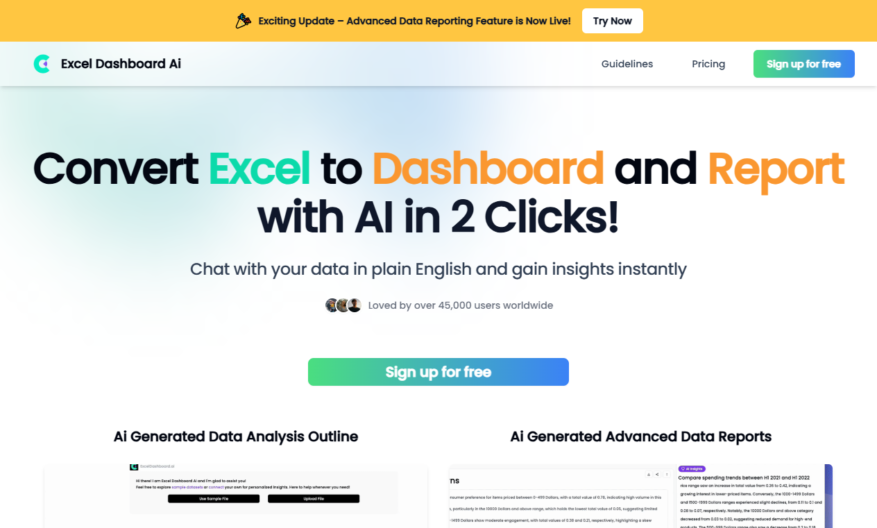
ExcelDashboard AI is a revolutionary AI-powered data assistant designed to transform the way you handle your data. It enables users to convert standard Excel files into dynamic data dashboards and comprehensive analysis reports in a matter of seconds. By simply uploading your Excel file to the...
ExcelDashboard AI is a revolutionary AI-powered data assistant designed to transform the way you handle your data. It enables users to convert standard Excel files into dynamic data dashboards and comprehensive analysis reports in a matter of seconds. By simply uploading your Excel file to the platform, you can unlock detailed insights and visualizations with minimal effort. The tool offers interactive dashboard creation with AI assistance, allowing for seamless customization and chart generation through natural language commands. Users can harness its capabilities to quickly generate insightful dashboards and reports, making data analysis not only efficient but also intuitive. Whether you are dealing with complex datasets or seeking to simplify your reporting process, ExcelDashboard AI streamlines the entire workflow. It supports multiple Excel files simultaneously, ensuring that users can manage extensive data effortlessly. With dedicated customer support and a user-friendly interface, ExcelDashboard AI makes data analysis accessible to everyone. Sign up today and discover the future of data visualization and reporting. Visit the website for detailed pricing and support options.
Automated data visualization with interactive dashboards for business insights.
Real-time data refresh with scheduling and alerts for timely decision-making.
Seamless integration with Excel, Google Sheets, and cloud storage platforms.
Advanced data analytics with machine learning and predictive modeling.
Customizable and interactive dashboards for data storytelling and presentation.
Collaborative features for real-time commenting and feedback mechanisms.
Centralized data management with access controls and data encryption for security.
Scalable infrastructure for handling large datasets and high traffic volumes.
You Got Questions,We Got Answers
What is Excel Dashboard AI?
Excel Dashboard AI is an innovative tool that empowers businesses to make data-driven decisions by providing a user-friendly interface to create custom dashboards, track key performance indicators, and gain actionable insights from their Excel data
What kind of data can I connect?
You can connect various data sources, including Excel files, Google Sheets, SQL databases, and cloud storage services like Dropbox, Google Drive, or OneDrive, to create a unified view of your business performance
Is Excel Dashboard AI secure?
Yes, Excel Dashboard AI prioritizes data security and compliance, implementing robust measures such as encryption, secure authentication, and regular security audits to ensure the integrity and confidentiality of your sensitive information
Do I need to know how to code?
No, Excel Dashboard AI is designed for non-technical users, offering an intuitive drag-and-drop interface that enables you to create custom coding or programming, making it accessible to users of all skill levels
Who can benefit from using Excel Dashboard AI?
Excel Dashboard AI is designed for professionals, analysts, business owners, and data teams who want to automate dashboard creation and data visualization from their Excel files.
Is there a free trial available for Excel Dashboard AI?
Excel Dashboard AI offers a free trial to give users a hands-on experience with the platforms capabilities before committing to a paid plan.
Use cases
Healthcare
A hospital uses ExcelDashboard to track ICU capacity, ventilator availability, and COVID-19 patient volumes, enabling data-driven decisions to optimize resource allocation and improve patient care
Finance
A investment firm utilizes ExcelDashboard to visualize portfolio performance, track market volatility, and identify trends, allowing for timely adjustments to investment strategies and minimizing risk
Manufacturing
A production company leverages ExcelDashboard to monitor supply chain disruptions, inventory levels, and production schedules, streamlining operations and ensuring on-time delivery of products
Education
A university utilizes ExcelDashboard to track student enrollment, course completion rates, and faculty performance, enabling data-informed decisions to improve student outcomes and institutional effectiveness
Traffic and Engagement
Mar 2026 - May 2026
World wide
Monthly visitors (May)
6.4k
Page/Visit
3.7
Visit Duration
2m 10s
Bounce Rate
0.5%
Pricing
Free
$0
ExcelDashboard Embeds
Copied!
Let your community know you're live on Skillcurb! Just drop a badge on your site’s homepage with just a few clicks. Showcasing the badge helps increase your visibility and connects you with users actively exploring top AI tools.