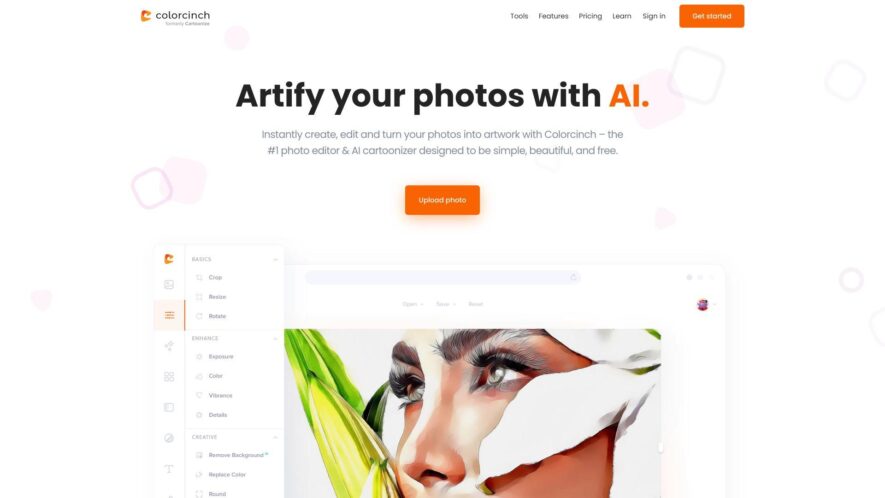
Cartoonize.net is a free online tool that converts photos into cartoon-like images. The platform offers a range of styles, from simple cartoons to detailed animations. Users can upload their images or use a webcam to capture a photo. The tool then applies various effects, such as...
Cartoonize.net is a free online tool that converts photos into cartoon-like images. The platform offers a range of styles, from simple cartoons to detailed animations. Users can upload their images or use a webcam to capture a photo. The tool then applies various effects, such as exaggerated facial features, vibrant colors, and textures, to create a cartoonized image. The resulting image can be downloaded as a JPEG or shared on social media platforms. The website is user-friendly, requiring no registration or design skills, making it accessible to anyone looking to add a touch of humor to their photos.
Converts photos into stunning cartoons with vibrant colors and exaggerated features.
Offers a range of cartoon styles, from classic to modern and abstract.
Allows users to upload photos from their devices or social media accounts.
Provides an intuitive interface for easy editing and customization.
Offers a built-in photo editor with basic editing tools and filters.
Allows users to download their cartoons in high-resolution formats.
Supports batch processing for converting multiple photos at once.
Offers a user-friendly dashboard for managing and organizing cartoons.
You Got Questions,We Got Answers
What is Cartoonize.net?
Cartoonize.net is a free online tool that converts your photo into a cartoon image, allowing you to create a funny and unique avatar or profile picture.
How does it work?
Simply upload your photo, select a cartoon effect, and click the "Cartoonize" button to instantly transform your image into a cartoon? Yes, our advanced algorithm can handle various image formats and sizes, producing a high-quality cartoon image
What file formats are supported?
Cartoonize.net supports popular image file formats, including JPEG, PNG, GIF, and BMP, ensuring compatibility with most devices and platforms.
Can I edit the output?
While our tool produces excellent results, you can further edit the cartoonized output using image editing software like Adobe Photoshop or GIMP to add more effects or fine-tune the image.
Is Cartoonize.net free?
Yes, our service is completely free, with no hidden fees or subscription requirements, allowing you to cartoonize your photos without incurring any costs.
Can I use it for commercial purposes?
Yes, you are free to use the cartoonized images for personal or commercial purposes, such as creating advertising materials, without obtaining any additional licenses or permissions.
How long does it take?
The cartoonization process typically take anywhere from 10 to 30 seconds, depending on the image size and complexity, allowing you to quickly create and share your cartoon avatar.
Is there a free version or trial available for Cartoonize?
Yes, Cartoonize offers a free version with limited features. Premium plans provide access to high-resolution downloads, advanced styles, and more customization options.
Use cases
Healthcare
Cartoonize.net can be used to create engaging and informative animations for patient education, explaining complex medical procedures, and illustrating the effects of different treatments on the body
Finance
Financial institutions can utilize the platform to create interactive and easy-to-understand explanations of investment products, services, and market trends
Retail
Online retailers can leverage cartoonized product demos and tutorials to enhance customer engagement, increase sales, and reduce product returns
Manufacturing
The platform can be used to create interactive 3D models and simulations for training factory workers, improving production efficiency, and enhancing product design
Marketing
Agencies can utilize cartoonize.net to develop attention-grabbing, and shareable social media content, explainer videos, and interactive ads that drive customer engagement and conversions
Education
Teachers can create interactive, cartoon-style lesson plans, making complex concepts more engaging, and fun to learn, increasing student participation and retention rates
Traffic and Engagement
Feb 2026 - Apr 2026
World wide
Monthly visitors (April)
450k
Page/Visit
4.1
Visit Duration
50s
Bounce Rate
0.3%
Pricing
Free
$0
Cartoonize Embeds
Copied!
Let your community know you're live on Skillcurb! Just drop a badge on your site’s homepage with just a few clicks. Showcasing the badge helps increase your visibility and connects you with users actively exploring top AI tools.