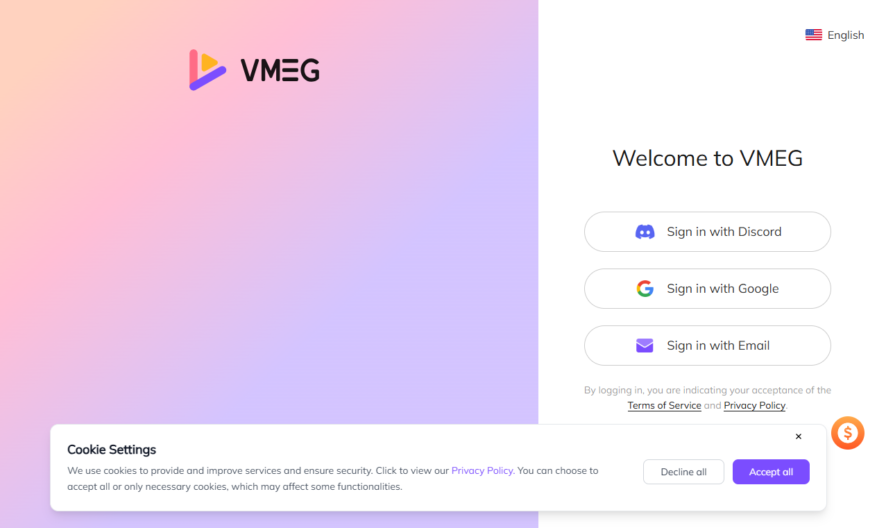
Introducing VMEG - Clips to Videos, an innovative tool that revolutionizes the way you create marketing videos. With just a few clicks, you can transform your scattered product clips into stunning promotional content for e-commerce stores, social media campaigns, or exciting product launches. This user-friendly platform...
Introducing VMEG - Clips to Videos, an innovative tool that revolutionizes the way you create marketing videos. With just a few clicks, you can transform your scattered product clips into stunning promotional content for e-commerce stores, social media campaigns, or exciting product launches. This user-friendly platform allows you to easily upload your raw clips, input your product name, and highlight key selling points, resulting in a series of high-quality videos tailored to your needs. VMEG harnesses the power of AI to provide automatic voiceovers and assistance with product selling points, streamlining your video creation process. Say goodbye to complex video editing; VMEG empowers anyone, regardless of their experience level, to produce professional results effortlessly. Enjoy features like automatic video subtitles and seamless remixing of clips, making it the perfect solution for your marketing strategy. Whether you are focused on e-commerce promotion, social media marketing, or product launch campaigns, VMEG - Clips to Videos has you covered. Start maximizing your marketing potential today with this efficient and effective video creation tool.
Automatically merge multiple clips into a single cohesive video file.
Supports various video and audio file formats for input and output.
Allows users to add custom transitions and effects to enhance visuals.
Provides advanced editing tools for trimming, splitting, and merging.
Enables users to add background music and voiceovers with ease.
Offers a user-friendly interface for easy clip arrangement and previewing.
Allows for adjustable video speed and aspect ratio for customization.
Supports exporting videos in various resolutions and quality settings.
You Got Questions,We Got Answers
What is Clips to Videos tool about?
This online tool allows users to combine multiple video clips into a single video file, making it easy to create engaging content for social media, YouTube, or personal use without requiring extensive video editing skills or software
Can I add music to my merged clip?
Yes, our tool allows you to upload your own audio file or select from our free music library to add a soundtrack to your merged video, making it more engaging and professional-looking
What video formats are supported by the tool?
Our Clips to Videos tool supports MP4, AVI, MOV, and WMV formats, ensuring compatibility with most devices and video editing software, making it easy to work with your existing video files
Is there a limit to the number of clips I can merge?
No, our tool does not impose any limits on the number of video clips you can merge, allowing you to create complex video content with ease, without any restrictions
Can I edit my merged video further?
Yes, once you've merged your video clips, you can further edit the resulting video by trimming, cropping, or adjusting the brightness, contrast, and saturation to achieve the desired look
Will the merged video lose quality during the process?
No, our tool is designed to preserve the original quality of your video clips, ensuring that the merged video looks crisp and clear, without any loss of resolution or compression artifacts
Use cases
Healthcare
Medical professionals can use Clips to Videos to create engaging patient education videos, enhancing health literacy and improving treatment outcomes
Finance
Wealth management firms can utilize the platform to create personalized financial planning videos, increasing client engagement and trust
Retail
E-commerce businesses can leverage Clips to Videos to create product demonstration videos, boosting online sales and enhancing customer experience
Manufacturing
Industrial companies can use the platform to create instructional videos for equipment maintenance, reducing downtime and increasing operational efficiency
Marketing
Digital marketing agencies can utilize Clips to Videos to create social media video ads, increasing brand awareness and driving website traffic
Education
Teachers can use the platform to create video lessons, making complex concepts more engaging and interactive for a more effective learning experience
Traffic and Engagement
Mar 2026 - May 2026
World wide
Monthly visitors (May)
21.7k
Page/Visit
3.8
Visit Duration
25s
Bounce Rate
0.4%
Pricing
Paid
Contact Sales
VMEG – Clips to Videos Embeds
Copied!
Let your community know you're live on Skillcurb! Just drop a badge on your site’s homepage with just a few clicks. Showcasing the badge helps increase your visibility and connects you with users actively exploring top AI tools.