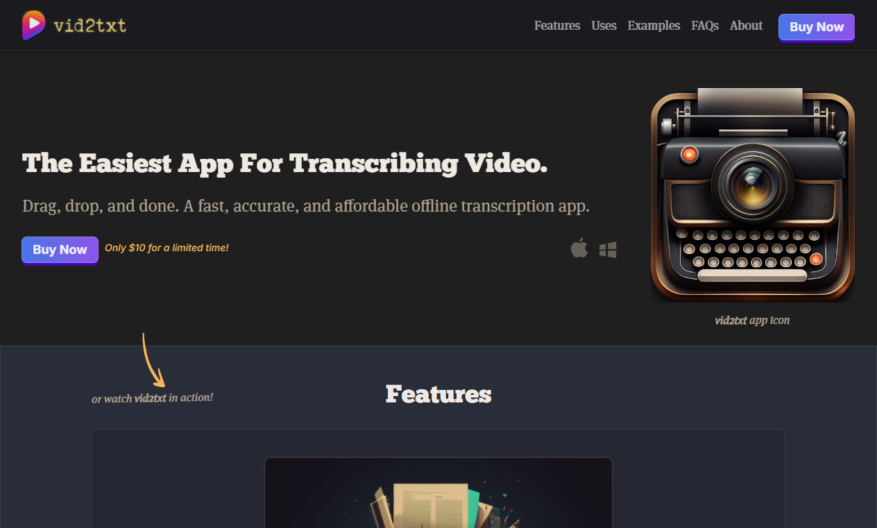
Introducing a groundbreaking tool designed to enhance your productivity and streamline your workflow. With its intuitive interface and advanced features, this tool promises to elevate your daily tasks to new heights. From project management to collaboration, it caters to diverse needs with unparalleled efficiency. Users can...
Introducing a groundbreaking tool designed to enhance your productivity and streamline your workflow. With its intuitive interface and advanced features, this tool promises to elevate your daily tasks to new heights. From project management to collaboration, it caters to diverse needs with unparalleled efficiency. Users can benefit from intuitive organization and real-time updates making it easy to stay on track. The seamless integration with various platforms ensures that your work remains connected and accessible at all times. Customization options allow you to tailor the experience to your preference, making it as unique as your workflow. Additionally, robust support resources are available, ensuring you can maximize the tools potential. Experience an evolving platform that grows with you, providing regular updates based on user feedback. Embrace the future of productivity with a tool that is not just a solution but a partner in achieving your goals. Transform how you work and unlock your full potential today.
Automatically transcribe audio and video files into text with high accuracy.
Supports multiple file formats including MP3, WAV, AVI, and MOV.
Converts video subtitles and closed captions into editable text.
Offers customizable transcription settings for speaker identification and formatting.
Provides a user-friendly interface for easy file uploads and management.
Supports bulk uploads and batch processing for large files.
Offers a built-in editor for reviewing and editing transcripts.
Integrates with popular platforms like YouTube, Vimeo, and Google Drive.
You Got Questions,We Got Answers
What is Vid2Txt.com?
Vid2Txt.com is a video-to-text transcription service that uses AI technology to convert video and audio files into text format, allowing users to easily search, edit, and share their content
How does Vid2Txt work?
Vid2Txt's AI-powered engine analyzes the audio or video file, identifying spoken words and phrases, and generating a written transcript, which is then reviewed and corrected by human transcribers for high accuracy
What file formats are supported?
Vid2Txt supports a wide range of file formats, including MP3, WAV, AVI, MOV, MP4, and more, making it easy to upload and transcribe files from various sources, such as videos, podcasts, and meetings
How accurate are the transcripts?
Vid2Txt's combination of AI technology and human review ensures high accuracy, with an average accuracy rate of 95% or higher, making it suitable for a wide range of applications, from content creation to academic research
Can I edit the transcripts?
Yes, Vid2Txt allows users to edit and customize their transcripts, with features such as timestamped editing, speaker identification, and formatting options, making it easy to refine and finalize the transcript to meet specific needs
How long does transcription take?
Transcription time varies depending on the file length and complexity, but Vid2Txt's automated system typically processes files within a few hours, with expedited options available for urgent projects
Is Vid2Txt secure and private?
Yes, Vid2Txt takes data security and privacy seriously, with SSL encryption, secure servers, and strict access controls in place to protect user files and ensure confidentiality
Can I cancel or refund my order?
Yes, Vid2Txt offers a flexible cancellation and refund policy, allowing users to cancel their order or request a refund within a certain timeframe, with clear guidelines and procedures in place to facilitate the process
Use cases
Healthcare
Doctors can use Vid2Txt to transcribe patient testimonials, medical lectures, and training videos, making it easier to analyze and share valuable insights with colleagues and patients
Finance
Financial analysts can leverage Vid2Txt to transcribe earnings calls, conference presentations, and market analysis videos, facilitating faster data extraction and more accurate forecasting
Retail
Retailers can utilize Vid2Txt to transcribe product demos, customer reviews, and in-store promotional videos, enabling them to identify trends, improve product development, and enhance customer experiences
Manufacturing
Quality control teams can employ Vid2Txt to transcribe factory floor videos, identifying areas for process improvement, reducing defects, and increasing overall manufacturing efficiency
Marketing
Marketers can use Vid2Txt to transcribe focus groups, customer feedback sessions, and social media videos, gaining valuable insights to inform campaign strategies and improve brand messaging
Education
Teachers can leverage Vid2Txt to transcribe lectures, tutorials, and student presentations, creating interactive lesson plans, enhancing student engagement, and improving learning outcomes
Traffic and Engagement
N/A
World wide
Monthly visitors (January)
N/A
Page/Visit
N/A
Visit Duration
N/A
Bounce Rate
N/A
Pricing
Paid
$10
Vid2txt Embeds
Copied!
Let your community know you're live on Skillcurb! Just drop a badge on your site’s homepage with just a few clicks. Showcasing the badge helps increase your visibility and connects you with users actively exploring top AI tools.