Userflow is an AI-powered product adoption platform that helps teams create in-app onboarding, product tours, checklists, surveys, and support experiences without coding. Its Smartflow AI engine can automatically build editable tours by observing user journeys, while AI Assistant provides contextual support using connected documentation. Teams can...
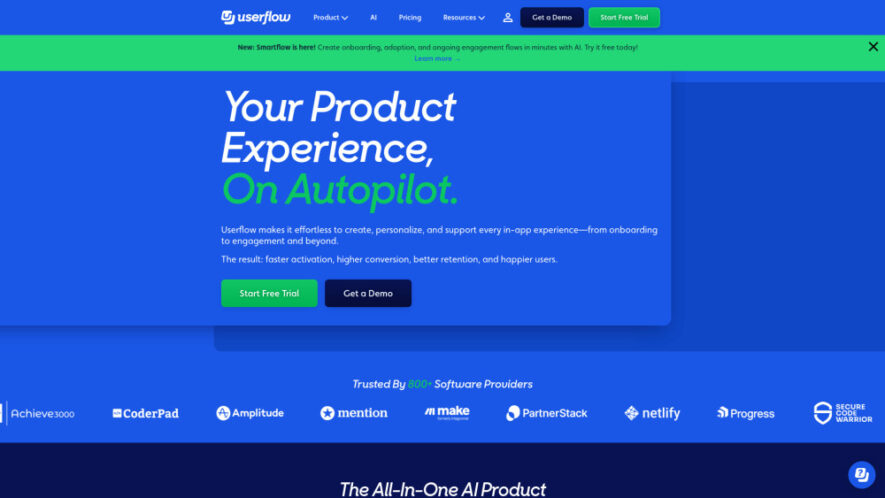
Userflow is an AI-powered product adoption platform that helps teams create in-app onboarding, product tours, checklists, surveys, and support experiences without coding. Its Smartflow AI engine can automatically build editable tours by observing user journeys, while AI Assistant provides contextual support using connected documentation. Teams can personalize, translate, and update experiences quickly to improve user activation, engagement, adoption, and retention throughout the entire product journey.
Smartflow automatically creates editable product tours from observed user journeys.
Build personalized in-app checklists that guide users toward activation.
Create surveys for collecting feedback, satisfaction scores, and product insights.
Provide conversational in-app support through documentation-trained AI Assistant technology.
Offer centralized Resource Centers for accessible self-service product guidance.
Announce new features and updates using targeted in-app banners.
Rephrase and translate in-app content using integrated artificial intelligence.
Build unlimited flows, checklists, announcements, and surveys without coding.
You Got Questions,We Got Answers
1. How does Userflow improve the complete in-app user journey?
Userflow supports the entire in-app journey with onboarding, tours, checklists, surveys, announcements, and self-service resources. This helps teams guide users from their first experience through activation, engagement, adoption, and long-term product retention.
2. How does Smartflow automatically create product tours?
Smartflow observes the path you click through within your product and automatically generates a complete editable tour. Instead of manually creating every step, teams can review, customize, and launch the generated experience much faster.
3. Does Userflow require developers or technical coding skills?
No. Userflow is designed so Product, Marketing, and Customer Success teams can create and manage in-app experiences without writing code. This allows teams to launch onboarding and engagement campaigns without depending heavily on engineering resources.
4. Who can benefit most from using Userflow?
Userflow is designed for product managers, marketers, customer success teams, and organizations focused on customer-driven growth. It is particularly useful for teams seeking to improve activation, adoption, engagement, retention, and in-app customer experiences.
5. What can Userflow's AI Assistant help customers accomplish?
Userflow's AI Assistant provides conversational in-app support using connected documentation or website content. Users can ask questions directly within the product and receive contextual answers, helping reduce support dependency and making relevant information easier to access.
6. Can Userflow personalize and translate in-app experiences?
Yes. Userflow includes AI-powered capabilities for rephrasing and translating in-app content. Teams can personalize their experiences for different audiences and adapt messaging across languages, helping create more relevant onboarding and product adoption experiences.
7. Are there limits on the number of flows and surveys?
According to the provided information, Userflow allows unlimited flows, checklists, announcements, and surveys. However, other plan-based limits can apply, including Monthly Active Users, AI messages, and team member allowances depending on the selected subscription.
8. Is Userflow secure and compliant with major standards?
According to the provided information, Userflow meets SOC 2 Type II, ISO 27001, and GDPR requirements. Customer data is encrypted and hosted on Google Cloud Platform, providing security and compliance measures for teams managing in-app user experiences.
Use cases
Onboarding
Create personalized in-app onboarding experiences that guide new users through essential product steps toward activation.
Product Tours
Guide users through important features with interactive product tours created quickly using AI-powered Smartflow technology.
Activation
Use checklists to help users complete important tasks and reach meaningful activation milestones faster.
Feedback
Collect valuable customer insights through in-app surveys including NPS, CSAT, and other feedback campaigns.
Support
Provide instant conversational assistance inside products using an AI Assistant trained on connected documentation.
Announcements
Communicate new features, product updates, and important announcements through targeted in-app banners and messages.
Localization
Translate and personalize in-app content to create more relevant experiences for different audiences and markets.
Retention
Improve engagement and long-term retention by continuously guiding users throughout their evolving product journey.
Traffic and Engagement
Jun 2026 - Aug 2026
World wide
Monthly visitors (August)
129.1k
Page/Visit
2.92
Visit Duration
1m 25s
Bounce Rate
40.05%
Pricing
Paid
$240
Userflow Embeds
Copied!
Let your community know you're live on Skillcurb! Just drop a badge on your site’s homepage with just a few clicks. Showcasing the badge helps increase your visibility and connects you with users actively exploring top AI tools.