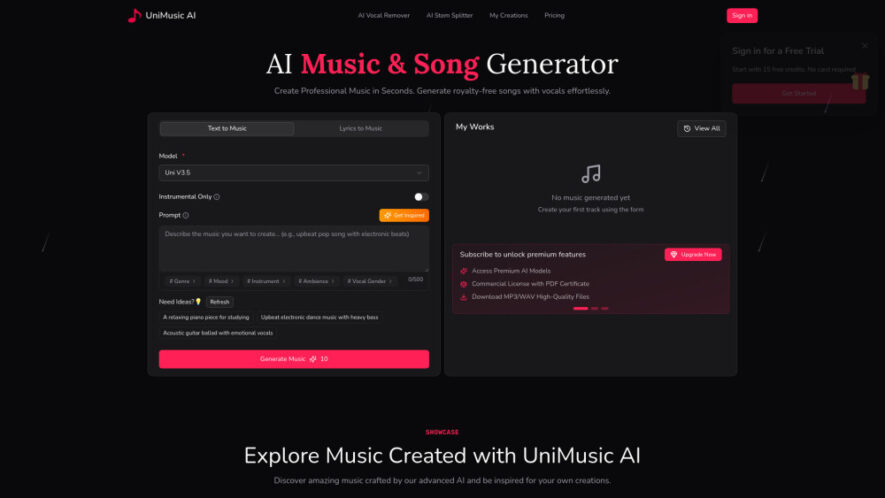
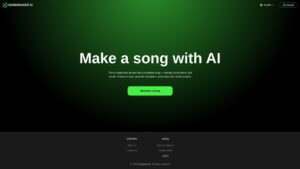
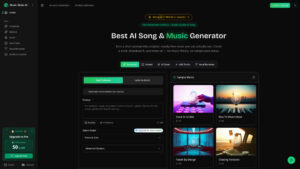
UniMusic AI is an advanced AI music generation platform that creates professional, royalty-free songs with vocals in seconds. Users can generate complete tracks from text prompts or custom lyrics while enjoying commercial usage rights and downloadable license certificates. The platform also includes AI Vocal Remover, Stem...
UniMusic AI is an advanced AI music generation platform that creates professional, royalty-free songs with vocals in seconds. Users can generate complete tracks from text prompts or custom lyrics while enjoying commercial usage rights and downloadable license certificates. The platform also includes AI Vocal Remover, Stem Splitter, high-quality audio downloads, and shareable music pages with synchronized lyrics, making it ideal for creators, musicians, marketers, and businesses.
Generate complete royalty-free songs from text prompts or custom lyrics instantly.
Create AI-powered vocals, melodies, harmonies, and professional music arrangements automatically.
Download high-quality audio files in MP3 and WAV formats effortlessly anytime.
Receive commercial licenses for every generated track with ownership certification included.
Remove vocals easily using advanced AI-powered vocal separation technology for karaoke.
Split songs into individual instrument stems for professional remixing and editing.
Share tracks through attractive music showcase pages featuring synchronized song lyrics automatically.
Generate professional-quality music quickly with AI processing completed within one minute.
You Got Questions,We Got Answers
1. What does UniMusic AI help users create?
UniMusic AI generates complete, royalty-free songs with vocals, melodies, and arrangements from text prompts or custom lyrics, enabling creators to produce professional music without prior musical experience.
2. Can I use generated songs for commercial projects?
Yes. Every eligible track includes commercial usage rights and downloadable license certificates, allowing creators to monetize music across YouTube, Spotify, TikTok, marketing campaigns, and business projects.
3. How quickly does UniMusic AI generate music?
Most songs are generated in under one minute, while AI Vocal Remover and Stem Splitter typically complete processing within approximately two minutes for professional-quality audio results.
4. What is the AI Vocal Remover feature?
The AI Vocal Remover separates vocals from instrumentals, making it easy to create karaoke tracks, isolate acapella recordings, or produce clean instrumental versions for various creative purposes.
5. What does the AI Stem Splitter do?
AI Stem Splitter extracts individual instrument tracks, including vocals, drums, bass, guitar, and keyboards, making remixing, sampling, editing, and professional music production significantly easier.
6. Can beginners use UniMusic AI without music knowledge?
Yes. The platform is beginner-friendly, allowing anyone to generate complete songs by simply describing a musical style, mood, genre, or entering original song lyrics.
7. Does UniMusic AI provide free access for new users?
Yes. UniMusic AI offers a free plan with starter credits, allowing users to explore AI music generation before upgrading for commercial rights and premium features.
8. How can I share music created with UniMusic AI?
Each generated track includes a dedicated showcase page featuring synchronized lyrics and artwork, making it easy to share music through links across websites and social media.
Use cases
Content
Generate royalty-free background music for videos, podcasts, livestreams, and social media content without copyright concerns.
Songwriting
Transform lyrics or creative ideas into complete songs with AI-generated vocals, melodies, and professional arrangements instantly.
Marketing
Create memorable jingles, advertising music, and branded audio for promotional campaigns and business marketing materials.
Karaoke
Produce karaoke tracks by removing vocals while preserving high-quality instrumental audio for singing practice and performances.
Remixing
Separate instrument stems for remixing, sampling, editing, and advanced music production using AI-powered audio processing tools.
Streaming
Generate original music suitable for YouTube, TikTok, Twitch, Spotify, and other digital content distribution platforms easily.
Education
Support music learning by isolating instruments, analyzing compositions, and creating practice materials for students and musicians.
Production
Accelerate music production workflows by generating, editing, extending, and refining tracks with AI-powered creative tools.
Traffic and Engagement
May 2026 - Jul 2026
World wide
Monthly visitors (July)
0.3k
Page/Visit
1.04
Visit Duration
0s
Bounce Rate
27.96%
Pricing
Freemium
$15
UniMusic AI Embeds
Copied!
Let your community know you're live on Skillcurb! Just drop a badge on your site’s homepage with just a few clicks. Showcasing the badge helps increase your visibility and connects you with users actively exploring top AI tools.