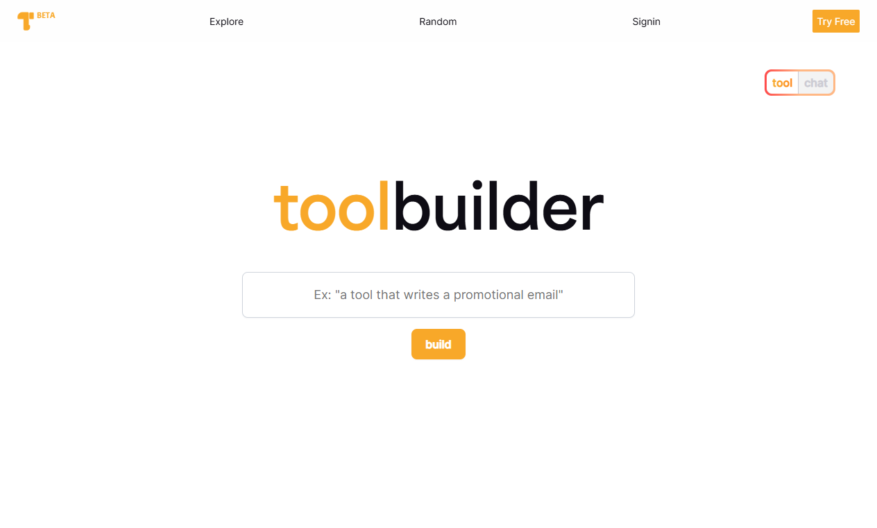
Toolbuilder.ai is a low-code platform that enables users to build custom tools and applications without extensive programming knowledge. It provides a drag-and-drop interface to design and deploy tools, leveraging AI-powered automation and integrations with popular services. Users can create custom workflows, automate tasks, and build data-driven...
Toolbuilder.ai is a low-code platform that enables users to build custom tools and applications without extensive programming knowledge. It provides a drag-and-drop interface to design and deploy tools, leveraging AI-powered automation and integrations with popular services. Users can create custom workflows, automate tasks, and build data-driven applications, all within a user-friendly environment. With Toolbuilder.ai, individuals and teams can streamline processes, increase productivity, and drive innovation, without relying on extensive coding expertise.
Automated tool creation with drag-and-drop interface for non-technical users.
Customizable workflows with conditional logic and branching.
Integration with popular data sources and APIs for seamless connectivity.
Real-time collaboration and commenting for efficient teamwork.
Version control and change history for transparency and accountability.
Customizable branding and white-labeling options for OEM partners.
Advanced analytics and reporting for data-driven decision making.
Scalable architecture for high-performance and reliability.
You Got Questions,We Got Answers
What is Toolbuilder.ai?
Toolbuilder.ai is an AI-powered platform that enables users to create custom tools and integrations without requiring extensive coding knowledge, allowing them to automate workflows and increase productivity
What kind of tools can I build?
With Toolbuilder.ai, you can build a wide range of custom tools, including chatbots, workflows, integrations, and more, using a drag-and-drop interface and a library of pre-built components
Do I need coding experience?
No, Toolbuilder.ai is designed to be accessible to users without extensive coding knowledge, providing a user-friendly interface and pre-built components that make it easy to build custom tools
How do I get started?
To get started with Toolbuilder.ai, simply sign up for an account, choose a template or start from scratch, and begin building your custom tool using the intuitive drag-and-drop interface
Can I integrate with other tools?
Yes, Toolbuilder.ai allows you to integrate with a wide range of third-party tools and services, including popular platforms like Slack, Google Drive, and more, using pre-built connectors
How do I deploy my tool?
Once you've built your custom tool, you can deploy it with ease, using Toolbuilder.ai's one-click deployment feature, which allows you to share your tool with others or integrate it with other platforms
Is my data secure?
Yes, Toolbuilder.ai takes data security seriously, implementing robust security measures, including encryption, access controls, and regular backups, to ensure your data is protected
What kind of support is available?
Toolbuilder.ai offers a range of support resources, including tutorials, documentation, and a community forum, as well as email support and priority support for enterprise customers
Use cases
Healthcare
Automate patient data analysis to identify high-risk patients and enable early interventions, improving healthcare outcomes and reducing costs by leveraging machine learning models built with Toolbuilder.ai
Finance
Develop predictive models to detect fraudulent transactions and prevent financial losses, enhancing risk management and compliance with regulatory requirements using Toolbuilder.ai's AI-powered analytics
Retail
Build a recommendation engine to personalize customer experiences, increasing sales and loyalty by analyzing customer behavior and preferences with Toolbuilder.ai's machine learning capabilities
Manufacturing
Optimize production workflows and supply chain management by predicting equipment failures and inventory levels, reducing downtime and costs with Toolbuilder.ai's predictive maintenance solutions
Marketing
Create targeted marketing campaigns by analyzing customer demographics, behavior, and preferences, improving conversion rates and ROI with Toolbuilder.ai's AI-driven customer segmentation
Education
Develop adaptive learning systems that adjust to individual students' needs, improving learning outcomes and teacher effectiveness by leveraging Toolbuilder.ai's machine learning-based educational tools
Traffic and Engagement
N/A
World wide
Monthly visitors (January)
N/A
Page/Visit
N/A
Visit Duration
N/A
Bounce Rate
N/A
Pricing
Free
$0
Toolbuilder Embeds
Copied!
Let your community know you're live on Skillcurb! Just drop a badge on your site’s homepage with just a few clicks. Showcasing the badge helps increase your visibility and connects you with users actively exploring top AI tools.