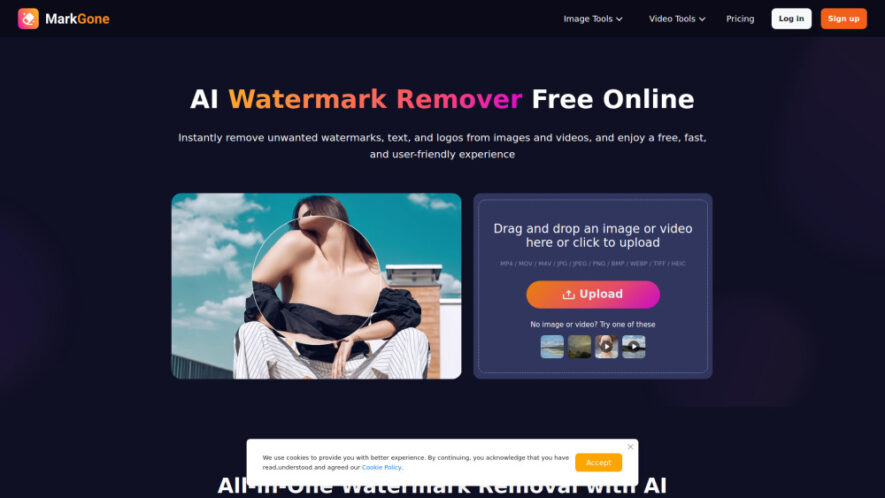
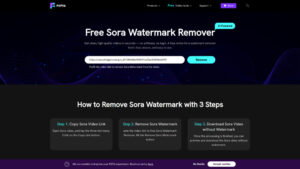
Remove Watermark - MarkGone is an AI-powered tool that quickly removes watermarks, logos, text, and timestamps from images and videos without compromising quality. Supporting popular formats and a simple uploadprocessdownload workflow, it automatically detects unwanted elements and reconstructs backgrounds intelligently. Whether cleaning photos, removing TikTok or...
Remove Watermark - MarkGone is an AI-powered tool that quickly removes watermarks, logos, text, and timestamps from images and videos without compromising quality. Supporting popular formats and a simple uploadprocessdownload workflow, it automatically detects unwanted elements and reconstructs backgrounds intelligently. Whether cleaning photos, removing TikTok or Sora watermarks, or preparing professional visuals, MarkGone offers fast, accurate, and user-friendly watermark removal for creators, marketers, and everyday users.
1. How does MarkGone remove watermarks from images automatically?
MarkGone uses advanced AI to detect watermarks, logos, text, and timestamps automatically. After uploading your image, the AI removes unwanted elements while reconstructing the surrounding background to maintain high image quality with minimal effort.
2. Can MarkGone remove watermarks from videos without reducing quality?
Yes. MarkGone intelligently analyzes each video frame and removes watermarks while preserving smooth motion and visual consistency. Its AI reconstruction helps maintain clean, professional-looking videos suitable for editing, sharing, or content creation.
3. Does MarkGone support TikTok and Sora watermark removal?
Yes. MarkGone includes dedicated AI tools for removing TikTok and Sora watermarks from videos. It processes every frame automatically, delivering clean videos without visible overlays while preserving the original video quality.
4. Which file formats are compatible with MarkGone?
MarkGone supports many common formats, including MP4, MOV, M4V, JPG, JPEG, PNG, BMP, WEBP, TIFF, and HEIC. This broad compatibility makes it convenient for editing both images and videos from different devices.
5. Is MarkGone easy for beginners without editing experience?
Absolutely. The platform offers a simple upload, automatic processing, and download workflow. Users only need to upload their file, let the AI remove unwanted elements, and save the finished result without technical knowledge.
6. Can MarkGone remove logos, text, and timestamps besides watermarks?
Yes. The AI detects and removes various unwanted elements, including logos, captions, timestamps, subtitles, and text overlays. It intelligently fills the affected areas to create natural-looking images and videos after processing.
7. Is MarkGone free to use for basic watermark removal?
MarkGone provides a limited number of free daily uses. Users needing additional processing capacity or premium features can upgrade to a paid plan or purchase extra usage credits when required.
8. Who benefits most from using MarkGone?
MarkGone is ideal for content creators, marketers, photographers, designers, educators, and social media users who need fast, high-quality watermark removal from images and videos without using complex editing software.
Use cases
Editing
Remove watermarks, logos, and unwanted text from images for cleaner, professional-looking visual content quickly.
Videos
Erase watermarks from videos while preserving smooth playback, high-quality visuals, and natural frame consistency.
Social
Clean TikTok and Sora videos before sharing across multiple social media platforms professionally.
Marketing
Prepare polished promotional images and videos without distracting overlays for branding and advertising campaigns.
Photography
Restore photos by removing timestamps, logos, and unwanted marks while maintaining natural image quality.
Design
Create clean visual assets for presentations, websites, and creative projects without manual editing work.
Content
Produce watermark-free multimedia content efficiently for blogs, tutorials, online courses, and digital publishing.
Business
Enhance professional media assets by removing unwanted visual elements for presentations, reports, and promotional materials.
Traffic and Engagement
May 2026 - Jul 2026
World wide
Monthly visitors (July)
87.9k
Page/Visit
1.99
Visit Duration
19s
Bounce Rate
38.82%
Pricing
Paid
9.99
Remove Watermark – MarkGone Embeds
Copied!
Let your community know you're live on Skillcurb! Just drop a badge on your site’s homepage with just a few clicks. Showcasing the badge helps increase your visibility and connects you with users actively exploring top AI tools.