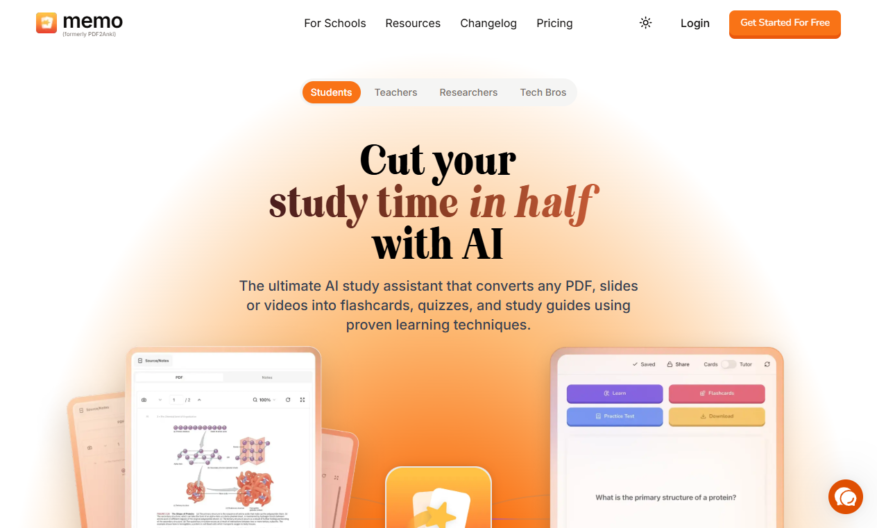
PDF2Anki is a free online tool that converts PDF files into digital flashcards for Anki, a popular spaced repetition learning software. It allows users to upload PDF files, select the text they want to convert, and customize the card format. The tool supports various PDF layouts,...
PDF2Anki is a free online tool that converts PDF files into digital flashcards for Anki, a popular spaced repetition learning software. It allows users to upload PDF files, select the text they want to convert, and customize the card format. The tool supports various PDF layouts, including multiple columns, tables, and images. It also offers features like automatic card generation, customizable templates, and the ability to add tags and decks. With PDF2Anki, users can easily turn their PDF study materials into interactive flashcards, making learning and retention more efficient and effective.
Automatically extracts text and images from PDF files for Anki flashcards.
Supports multiple PDF file uploads simultaneously for batch processing.
Allows customization of card templates with various fields and layouts.
Enables users to preview and edit extracted text and images.
Provides advanced filtering options to exclude unwanted text and images.
Supports Anki's cloze deletion feature for hiding parts of text.
Offers a user-friendly interface for easy PDF to Anki conversion.
Allows users to download generated cards in Anki's apkg format directly.
You Got Questions,We Got Answers
What is PDF2Anki?
PDF2Anki is a free online tool that converts PDF files into Anki flashcards, allowing users to easily create digital flashcards from their PDF notes and study materials
How does it work?
Simply upload your PDF file, select the desired output format, and PDF2Anki will automatically extract the text and images, and generate Anki-compatible flashcards with the extracted content
Is PDF2Anki free?
Yes, PDF2Anki is completely free to use, with no limitations or watermarks on the output, making it a great tool for students, researchers, and anyone looking to digitize their notes
What file formats are supported?
PDF2Anki supports a wide range of file formats, including PDF, EPUB, and TXT, allowing users to convert their files from various sources into Anki flashcards
Can I customize the output?
Yes, PDF2Anki offers various customization options, such as selecting the deck name, card type, and formatting, giving users control over the final output and ensuring it meets their specific needs
How accurate is the text extraction?
PDF2Anki uses advanced OCR technology to extract text from PDF files, resulting in high accuracy, although the quality of the output may vary depending on the quality of the input PDF file
Can I upload large files?
Yes, PDF2Anki allows users to upload files of up to 100MB in size, making it suitable for large documents and study materials, although larger files may take longer to process
Is my data secure?
Yes, PDF2Anki takes data security seriously, using SSL encryption to protect user uploads and ensuring that all files are deleted from the server immediately after processing, maintaining user privacy and confidentiality
Use cases
Healthcare
Medical students can use pdf2anki to create digital flashcards from medical journals and textbooks, allowing them to quickly review complex medical concepts and terminology on-the-go
Finance
Financial analysts can convert financial reports and statements into interactive flashcards, helping them to quickly memorize key financial metrics and ratios
Retail
Sales associates can create digital flashcards from product catalogs and training materials, enabling them to quickly recall product features and benefits to improve customer service
Manufacturing
Quality control inspectors can use pdf2anki to create flashcards from quality control manuals and procedures, ensuring they are familiar with industry standards and regulations
Marketing
Marketing teams can convert customer personas and market research reports into interactive flashcards, helping them to better understand target audiences and develop effective campaigns
Education
Teachers can create digital flashcards from educational resources and textbooks, making it easier for students to study and review complex concepts outside of the classroom
Traffic and Engagement
Mar 2026 - May 2026
World wide
Monthly visitors (May)
14k
Page/Visit
1.9
Visit Duration
9s
Bounce Rate
0.5%
Pricing
Freemium
$8.99
PDF2Anki Embeds
Copied!
Let your community know you're live on Skillcurb! Just drop a badge on your site’s homepage with just a few clicks. Showcasing the badge helps increase your visibility and connects you with users actively exploring top AI tools.