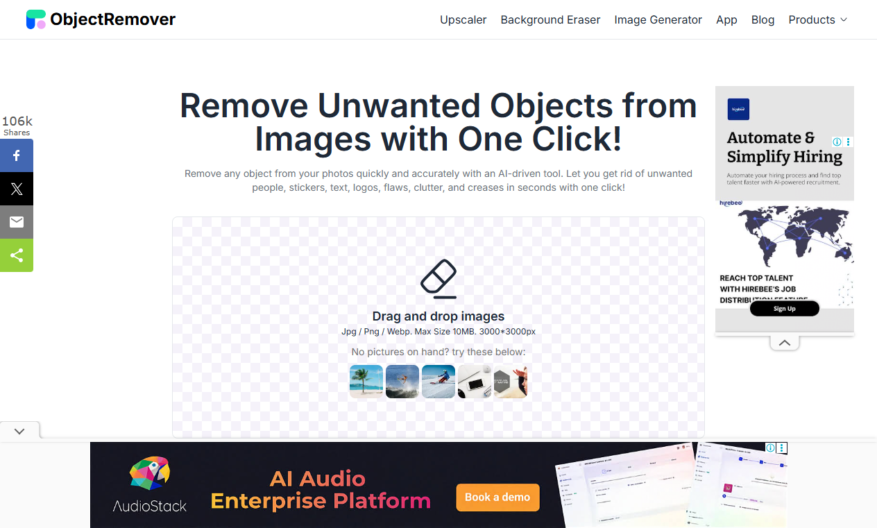
Object Remover is a free online tool that allows users to remove unwanted objects or people from images using AI-powered technology. Simply upload an image, select the object to remove, and the tool will automatically erase it, filling the gap with a natural-looking background. The tool...
Object Remover is a free online tool that allows users to remove unwanted objects or people from images using AI-powered technology. Simply upload an image, select the object to remove, and the tool will automatically erase it, filling the gap with a natural-looking background. The tool supports various image formats and offers a user-friendly interface, making it accessible to anyone. With Object Remover, users can easily edit and enhance their photos, creating a more polished and professional-looking result.
Remove unwanted objects from images with a single click.
Automatically detects and removes objects seamlessly.
Edit and refine removal results with precision tools.
Supports various image formats including JPG, PNG, and GIF.
Real-time preview for instant feedback and adjustments.
Advanced algorithms for accurate object detection and removal.
User-friendly interface for easy navigation and editing.
Supports batch processing for efficient image editing.
You Got Questions,We Got Answers
What is Object Remover?
Object Remover is an online tool that allows users to remove unwanted objects from images using AI-powered technology, providing a user-friendly interface and high-quality results
How does it work?
The tool uses a sophisticated algorithm to detect and remove objects from images, allowing users to select the object they want to remove and then automatically removing it from the image
Is Object Remover free?
Object Remover offers a free version with limited features and a premium subscription that provides access to advanced features, higher resolution output, and unlimited usage
What file formats are supported?
Object Remover supports popular image file formats such as JPEG, PNG, and BMP, allowing users to upload and edit a wide range of images
Can I use Object Remover for commercial purposes?
Yes, Object Remover can be used for commercial purposes, including e-commerce, advertising, and graphic design, with the premium subscription providing a license for commercial use
How do I remove objects from an image?
To remove an object, simply upload the image, select the object using the brush tool, and click the "Remove" button, allowing the AI algorithm to automatically remove the object
Is my uploaded image secure?
Object Remover takes image security seriously, using SSL encryption to protect uploaded images and ensuring that they are deleted from the server after processing, maintaining user privacy and security
Can I undo the removal process?
No, the removal process is permanent, and it is recommended to save a copy of the original image before using Object Remover, as it is not possible to undo the removal process once it is complete
Use cases
Healthcare
Doctors can use Object Remover to remove sensitive patient information from medical images, ensuring HIPAA compliance and protecting patient privacy while still allowing for educational and research purposes
Finance
Financial institutions can remove sensitive information from documents and images, such as account numbers and social security numbers, to protect customer data and prevent identity theft
Retail
Online retailers can use Object Remover to remove unwanted objects from product images, allowing for a more polished and professional appearance, and increasing customer trust and satisfaction
Manufacturing
Quality control teams can remove defects or imperfections from product images, allowing for a more accurate representation of the product and reducing the risk of customer complaints
Marketing
Marketers can use Object Remover to remove logos or branding from competitor images, allowing for more effective and unbiased product comparisons and increasing the chances of conversion
Education
Teachers can remove distractions from educational images, such as copyrighted materials or irrelevant objects, to create a more focused and engaging learning environment
Traffic and Engagement
Mar 2026 - May 2026
World wide
Monthly visitors (May)
83.3k
Page/Visit
1.6
Visit Duration
37s
Bounce Rate
0.5%
Pricing
Free
$0
ObjectRemover Embeds
Copied!
Let your community know you're live on Skillcurb! Just drop a badge on your site’s homepage with just a few clicks. Showcasing the badge helps increase your visibility and connects you with users actively exploring top AI tools.