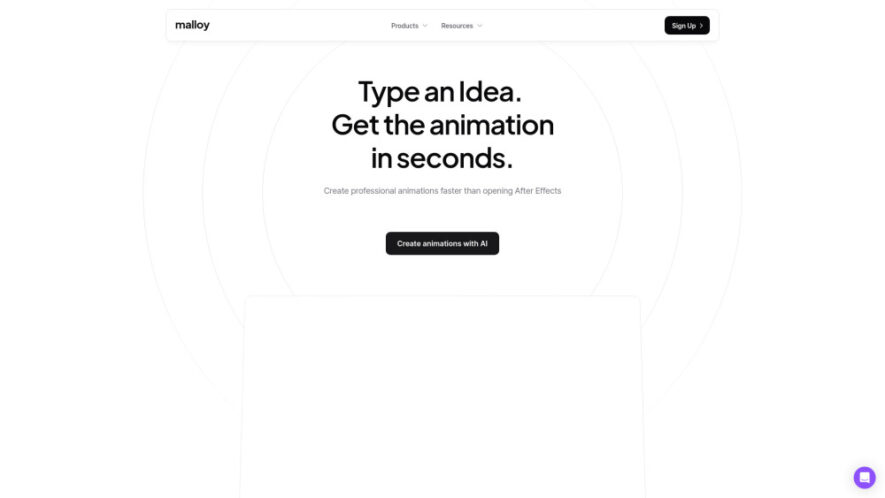
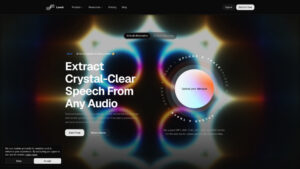
Malloy Studio is an AI-powered motion design platform that turns simple prompts into professional animations, motion graphics, overlays, and branded visuals within seconds. Users can generate animations from scratch or customize templates, then edit text, colors, timing, layouts, and other motion layers without using After Effects....
Malloy Studio is an AI-powered motion design platform that turns simple prompts into professional animations, motion graphics, overlays, and branded visuals within seconds. Users can generate animations from scratch or customize templates, then edit text, colors, timing, layouts, and other motion layers without using After Effects. With background removal, masking, editable assets, and flexible exports, Malloy Studio helps creators, marketers, editors, and product teams produce polished motion content faster.
Generate custom motion graphics instantly using simple natural-language prompts.
Edit text, colors, timing, layouts, and individual motion layers easily.
Choose from professionally designed templates for creators, brands, and marketers.
Remove backgrounds and apply masking for seamless footage integration.
Create animated overlays, intros, titles, graphics, and branded visuals quickly.
Modify generated animations instead of relying on pre-rendered flat videos.
Export animations as MP4, transparent videos, and overlay-friendly formats.
Create professional animations without requiring After Effects or animation expertise.
You Got Questions,We Got Answers
1. How does Malloy Studio's AI motion designer work?
Malloy Studio lets users describe an animation idea with a simple prompt or select a template. The platform generates an editable motion design that users can customize before exporting for videos, presentations, marketing, or social media.
2. Can I edit animations after they are generated?
Yes. Generated animations remain editable, allowing users to modify elements such as text, colors, timing, layouts, and images. This provides more flexibility than a flat pre-rendered video and makes customization easier for different projects.
3. Do I need After Effects or animation experience?
No. Malloy Studio is designed to simplify professional motion design without requiring After Effects or advanced animation skills. Users can generate and customize motion graphics through prompts and accessible editing controls instead of complex animation software.
4. Can Malloy Studio animations be used commercially?
Yes. According to the provided information, users own the rights to export and use their generated assets. This makes the platform suitable for commercial projects such as advertisements, promotional videos, product launches, client work, and branded social content.
5. What types of motion graphics can Malloy Studio create?
Malloy Studio can create motion graphics, overlays, intros, animated titles, branded visuals, waveform graphics, product demonstrations, UI animations, and social media assets. Users can generate custom designs from prompts or adapt existing templates to their requirements.
6. Which export formats does Malloy Studio support?
According to the provided information, Malloy Studio supports MP4 exports, transparent video exports, and overlay-friendly formats. These options make generated animations suitable for incorporating into existing video footage, social content, presentations, advertisements, and other creative projects.
7. Can I use Malloy Studio with existing video footage?
Yes. Background removal and masking features help users integrate generated animations into existing footage. This allows editors and creators to add overlays, graphics, and other motion elements without needing to build everything manually from scratch.
8. Is Malloy Studio suitable for professional video editors?
Yes. Malloy Studio can help professional editors create polished motion graphics faster and reduce repetitive animation work. Editable layers, templates, background removal, and quick generation make it useful for client projects and fast-turnaround video production.
Use cases
Creators
Create animated graphics, intros, overlays, and visual elements quickly for YouTube, TikTok, and other content platforms.
Marketing
Produce motion assets for advertisements, promotional campaigns, product launches, and branded marketing content with minimal effort.
Podcasting
Design animated titles, waveform visuals, episode teasers, and engaging promotional graphics for podcast content.
Freelancing
Deliver polished motion graphics to clients faster while reducing production time and repetitive animation work.
Products
Create UI animations, feature demonstrations, prototypes, and presentation visuals for product development and communication.
Editing
Add custom animations directly to existing footage while reducing hours normally spent creating motion graphics manually.
Social
Produce engaging social media graphics, reel overlays, announcement visuals, and other short-form motion content rapidly.
Branding
Create consistent branded motion visuals, overlays, promotional assets, and animated elements for business communications.
Traffic and Engagement
Jun 2026 - Aug 2026
World wide
Monthly visitors (August)
182.7k
Page/Visit
2.91
Visit Duration
1m 3s
Bounce Rate
40.06%
Pricing
Free
$0
Malloy Studio – You AI Motion Designer Embeds
Copied!
Let your community know you're live on Skillcurb! Just drop a badge on your site’s homepage with just a few clicks. Showcasing the badge helps increase your visibility and connects you with users actively exploring top AI tools.