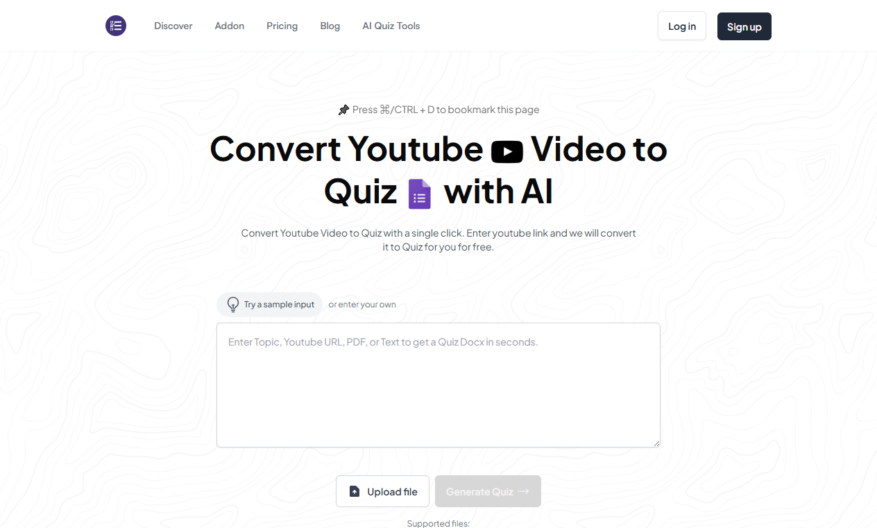
Magic Form's YouTube to Quiz tool allows users to generate interactive quizzes from YouTube videos in minutes. Simply paste the video URL, select the quiz type, and choose the questions' format. The tool automatically extracts key points, timestamps, and relevant information from the video, creating a...
Magic Form's YouTube to Quiz tool allows users to generate interactive quizzes from YouTube videos in minutes. Simply paste the video URL, select the quiz type, and choose the questions' format. The tool automatically extracts key points, timestamps, and relevant information from the video, creating a engaging quiz with multiple-choice questions, true/false, or open-ended questions. Users can customize the quiz, add their own questions, and share it with others. This innovative tool is perfect for educators, content creators, and marketers looking to increase audience engagement and retention.
Automatically generates interactive quizzes from YouTube video content.
Supports multiple question types and formats.
Allows customization of quiz layout, design, and branding.
Enables real-time quiz tracking and analytics reporting.
Offers seamless integration with popular learning management systems.
Provides instant feedback and scoring for quiz takers.
Supports multi-language quizzes for global audience engagement.
Allows export of quizzes in various formats, including PDF and CSV.
You Got Questions,We Got Answers
What is YouTube to Quiz tool used for?
The YouTube to Quiz tool is a innovative online converter that transforms YouTube videos into interactive quizzes, allowing users to engage with educational content in a fun and immersive way, perfect for teachers, students, and learners alike
How do I create a quiz from YouTube?
To create a quiz, simply copy the YouTube video URL, paste it into the YouTube to Quiz tool, select the quiz type, and customize the questions and answers to fit your needs, then share or download your quiz
Can I customize the quiz questions?
Yes, the YouTube to Quiz tool allows you to fully customize the quiz questions and answers, including adding your own questions, editing existing ones, and adjusting the question types to fit your specific needs and goals
Is the YouTube to Quiz tool free?
The YouTube to Quiz tool offers a free plan with limited features, as well as a paid subscription with additional features and support, allowing you to choose the plan that best fits your budget and needs
How do I share my created quiz?
Once you've created your quiz, you can share it with others by copying the shareable link, embedding it into your website or blog, or downloading it as a PDF or CSV file, making it easy to distribute and track progress
Can I use YouTube to Quiz for commercial use?
Yes, the YouTube to Quiz tool can be used for commercial purposes, such as creating interactive quizzes for employee training, customer engagement, or marketing campaigns, with the paid subscription offering additional features and support for commercial use
How do I track student progress?
The YouTube to Quiz tool allows you to track student progress and performance, providing insights into quiz completion rates, scores, and time taken, enabling you to identify areas of improvement and optimize your teaching strategies
Is the YouTube to Quiz tool secure?
Yes, the YouTube to Quiz tool takes security seriously, using SSL encryption to protect user data, ensuring that all quizzes and user information are kept confidential and secure, giving you peace of mind when creating and sharing quizzes
Use cases
Healthcare
Medical educators can create interactive quizzes from YouTube videos on surgical procedures, patient care, and disease management, enhancing engagement and knowledge retention among healthcare professionals and students
Finance
Financial advisors can generate quizzes from YouTube videos on investment strategies, retirement planning, and market analysis, helping clients better understand complex financial concepts and make informed decisions
Retail
E-commerce companies can create interactive product tutorials, quizzes, and assessments from YouTube product demos, increasing customer engagement, and reducing returns and support queries
Manufacturing
Training managers can convert YouTube videos on equipment operation, safety protocols, and quality control into interactive quizzes, improving worker knowledge and reducing errors on the production floor
Marketing
Marketers can transform YouTube product reviews, testimonials, and brand stories into engaging quizzes, boosting brand awareness, and encouraging customer loyalty and advocacy
Education
Teachers can create quizzes from educational YouTube videos on science, history, and literature, making learning fun and interactive, and assessing student understanding and progress
Traffic and Engagement
Mar 2026 - May 2026
World wide
Monthly visitors (May)
71.5k
Page/Visit
3.1
Visit Duration
59s
Bounce Rate
0.4%
Pricing
Freemium
$16
Magic Form Embeds
Copied!
Let your community know you're live on Skillcurb! Just drop a badge on your site’s homepage with just a few clicks. Showcasing the badge helps increase your visibility and connects you with users actively exploring top AI tools.