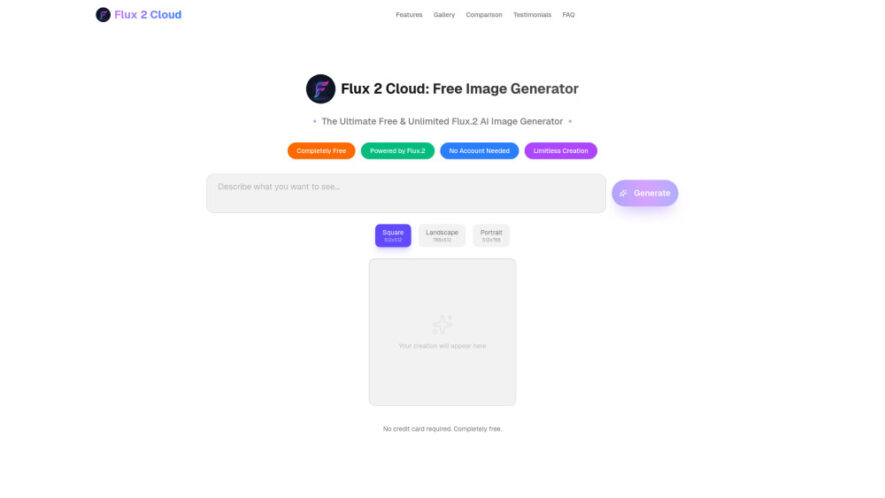
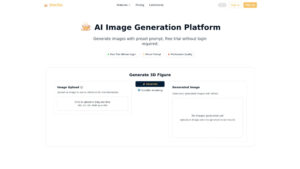
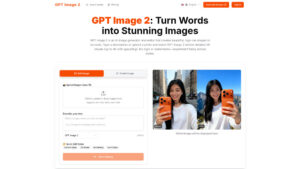
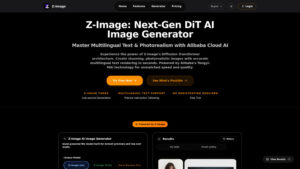
Flux 2 is a free AI image generator powered by the advanced FLUX.2 model, designed to create high-quality visuals quickly. It supports photorealistic images, anime, digital art, typography, infographics, and image editing. Users can generate images without registration, while multi-reference support helps maintain consistent characters, products,...
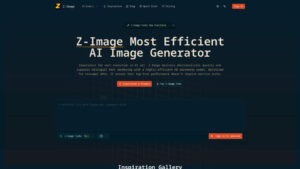
Flux 2 is a free AI image generator powered by the advanced FLUX.2 model, designed to create high-quality visuals quickly. It supports photorealistic images, anime, digital art, typography, infographics, and image editing. Users can generate images without registration, while multi-reference support helps maintain consistent characters, products, lighting, and styles across creative projects. It is suitable for creators, marketers, designers, businesses, and anyone exploring professional AI-generated visuals.
Generate unlimited AI images quickly using the powerful FLUX.2 model.
Understand detailed prompts with smart text interpretation and accurate following.
Create photorealistic, anime, artistic, and digital images across creative styles.
Produce high-resolution outputs with support for complex text and infographics.
Maintain consistent characters, products, and visual styles across multiple generations.
Edit existing images using text instructions and multiple visual references.
Protect user privacy by avoiding storage of prompts and generated images.
Start creating instantly without registration, credit cards, or personal information.
You Got Questions,We Got Answers
1. What is Flux 2 and how does it work?
Flux 2 is an AI image generation platform powered by FLUX.2, creating detailed visuals from natural-language prompts. It supports multiple styles, references, editing, typography, and consistent image generation for creative projects.
2. Is Flux 2 completely free to use?
Yes, Flux 2 offers free and unlimited image generation through its website. Basic access does not require payment, a credit card, or registration, making advanced AI image creation accessible to everyone.
3. Do I need an account to generate images?
No account is required for basic image generation. Visit the website, enter your prompt, and start creating images immediately. Optional registration may provide additional features or higher usage limits depending on availability.
4. Can Flux 2 create different image styles?
Yes, Flux 2 supports many visual styles, including photorealistic scenes, anime, oil paintings, digital illustrations, and artistic concepts. Its flexible prompt understanding helps users control appearance, composition, mood, and visual details.
5. Can I use Flux 2 images commercially?
According to the platform information provided, generated images can be used commercially for business marketing, advertising, personal projects, and digital artwork. Always review the platform's current terms before using outputs commercially.
6. Does Flux 2 support image editing features?
Yes, Flux 2 supports image editing through text instructions and multiple references. Users can modify visual elements, refine compositions, preserve important characteristics, and create variations while maintaining consistency across related images.
7. How does Flux 2 protect user privacy?
Flux 2 states that it does not store user prompts or generated images on its servers. Basic access also avoids requiring personal information, helping users create images while maintaining a stronger focus on privacy and security.
8. What makes FLUX.2 better than FLUX.1 today?
FLUX.2 improves multi-reference fusion, texture sharpness, lighting stability, text rendering, and spatial understanding. These improvements help produce more coherent visuals, clearer typography, and stronger consistency across complex image generation and editing tasks.
Use cases
Projects
Create unique AI artwork, illustrations, wallpapers, and visual concepts for personal creative projects and inspiration.
Marketing
Generate promotional visuals, advertisements, product graphics, and branded content for business marketing and advertising campaigns.
Artwork
Produce digital illustrations, artistic compositions, concept art, and creative experiments across numerous visual styles effortlessly.
Restoration
Restore and creatively enhance older photographs while exploring modern artistic interpretations and improved visual quality.
Infographics
Design informative graphics with complex typography, structured layouts, visual elements, and readable text for presentations.
Characters
Maintain recognizable character appearances across multiple generated images using references and consistent visual instructions effectively.
Products
Create consistent product visuals, concepts, presentations, and marketing imagery using multiple reference images and prompts.
Editing
Modify existing images with text instructions, adjust visual details, and develop creative variations efficiently for projects.
Traffic and Engagement
Jun 2026 - Aug 2026
World wide
Monthly visitors (August)
2.7k
Page/Visit
1.31
Visit Duration
3s
Bounce Rate
39.30%
Pricing
Free
$0
Flux 2 Embeds
Copied!
Let your community know you're live on Skillcurb! Just drop a badge on your site’s homepage with just a few clicks. Showcasing the badge helps increase your visibility and connects you with users actively exploring top AI tools.