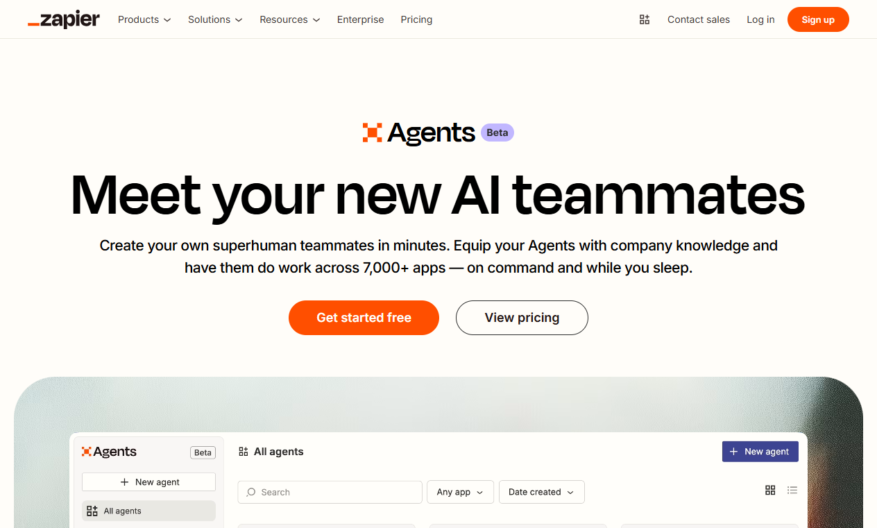
Zapier Central is a unified automation platform that streamlines workflows across multiple apps and teams, providing a single source of truth for automation management. It enables easy creation, management, and sharing of automated workflows, known as Zaps, across the organization. With Zapier Central, teams can discover...
Zapier Central is a unified automation platform that streamlines workflows across multiple apps and teams, providing a single source of truth for automation management. It enables easy creation, management, and sharing of automated workflows, known as Zaps, across the organization. With Zapier Central, teams can discover and reuse existing automations, track performance, and ensure compliance and security, all while reducing manual work and increasing productivity.
Automate workflows across multiple apps with a single interface.
Centralize management of all Zaps and workflows in one place.
Get real-time insights and analytics on Zap performance metrics.
Collaborate with team members and assign roles with ease.
Set up custom approval workflows for sensitive Zaps and tasks.
Use customizable templates for frequently used Zap configurations.
Implement enterprise-grade security and conditional logic rules.
Scale automation with confidence using Zapier's reliable infrastructure.
You Got Questions,We Got Answers
What is Zapier Central?
Zapier Central is a unified platform that enables teams to discover, connect, and automate workflows across multiple applications and services, all in one place, making it easier to manage and scale automation efforts.
How does it work?
Zapier Central helps teams by providing a centralized dashboard to manage all Zaps, connections, and workflows, allowing users to easily create, edit, and monitor automations, and receive notifications and alerts.
What are the benefits?
The benefits of using Zapier Central include increased productivity, reduced manual errors, and improved collaboration, as well as enhanced visibility and control over automation workflows, and the ability to scale automation efforts.
Is it secure?
Yes, Zapier Central is built with enterprise-grade security in mind, featuring robust data encryption, secure authentication, and authorization, and regular security audits and compliance certifications to ensure the highest level of data protection and integrity.
Can I customize it?
Yes, Zapier Central allows teams to tailor the platform to their specific needs, with features such as custom branding, and the ability to create and manage custom workflows, and integrate with existing tools and systems.
How do I get started?
To get started with Zapier Central, users can simply sign up for a variety of pricing plans, including a free trial, and then follow the guided onboarding process, which includes setting up connections, creating Zaps, and configuring workflows.
What kind of support is available?
Zapier Central offers a range of support resources, including extensive documentation, video tutorials, and email support, as well as a community forum and premium support options for enterprise customers.
Is there a free trial?
Yes, Zapier Central offers a free trial that allows users to test the platform's features and capabilities, and get a feel for how it can help their team automate workflows and increase productivity.
Use cases
Healthcare
Automate patient data exchange between electronic health records, billing systems, and insurance providers to reduce administrative burdens and improve care outcomes
Finance
Streamline account opening processes by integrating customer onboarding, credit checks, and account activation workflows across multiple systems
Retail
Sync inventory levels, product catalogs, and order fulfillment systems to ensure accurate product availability and timely shipments
Manufacturing
Connect production planning, inventory management, and supply chain systems to optimize production workflows and reduce lead times
Marketing
Automate lead generation, email campaigns, and CRM updates to personalize customer interactions and drive conversions
Education
Integrate learning management systems, student information systems, and online course platforms to streamline student data management and course delivery
Traffic and Engagement
Feb 2026 - Apr 2026
World wide
Monthly visitors (April)
8.7m
Page/Visit
8.8
Visit Duration
5m 39s
Bounce Rate
0.5%
Pricing
Freemium
$19.99
Zapier Central Embeds
Copied!
Let your community know you're live on Skillcurb! Just drop a badge on your site’s homepage with just a few clicks. Showcasing the badge helps increase your visibility and connects you with users actively exploring top AI tools.