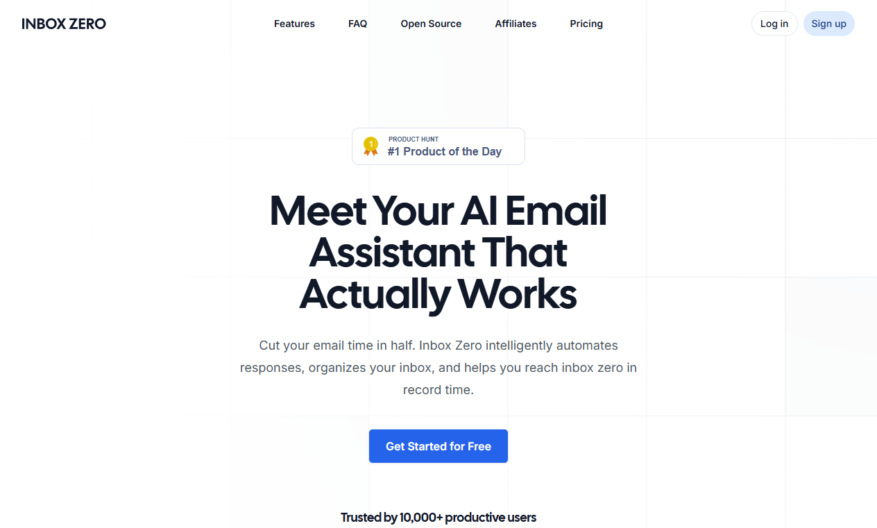
GetInboxZero is a free online tool that helps users achieve and maintain an empty email inbox by providing a step-by-step guide to managing emails, reducing clutter, and automating repetitive tasks. It offers personalized email management strategies, customizable workflows, and integration with popular email providers like Gmail,...
GetInboxZero is a free online tool that helps users achieve and maintain an empty email inbox by providing a step-by-step guide to managing emails, reducing clutter, and automating repetitive tasks. It offers personalized email management strategies, customizable workflows, and integration with popular email providers like Gmail, Outlook, and Yahoo. With GetInboxZero, users can create a tailored system to handle emails, reduce stress, and increase productivity, ultimately achieving the coveted "inbox zero" status.
Automatically organize emails into categories and folders for easy access.
Customizable filters and rules to prioritize and categorize incoming emails.
Advanced search functionality with filters and operators for precise results.
Integration with popular email clients and services for seamless workflow.
Intelligent email categorization using machine learning algorithms for accuracy.
Customizable workflows and automation for efficient email management.
Real-time email tracking and analytics for performance insights.
Centralized dashboard for managing multiple email accounts and settings.
You Got Questions,We Got Answers
What is Inbox Zero?
Inbox Zero is a state where your email inbox is completely empty, with no unread or pending messages, allowing you to work efficiently and reduce stress.
How does Inbox Zero work?
Inbox Zero works by implementing a simple workflow of dealing with each email as it arrives, either by responding, delegating, archiving, or deleting, ensuring your inbox stays organized and clutter-free.
What are the benefits of Inbox Zero?
The benefits of Inbox Zero include reduced stress, increased productivity, and better time management, allowing you to focus on important tasks and achieve your goals more efficiently.
How long does it take to achieve Inbox Zero?
The time it takes to achieve Inbox Zero varies depending on the number of emails in your inbox, but with a clear strategy and consistent application, you can achieve Inbox Zero in a few hours or days.
Can anyone achieve Inbox Zero?
Yes, anyone can achieve Inbox Zero, regardless of their email volume or type, by following a simple workflow, staying disciplined, and maintaining good email habits.
What if I have thousands of emails?
If you have thousands of emails, start by prioritizing the most important ones, and then work through them in batches, using filters and labels to help you manage the process.
How do I maintain Inbox Zero?
To maintain Inbox Zero, set aside time each day to deal with new emails, stay consistent with your workflow, and regularly review and adjust your email management strategy.
Is Inbox Zero worth the effort?
No, Inbox Zero is worth the effort, as it leads to increased productivity, reduced stress, and improved work-life balance, making it a valuable investment of your time and energy.
Use cases
Healthcare
A hospital uses Inbox Zero to streamline communication among doctors, nurses, and administrators, reducing delays in patient care and improving overall hospital efficiency
Finance
A financial advisor uses Inbox Zero to prioritize client emails, ensuring timely responses and maintaining strong relationships
Retail
An e-commerce company employs Inbox Zero to manage customer inquiries, resolving issues quickly and increasing customer satisfaction
Manufacturing
A production team utilizes Inbox Zero to coordinate with suppliers, ensuring timely delivery of materials and minimizing production downtime
Marketing
A marketing agency uses Inbox Zero to collaborate with designers, writers, and project managers, meeting deadlines and delivering successful campaigns
Education
A university professor uses Inbox Zero to respond to student queries, providing timely guidance and improving student outcomes
Traffic and Engagement
Feb 2026 - Apr 2026
World wide
Monthly visitors (April)
24.9k
Page/Visit
3.7
Visit Duration
1m 52s
Bounce Rate
0.5%
Pricing
Freemium
$9
Inbox Zero Embeds
Copied!
Let your community know you're live on Skillcurb! Just drop a badge on your site’s homepage with just a few clicks. Showcasing the badge helps increase your visibility and connects you with users actively exploring top AI tools.