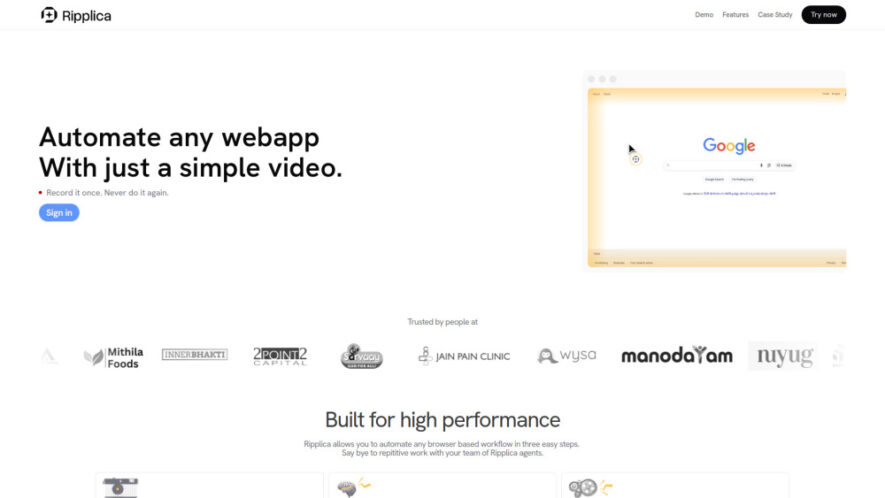
Ripplica is an AI automation platform that turns recorded browser workflows into repeatable tasks for users. Users can record a process once, review it, and let AI agents run it across web applications without coding, APIs, or prompts. Its adaptive agents understand on-screen context, respond to...
Ripplica is an AI automation platform that turns recorded browser workflows into repeatable tasks for users. Users can record a process once, review it, and let AI agents run it across web applications without coding, APIs, or prompts. Its adaptive agents understand on-screen context, respond to changing conditions, and execute tasks securely inside an isolated virtual machine. Automations can also be scheduled or remotely triggered.
Legacy Automation Automate legacy applications, websites, and internal tools through browser interactions.
Productivity Improve productivity by reducing repetitive work across everyday browser-based workflows.
You Got Questions,We Got Answers
1. What Browser Workflows Can Ripplica Automate Easily?
Ripplica can automate almost any browser-based workflow, including job applications, order processing, inbox management, reporting tasks, and repetitive activities within websites, legacy applications, or internal business tools. It helps users reduce repetitive manual work.
2. Does Ripplica Require Coding Knowledge To Automate Tasks?
No. Ripplica is designed for users without coding skills. Record the workflow once, review it, and let its AI agents repeat the process without requiring code, APIs, scripts, or detailed prompts. This makes automation accessible to beginners.
3. How Does Ripplica Adapt When Websites Change?
Ripplica uses adaptive, context-aware AI agents that interpret what appears on screen and understand the task being performed. This allows automations to respond intelligently when page layouts, conditions, or workflows change during execution without constant manual adjustments.
4. Can Ripplica Automations Run Without Being Online?
Yes. Ripplica supports scheduled and remotely triggered automations, including workflows that can continue operating when you are not actively online. This helps reduce the need for constant manual supervision and keeps repetitive browser tasks running efficiently.
5. Where Does Ripplica Execute Automated Browser Actions?
Ripplica runs automated browser actions inside a secure, isolated virtual machine environment. This separation helps protect the automation process while allowing agents to interact with browser applications and complete assigned workflows safely and consistently.
6. Can Ripplica Automate Legacy Websites And Internal Tools?
Yes. Ripplica can automate repetitive tasks in legacy applications, websites, and internal tools, even when those systems lack convenient APIs. Its browser-based approach focuses on interacting with what users see and do, making older systems easier to automate.
7. How Do You Create An Automation With Ripplica?
Creating an automation involves three simple steps: record the workflow, review the recorded process, and run it through Ripplica's AI agents. The platform then repeats the workflow across supported browser applications, helping users automate recurring tasks with minimal effort.
8. What Are Common Business Uses For Ripplica?
Common uses include job application automation, order assistance, inbox management, metrics reporting, and repetitive workflows in legacy systems. Businesses can use these automations to reduce manual effort, improve consistency, and save time across routine browser-based processes.
Use cases
Applications
Automatically streamline repetitive workflows across different browser-based applications and business processes.
Recruiting
Speed up job searches and applications by automating repetitive application workflows.
Orders
Handle repetitive order processing tasks across browser-based shopping and business platforms.
Inbox
Automate routine inbox tasks, including organizing messages and handling recurring workflows.
Reporting
Collect metrics from web applications and automate recurring performance reporting processes.
Legacy
Modernize repetitive workflows inside older applications that lack APIs or automation tools.
Operations
Reduce manual operational work by automating routine browser tasks across internal systems.
Scheduling
Run recurring browser workflows automatically according to schedules or remote triggers.
Pricing
Free
Contact for Pricing
Ripplica Embeds
Copied!
Let your community know you're live on Skillcurb! Just drop a badge on your site’s homepage with just a few clicks. Showcasing the badge helps increase your visibility and connects you with users actively exploring top AI tools.