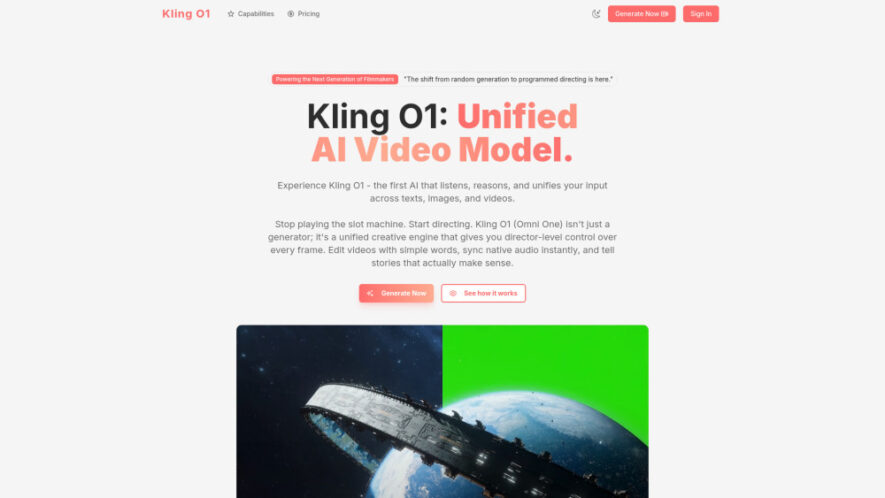
Kling O1, also known as Omni One, is a unified AI video model developed by Kuaishou for advanced video generation and editing. It combines text, images, and videos as inputs while providing conversational editing, consistent subjects, cinematic motion, physics-aware multimodal reasoning, and native audio synchronization. With...
Kling O1, also known as Omni One, is a unified AI video model developed by Kuaishou for advanced video generation and editing. It combines text, images, and videos as inputs while providing conversational editing, consistent subjects, cinematic motion, physics-aware multimodal reasoning, and native audio synchronization. With Text-to-Video, Image-to-Video, and Video-to-Video workflows, Kling O1 gives creators detailed control over visual storytelling and video production.
Provides conversational video editing that responds naturally to creative instructions.
Uses physics-aware multimodal vision-language technology for realistic video understanding.
Supports native audio synchronization for cohesive audiovisual content creation.
Maintains consistent subjects across generated and edited video sequences.
Produces cinematic motion for visually engaging professional video projects.
Unifies text, image, and video inputs within one creative workflow.
Enables detailed director-level control over individual video frames.
Supports Text-to-Video, Image-to-Video, and Video-to-Video generation modes.
You Got Questions,We Got Answers
What is Kling O1 and what does it do?
Kling O1, also called Omni One, is a multimodal AI video model developed by Kuaishou. It unifies video generation and editing while supporting text, images, and videos as inputs, providing consistent subjects, cinematic motion, conversational editing, and detailed creative control.
Can Kling O1 edit existing videos using natural language?
Yes, Kling O1 allows users to edit existing footage using conversational instructions. Users can describe changes such as modifying weather, removing visual elements, or changing colors, while the model attempts to preserve the original scene's essential characteristics.
How does Kling O1's unified input system work?
Kling O1 uses a multimodal vision-language architecture that combines text, images, and videos within a unified workflow. This allows the system to interpret different input types together, helping users create or modify video content with more coordinated visual instructions.
What video generation modes does Kling O1 support?
Kling O1 supports three primary workflows: Text-to-Video, Image-to-Video, and Video-to-Video. These modes allow users to generate new scenes from descriptions, animate reference images, or transform existing footage according to creative instructions and editing requirements.
Does Kling O1 support consistent characters and subjects?
Yes, subject consistency is one of Kling O1's core capabilities. The model is designed to maintain recognizable subjects across generated or edited sequences, which can help creators produce more coherent stories, advertisements, cinematic scenes, and extended visual narratives.
Does Kling O1 include audio synchronization capabilities?
Yes, Kling O1 provides native audio synchronization as part of its video creation capabilities. This helps coordinate generated visuals with audio elements, supporting more cohesive audiovisual results for cinematic projects, advertisements, social content, and other professional video workflows.
What makes Kling O1 useful for filmmakers?
Kling O1 provides filmmakers with tools for storyboarding, previsualization, camera-angle experimentation, scene development, and video editing. Its multimodal inputs and director-level controls can help creators explore visual concepts before committing significant resources to traditional production workflows.
Can marketers create product advertisements with Kling O1?
Yes, marketers can use Image-to-Video capabilities to transform static product photographs into engaging video advertisements. The platform's cinematic motion, subject consistency, and visual control can support promotional content designed for campaigns, social media, product launches, and digital advertising.
Use cases
Filmmaking
Visualize storyboards and previsualization scenes with specific camera angles and cinematic compositions.
Marketing
Transform static product images into engaging video advertisements using Image-to-Video generation.
Content
Generate customized B-roll footage that matches scripts, moods, themes, and storytelling requirements.
Production
Accelerate visual effects workflows by transforming complex VFX concepts into finished-looking shots.
Storytelling
Develop cinematic scenes from text, images, videos, and conversational creative instructions.
Editing
Modify existing footage naturally by describing precise visual changes through simple language.
Advertising
Create polished promotional videos with consistent subjects, cinematic movement, and controlled visuals.
Previsualization
Experiment with camera movements, environments, scenes, and visual concepts before production begins.
Traffic and Engagement
Jun 2026 - Aug 2026
World wide
Monthly visitors (August)
3.1k
Page/Visit
1.09
Visit Duration
0s
Bounce Rate
36.42%
Pricing
Freemium
$9.9
Kling O1 Embeds
Copied!
Let your community know you're live on Skillcurb! Just drop a badge on your site’s homepage with just a few clicks. Showcasing the badge helps increase your visibility and connects you with users actively exploring top AI tools.