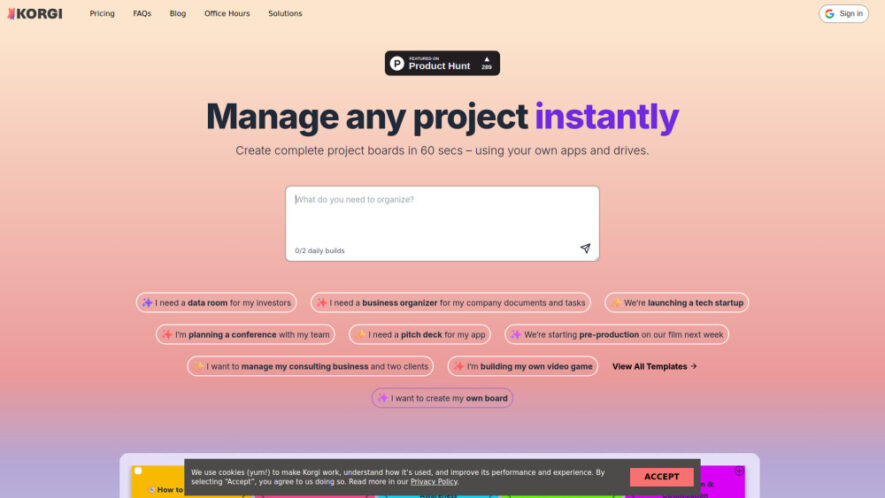
Korgi is an AI-powered project management platform that brings scattered productivity tools into one organized workspace. It automatically creates complete project boards with tasks, content, steps, and resources in under a minute. By integrating with tools like Google Workspace, Microsoft 365, Zoom, and Meet, Korgi helps...
Korgi is an AI-powered project management platform that brings scattered productivity tools into one organized workspace. It automatically creates complete project boards with tasks, content, steps, and resources in under a minute. By integrating with tools like Google Workspace, Microsoft 365, Zoom, and Meet, Korgi helps teams plan, collaborate, create, and deliver projects faster while reducing context switching and improving productivity through intelligent automation
Generate complete AI-powered project boards with tasks, content, and resources instantly.
Connect Google Workspace and Microsoft 365 tools for seamless workflows.
Collaborate with teams through real-time board sharing and communication features.
Create, launch, and manage assets directly from organized project boards.
Export project information into professionally formatted documents with one click.
Use integrated AI assistant for smarter planning and project management support.
Host video meetings directly inside boards using connected communication platforms.
Centralize files, tasks, and resources within a single productive workspace.
You Got Questions,We Got Answers
1. What is Korgi and how does it improve project management?
Korgi is an AI-powered project management app that creates organized project boards with tasks, resources, and content. It helps teams manage workflows, reduce planning challenges, and keep everything accessible in one shared workspace.
2. How does Korgi connect with existing productivity applications?
Korgi integrates with popular tools including Google Workspace, Microsoft 365, Zoom, and Meet. Users can create, share, save, and manage files, events, contacts, and other resources directly from their project boards.
3. How quickly can Korgi create a complete project board?
Korgis AI can generate a complete project board with content, steps, links, and resources in less than a minute. This helps users quickly organize projects without spending hours on manual planning.
4. Can teams collaborate together using Korgi project boards?
Yes. Korgi supports real-time collaboration and board sharing, allowing teams to work together, communicate, organize resources, assign tasks, and manage projects efficiently from one centralized workspace.
5. What types of projects can be managed using Korgi?
Korgi supports many projects including startups, conferences, consulting businesses, film production, investor data rooms, app launches, business operations, gaming projects, and student application tracking workflows.
6. Does Korgi include artificial intelligence assistance features?
Yes. Korgi includes an integrated AI assistant that helps users organize projects, generate content, plan workflows, and improve productivity by providing intelligent support throughout project management activities.
7. Can I export my Korgi projects into document formats?
Yes. Korgi allows users to export project information into formatted documents with a simple action. This makes it easier to create reports, presentations, proposals, and shareable project materials.
8. Is Korgi available with free trials or subscription options?
Yes. Korgi offers free options for eligible users and provides trial periods for premium plans. Users can explore the platform features before choosing a subscription that fits their project management needs.
Use cases
Investing
Create organized investor data rooms with documents, resources, and project information easily accessible.
Business
Manage company tasks, files, and workflows using a centralized AI-powered workspace.
Startup
Plan technology launches, organize resources, and execute startup projects efficiently.
Events
Coordinate conferences, schedules, teams, and event materials from one collaborative board.
Pitching
Build professional pitch decks with structured content, assets, and presentation resources.
Film
Manage pre-production workflows, creative assets, and production tasks efficiently.
Consulting
Organize client projects, documents, communications, and business deliverables effectively.
Gaming
Plan game development projects with teams, resources, tasks, and creative workflows.
Pricing
Freemium
$17
Korgi Embeds
Copied!
Let your community know you're live on Skillcurb! Just drop a badge on your site’s homepage with just a few clicks. Showcasing the badge helps increase your visibility and connects you with users actively exploring top AI tools.