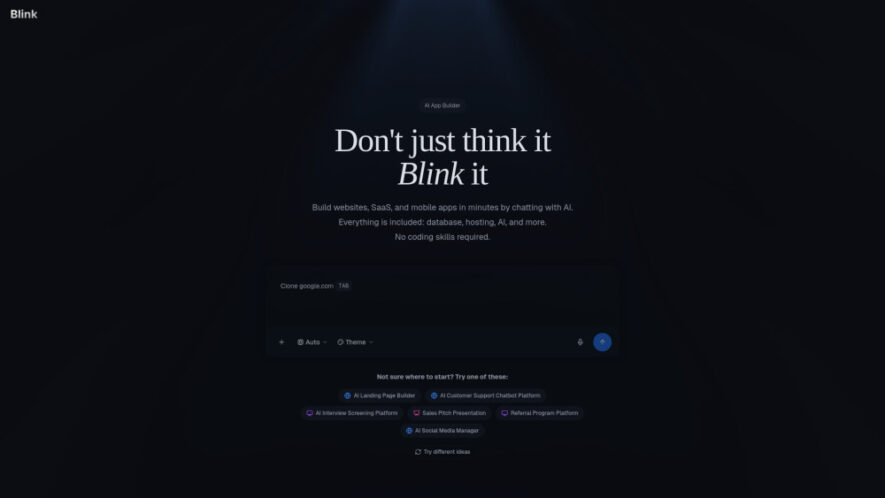
Blink AI App Builder is a powerful full-stack development platform that enables users to create production-ready websites and applications using simple natural language prompts. It eliminates the need for deep coding knowledge by automating frontend, backend, and database setup seamlessly. Designed for developers, startups, and non-technical...
Blink AI App Builder is a powerful full-stack development platform that enables users to create production-ready websites and applications using simple natural language prompts. It eliminates the need for deep coding knowledge by automating frontend, backend, and database setup seamlessly. Designed for developers, startups, and non-technical users alike, Blink accelerates development workflows, reduces costs, and simplifies deployment, making it easier than ever to turn ideas into scalable digital products.
Generate complete full-stack applications using simple natural language prompts
Automatically build frontend, backend, and database with seamless integration
Deploy production-ready apps instantly without manual configuration or setup
Supports scalable architecture suitable for startups and enterprise-level applications
Real-time editing and customization with instant preview and updates
Built-in authentication, APIs, and database management for rapid development
AI-assisted debugging and optimization for improved performance and reliability
Collaboration tools for teams to build and manage projects efficiently
You Got Questions,We Got Answers
1. What type of applications can Blink AI App Builder create?
Blink AI App Builder can create a wide variety of applications including websites, SaaS platforms, dashboards, and mobile-ready web apps. It supports both simple landing pages and complex full-stack systems with backend logic, authentication, and database integration.
2. Do I need coding knowledge to use Blink AI App Builder?
No, coding knowledge is not required to use Blink effectively. The platform is designed for both technical and non-technical users, allowing you to describe your app idea in natural language while the AI handles the development process.
3. Can I customize the generated applications after creation?
Yes, Blink allows full customization of generated applications. You can modify design, features, and logic using its editor or by refining prompts, giving you flexibility to tailor the final product to your specific needs.
4. Is Blink AI App Builder suitable for professional production use?
Yes, Blink generates production-ready applications with scalable architecture. It includes essential components like APIs, authentication, and databases, making it suitable for startups, businesses, and developers building real-world applications.
5. How does Blink handle deployment and hosting of applications?
Blink simplifies deployment by offering built-in hosting and one-click deployment features. Users can quickly publish applications without dealing with complex server configurations, making the launch process fast and efficient.
6. Can teams collaborate while building applications using Blink platform?
Yes, Blink supports team collaboration with shared workspaces and project management tools. Multiple users can work together, make updates, and manage development workflows efficiently within the platform.
Use cases
Startup MVP
Quickly build and launch minimum viable products to validate ideas, attract investors, and iterate based on user feedback without heavy development costs.
Business Tools
Create internal dashboards, automation systems, and management tools that streamline operations and improve productivity across different departments.
Web Apps
Develop fully functional web applications with authentication, APIs, and databases for various industries, including e-commerce, education, and services.
Landing Pages
Generate high-converting landing pages for marketing campaigns, product launches, and lead generation with minimal effort and time investment.
SaaS Platforms
Build scalable SaaS products with subscription models, user management, and backend systems ready for real users and growth.
Prototyping
Rapidly create and test prototypes to visualize ideas, gather feedback, and refine product concepts before committing to full-scale development.
Pricing
Freemium
$25
Blink AI App Builder Embeds
Copied!
Let your community know you're live on Skillcurb! Just drop a badge on your site’s homepage with just a few clicks. Showcasing the badge helps increase your visibility and connects you with users actively exploring top AI tools.