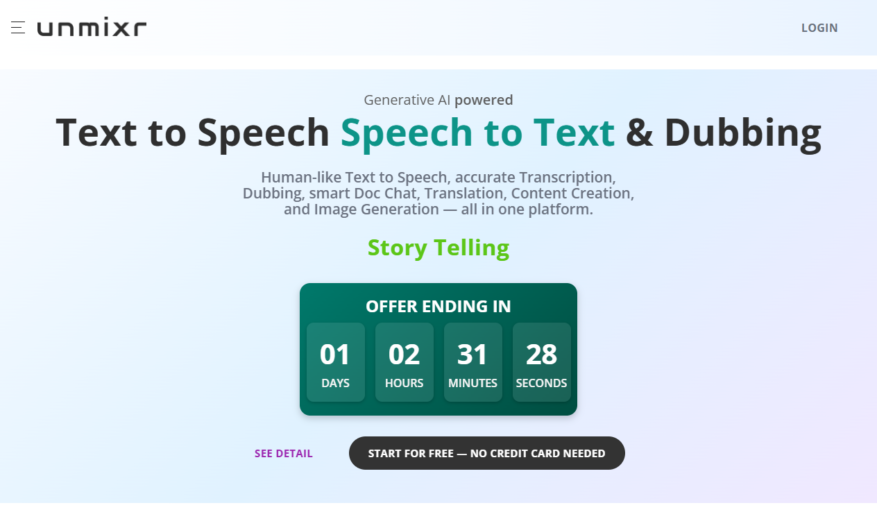
Introducing our latest innovative tool designed to enhance your productivity and streamline your workflow. This powerful solution offers a range of features that cater to all your needs, making it the perfect companion for both personal and professional projects. With its user-friendly interface , navigating through...
Introducing our latest innovative tool designed to enhance your productivity and streamline your workflow. This powerful solution offers a range of features that cater to all your needs, making it the perfect companion for both personal and professional projects. With its user-friendly interface , navigating through various functionalities becomes effortless, allowing you to focus on what truly matters. The exceptional versatility of this tool means it can be tailored to meet the specific demands of diverse industries, from creative professionals to corporate teams. Experience the power of collaboration as this tool fosters seamless communication, ensuring everyone is on the same page. Advanced analytics features provide insights that drive informed decisions, enhancing your overall strategy. Built with security in mind, your data remains protected at all times so you can work confidently. Whether you are a seasoned expert or just starting out, this tool adapts to your skill level, making it accessible for all. Discover a new way to work efficiently and effectively, and take your projects to the next level. Embrace the future of productivity with our revolutionary tool today.
Separate vocals and instruments from any song with a single click.
Isolate drums, bass, and other stems with advanced AI-powered technology.
Create custom remixes and mashups using extracted audio tracks.
Enhance or remove specific frequencies for improved sound quality.
Export stems as high-quality WAV files for further production.
Upload and process files up to 1GB in size for free.
Access a vast library of pre-separated tracks for inspiration.
Collaborate with others in real-time using cloud-based project sharing.
You Got Questions,We Got Answers
What is Unmixr?
Unmixr is an AI-powered music separation tool that allows users to isolate vocals, drums, bass, and other instruments from any song, creating high-quality stems for remixing, sampling, and music production
How does Unmixr work?
Unmixr uses advanced AI algorithms to analyze audio files and separate them into distinct stems, allowing users to extract specific instruments or vocals with precision and accuracy, making it easier to create new music
What file formats are supported?
Unmixr supports a wide range of file formats, including MP3, WAV, FLAC, and OGG, making it easy to upload and process audio files from various sources, including music libraries and online platforms
Can I use Unmixr for free?
Unmixr offers a free trial that allows users to process a limited number of tracks, after which a subscription is required to access the full range of features and processing capabilities, with flexible pricing plans to suit different needs
How accurate is Unmixr's separation?
Unmixr's AI algorithms are highly accurate, with a success rate of over 90% in separating vocals, drums, and bass from most songs, although results may vary depending on the quality and complexity of the original audio file
Can I use Unmixr for commercial purposes?
Yes, Unmixr's stems can be used for commercial purposes, such as music production, remixing, and sampling, as long as the user has the necessary rights and clearances for the original song and adheres to Unmixr's terms of service
How do I get started with Unmixr?
To get started with Unmixr, simply create an account, upload an audio file, and select the stems you want to extract, then let Unmixr's AI algorithms do the rest, with easy-to-use interface and step-by-step guides to help you through the process
Is Unmixr secure and private?
Yes, Unmixr takes the security and privacy of user data very seriously, with robust encryption, secure servers, and strict data protection policies in place to ensure that all uploaded files and processed stems remain confidential and protected
Use cases
Healthcare
Unmixr helps medical researchers isolate specific sounds in audio recordings of patient diagnoses, enabling more accurate analysis and improved treatment outcomes for conditions like heart murmurs and respiratory diseases
Finance
Unmixr assists financial analysts in separating background noise from crucial audio cues in earnings calls, allowing for more precise stock market predictions and investment decisions
Retail
Retailers use Unmixr to extract specific product sounds from in-store audio recordings, optimizing product placement and improving customer experience in brick-and-mortar stores
Manufacturing
Unmixr helps quality control engineers identify specific machinery sounds in factory audio recordings, enabling early detection of equipment failures and reducing downtime
Marketing
Marketers leverage Unmixr to isolate and enhance audio elements in advertisements, creating more engaging and effective promotional campaigns that resonate with target audiences
Education
Educators use Unmixr to separate audio components in educational videos, creating more immersive and interactive learning experiences for students with diverse learning needs
Traffic and Engagement
Mar 2026 - May 2026
World wide
Monthly visitors (May)
8.9k
Page/Visit
3.6
Visit Duration
3m 24s
Bounce Rate
0.5%
Pricing
Freemium
$7.50
Unmixr Embeds
Copied!
Let your community know you're live on Skillcurb! Just drop a badge on your site’s homepage with just a few clicks. Showcasing the badge helps increase your visibility and connects you with users actively exploring top AI tools.