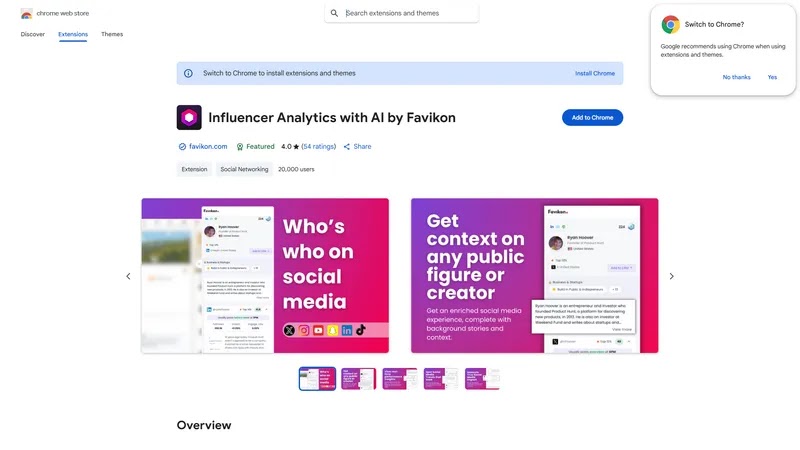
Favikon Creator is a Chrome extension that allows users to generate favicons for their websites or web applications easily and quickly. With a simple and intuitive interface, users can upload their own images or use pre-designed templates to create custom favicons in various sizes and formats....
Favikon Creator is a Chrome extension that allows users to generate favicons for their websites or web applications easily and quickly. With a simple and intuitive interface, users can upload their own images or use pre-designed templates to create custom favicons in various sizes and formats. The extension also provides features such as automatic image resizing, cropping, and optimization, making it a convenient tool for web developers, designers, and bloggers to create professional-looking favicons for their online presence.
Creates custom favicons for websites with ease and simplicity.
Supports multiple image formats like PNG, ICO, and GIF.
Allows users to upload their own images or use templates.
Enables cropping and resizing of images to fit favicon dimensions.
Provides real-time preview of favicon designs before saving.
Offers a user-friendly interface for easy favicon creation.
Supports bulk favicon creation for multiple websites at once.
Automatically generates HTML code for easy favicon implementation.
You Got Questions,We Got Answers
What is Favikon Creator?
Favikon Creator is a Chrome extension that helps users create custom favicons for their websites, allowing them to personalize their online presence and enhance their brand identity
How does it work?
Favikon Creator uses a simple and intuitive interface to guide users through the favicon creation process, offering a range of templates, icons, and customization options to ensure a unique and professional result
Is Favikon Creator free?
Yes, Favikon Creator is a free Chrome extension, and users can create and download unlimited favicons without incurring any costs or subscription fees, making it an accessible tool for individuals and businesses alike
Can I customize my favicon?
Absolutely, Favikon Creator offers a wide range of customization options, including templates, icons, colors, and fonts, allowing users to tailor their favicon to their brand's specific style and aesthetic
What file formats are supported?
Favikon Creator supports multiple file formats, including ICO, PNG, and GIF, ensuring that users can create favicons that are compatible with various devices and browsers
How do I install Favikon Creator?
To install Favikon Creator, simply visit the Chrome Web Store, click the "Add to Chrome" button, and follow the prompts to complete the installation process, which only takes a few seconds
Can I use Favikon Creator for commercial purposes?
Yes, Favikon Creator is suitable for commercial use, and businesses can use the extension to create professional-looking favicons that enhance their online brand and reputation
Is Favikon Creator user-friendly?
Yes, Favikon Creator is designed to be user-friendly, with an intuitive interface and clear instructions, making it easy for users of all skill levels to create high-quality favicons in just a few minutes
Use cases
Finance
Create custom favicons for financial institutions' online banking platforms to enhance brand recognition and visual identity among customers
Healthcare
Design consistent favicons for medical websites and patient portals to establish a strong visual brand and improve user experience
Education
Develop custom favicons for online learning platforms and educational resources to create a recognizable brand identity among students and teachers
Retail
Generate unique favicons for e-commerce websites and online marketplaces to increase brand awareness and differentiate from competitors
Travel
Create custom favicons for travel booking websites and travel guides to enhance visual branding and improve user engagement
Government
Design consistent favicons for government websites and public services to establish a strong visual identity and improve citizen engagement
Traffic and Engagement
May 2026 - Jul 2026
World wide
Monthly visitors (July)
219.9m
Page/Visit
2.9
Visit Duration
1m 57s
Bounce Rate
0.6%
Pricing
FREE
$0
Favikon – Chrome Extension Embeds
Copied!
Let your community know you're live on Skillcurb! Just drop a badge on your site’s homepage with just a few clicks. Showcasing the badge helps increase your visibility and connects you with users actively exploring top AI tools.